Hi everyone, Just realized I’ve been putting a lot of work in this repo and I should do some self promotion as it would be cool if other people find use for it: github.com/beatreichenbach/qt-parameters There are a bunch of other repos on my page as well 🙂
Author: admin
Archived post by lewis.taylor.
@jacobs1111
Attachments in this post:
http://fx-td.com/houdiniandchill/wp-content/uploads/discord/20262710/12/26/2026-10-13_14-54-19.mp4
http://fx-td.com/houdiniandchill/wp-content/uploads/discord/20262710/12/26/vellum_grains_rolling.hiplc
http://fx-td.com/houdiniandchill/wp-content/uploads/discord/20262710/12/26/2026-10-13_14-59-06.mp4
Archived post by jim.meston
Partially helps.
Also my mate knocked this up, related chat on another discord.
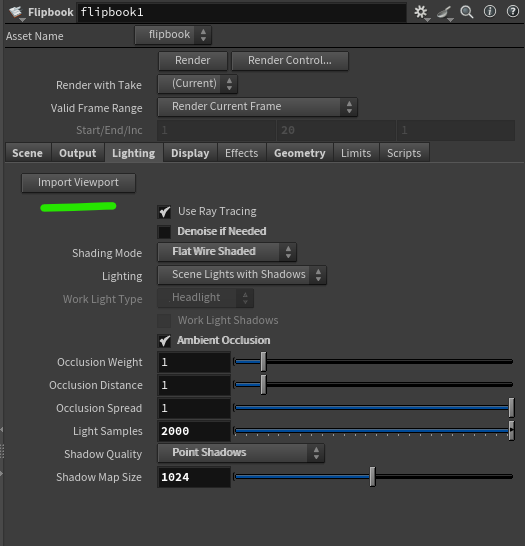
Shelf tool, creates flipbook ROP with matching viewport dims and import scene lighting (captures most of it). Wouldn’t take much to extend.
h21 ^ Might need updating for h22.
Maybe some obscure license connection bullshit.
Attachments in this post:
http://fx-td.com/houdiniandchill/wp-content/uploads/discord/20265810/08/26/image.png
Archived post by aluen0749
I’ve got special Erdos gif for that xd
cdn.discordapp.com/attachments/1418217359851782288/1550936569047810088/erdos_judging.gif

Archived post by eetum
hello gentlepeople! I’ve been cooking with texture synthesis lately, and I have a couple of HDAs for your testing pleasure, an H+C beta test if you will.
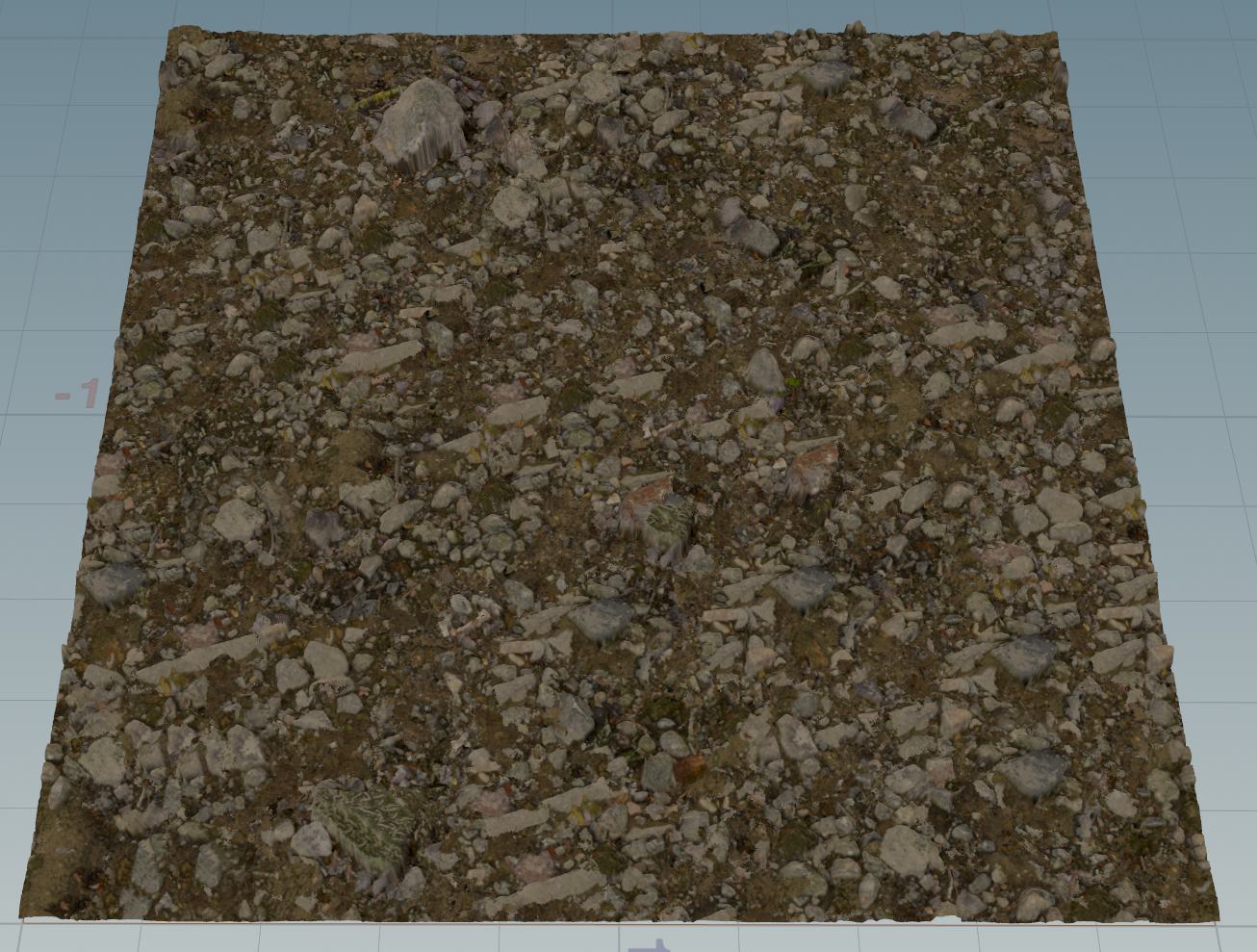
The first is essentially an OpenCL Copernicus port of the Embark texture synthesis system from A Opara et al (a hidden gem!), with a couple of additional operation modes as well. Pretty much all the options should be there. github.com/EmbarkStudios/texture-synthesis It is divided into a solve and replay node, so you can repeat the same operation to several textures if needed (e.g. PBR components) This is a non-AI solution, just old fashioned clever algorithms 🙂 It’s pretty fast too, in the video the texture synthesis is done on the fly at 512×512
the terrain example was too large to attach: www.dropbox.com/scl/fi/lw3d9flg45m0dr5q284xq/ee_texsynth_application.zip?rlkey=mm39za8qv1mvlwj69l52tcdsr&dl=0
the second is an extension of the same idea into 3d. Instead of finding suitable neighbor pixels from an exemplar, it finds neighbor voxels for a volume by trying different projection axes. Essentially a 2d -> 3d converter! It works sometimes, sometimes not, but could be a fun tool. There are a few operating modes with some masking options as well.
(agents were harmed in the making of these hdas. I’m testing the limits by posting these here nevertheless..;)
I’ll post these publicly after a few days, if someone wants to take these for a spin and give feedback before
Attachments in this post:
http://fx-td.com/houdiniandchill/wp-content/uploads/discord/20264609/21/26/image.png
Archived post by beatreichenbach
Hi, just figured I’d share. We have a somewhat crazy need at work to create Components for USD so I created a helper library. github.com/beatreichenbach/houdini-component-builder I’m using it in github.com/beatreichenbach/houdini-megascans and also in some unreleased polyhaven bridge and other plugins. Maybe it comes in handy for anyone else.
Archived post by zspc
Put this together for the cgwiki server and thought I’d share it here too in case anyone finds it helpful~
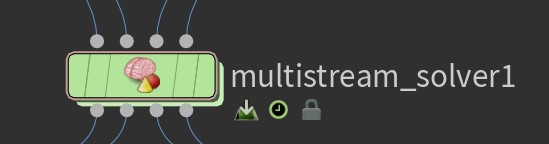
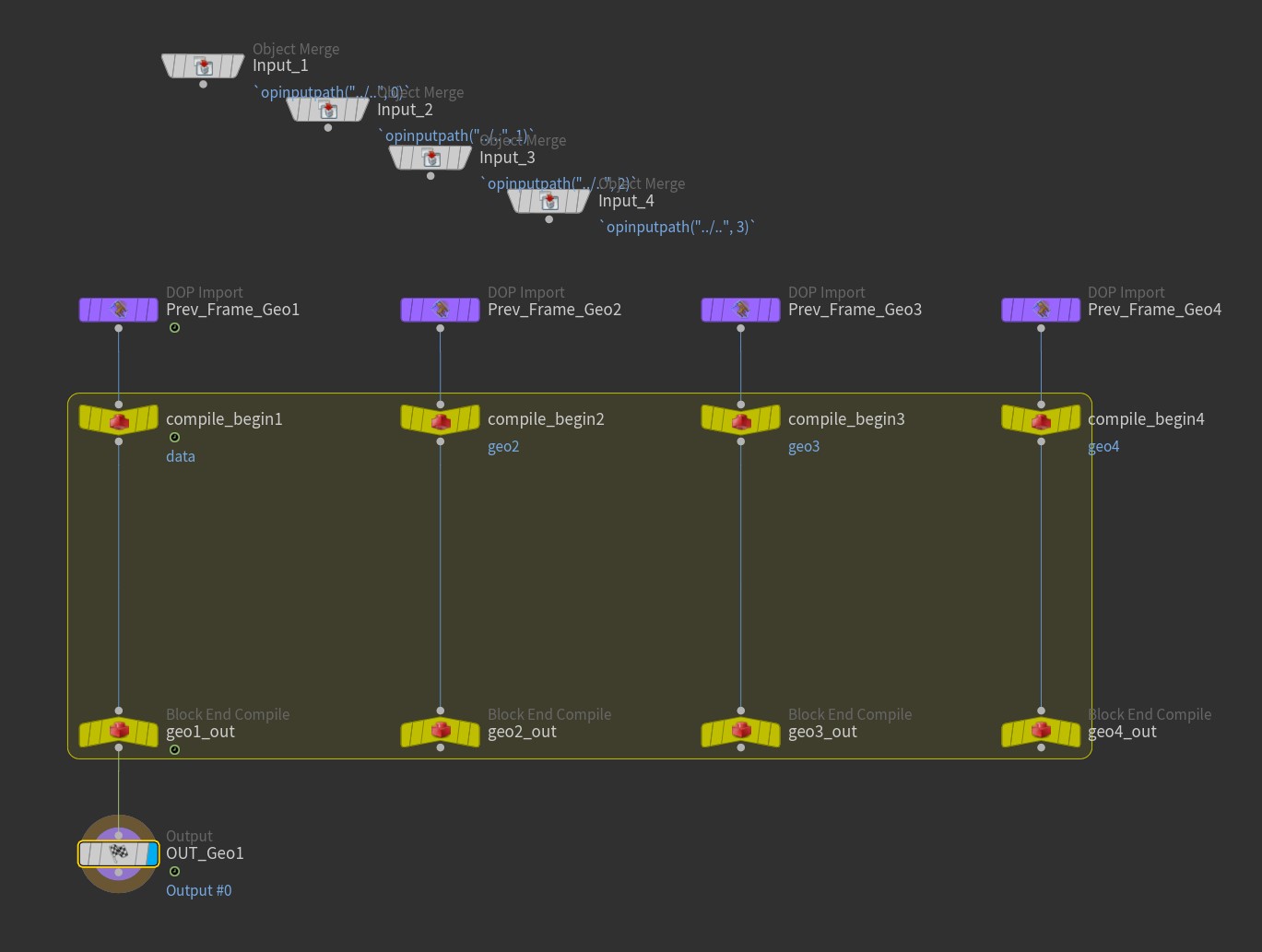
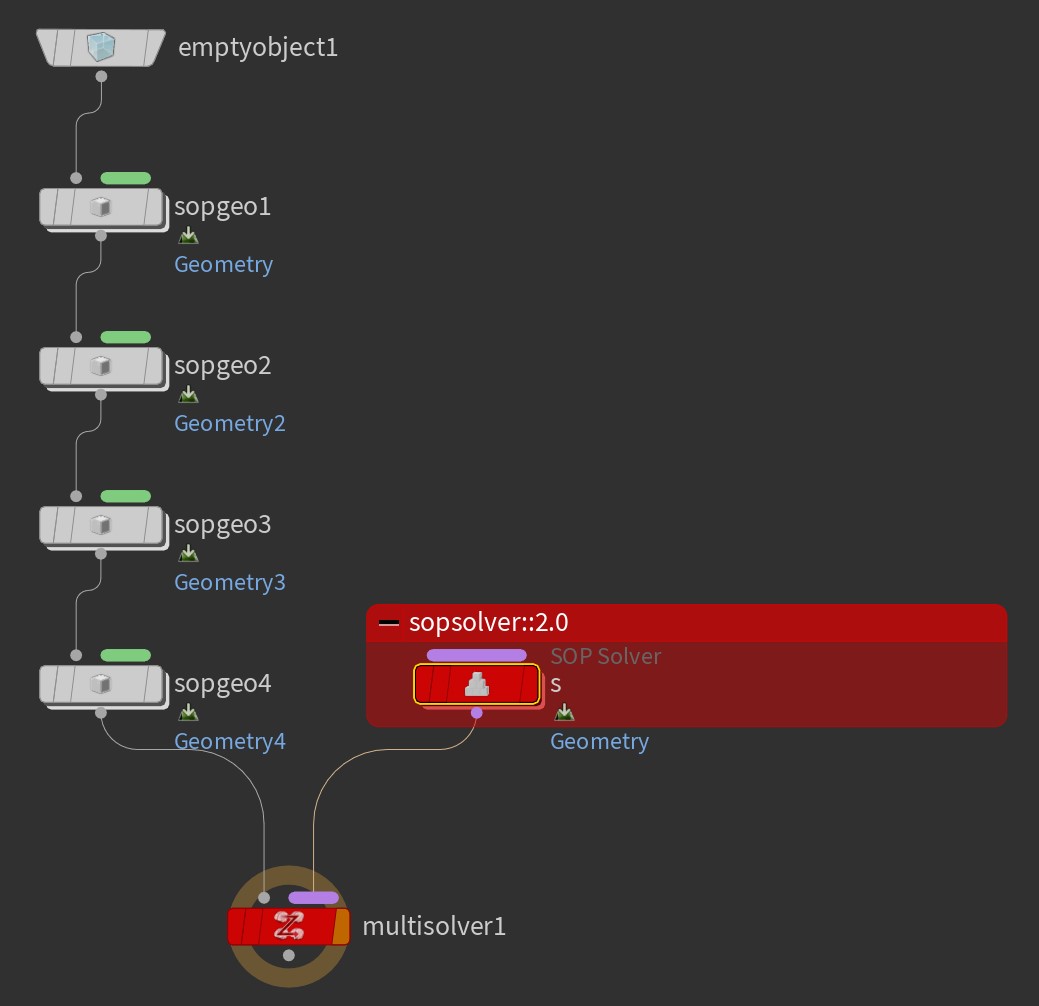
The Solver SOP can only modify one stream of geo, but if you break it open and replace the internal SOP Solver DOP with the sopsolver::2.0 and check on “Use Compiled Block” and set up the DOP data and multiparm, you can create a “Multistream Solver” SOP that can modify multiple data streams
I threw together a quick example file, and also an HDA already set up for modifying up to 4 streams and put it on github github.com/conlen-b/cb-houdini-tools/tree/main/hip-quips#multistream-solver-sop
Attachments in this post:
http://fx-td.com/houdiniandchill/wp-content/uploads/discord/20264709/17/26/MultistreamSolverSOP.jpg
http://fx-td.com/houdiniandchill/wp-content/uploads/discord/20264709/17/26/MultistreamSolverSOP_DiveTarget.jpg
http://fx-td.com/houdiniandchill/wp-content/uploads/discord/20264709/17/26/MultistreamSolverSOP_InternalDopnet.jpg
Archived post by jim.meston
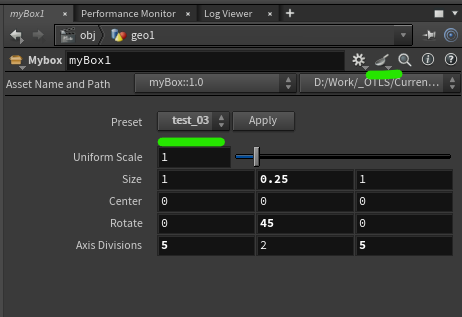
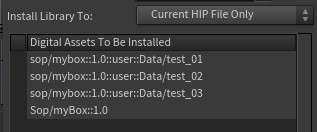
No I just meant you can save them into the actual HDA asset. So if you have something like weavetastic.hda you can just save them on that so there isn’t an extra recipes asset floating around. Not saying it is better etc…
Recipes were pretty flakey for a while.
And not as in the pastry.
Example of recipe saved on asset. Menu system on the HDA to pick up any recipes saved on it just incase you want to make it very obvious and more accessible. Just save any recipes to the HDA and the menu is obvs auto populated. Etc. blah.
Attachments in this post:
http://fx-td.com/houdiniandchill/wp-content/uploads/discord/20262209/17/26/image.png
http://fx-td.com/houdiniandchill/wp-content/uploads/discord/20262209/17/26/install_hda.jpg
http://fx-td.com/houdiniandchill/wp-content/uploads/discord/20262209/17/26/myBox_recipe_menu_example.hda
Archived post by aswaab
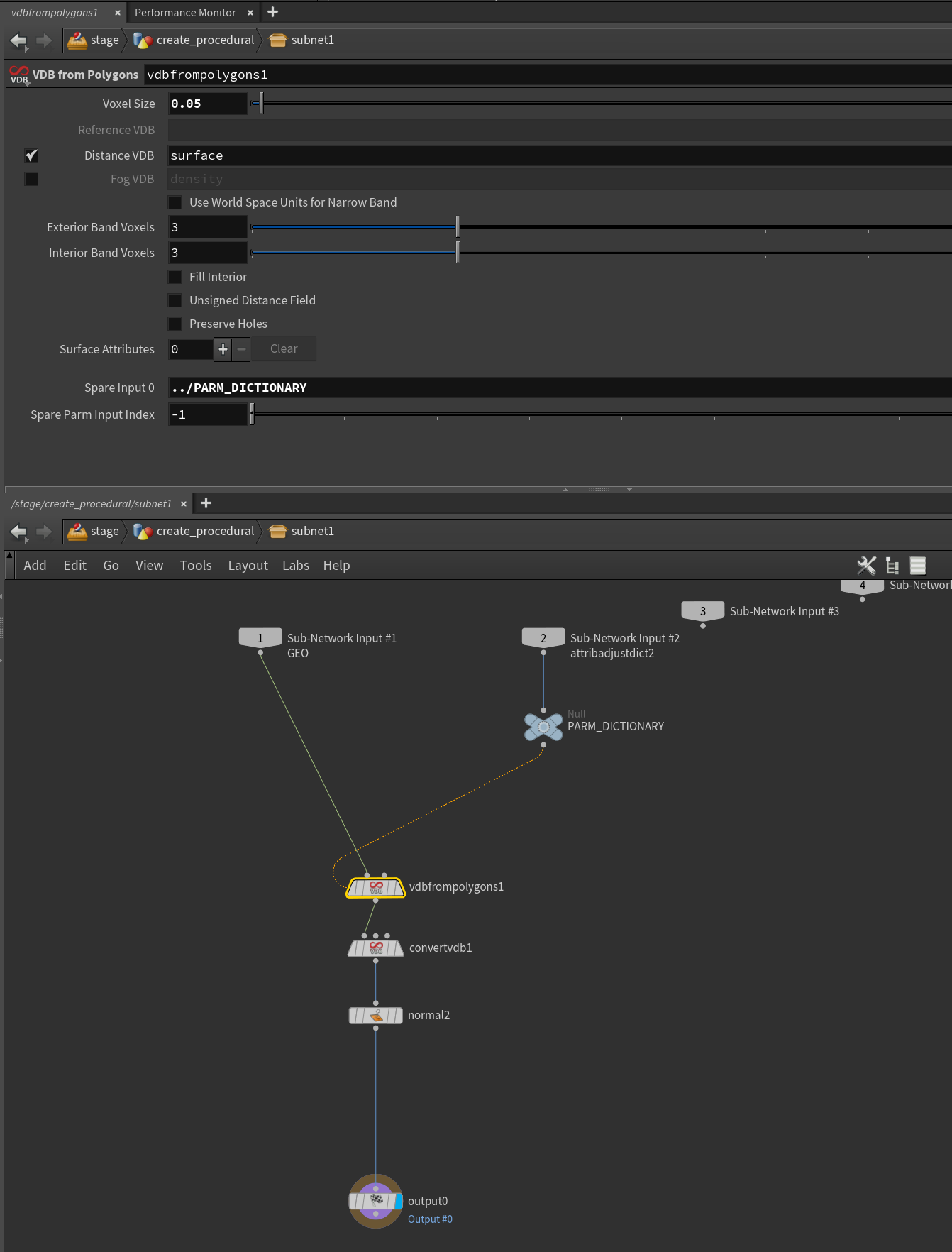
I got the (very simple test case) of the procedural working. In terms of rendering to MPlay, yeah you have to pass husk –allowed-procedurals all as the command.
hip file in case anyone is interested. I muddled through the explanation here (www.marcelruegenberg.com/blog/2025/01/14/hacking-houdini-solaris-procedurals) to put this together.
A few non-obvious things… One was that, to add parameters to the procedural, you have to pass in a dictionary into the second input of the subnet that you will use for the attribfromparm sop.
And that ends up getting referenced as a spare input to whatever you are modifying with the dictionary. Also need to add the spare parm input index parameter to let it know which spare parm to use for the overrides.
Testing everything using invokegraph helped me understand where things were broken in LOPS. So, seems best to work it all out in SOP-land, using that node to make sure everything is working before doing anything in LOPS.
Anyway, very little info out there about putting these rendertime procedurals together, so hopefully this is just a tiny bit more that can help somebody.
Attachments in this post:
http://fx-td.com/houdiniandchill/wp-content/uploads/discord/20264509/15/26/VDBConvertProcedural.mp4
http://fx-td.com/houdiniandchill/wp-content/uploads/discord/20264509/15/26/huskProcedural_01.hip
http://fx-td.com/houdiniandchill/wp-content/uploads/discord/20264509/15/26/image.png
Archived post by beatreichenbach
Hello everyone, I have released this Digital Asset for layout in Solaris. (Disclaimer: I haven’t used it extensively in production yet.) https://www.youtube.com/watch?v=zdEJcyOmgTg