Archived post by jim.meston

Partially helps.

Also my mate knocked this up, related chat on another discord.

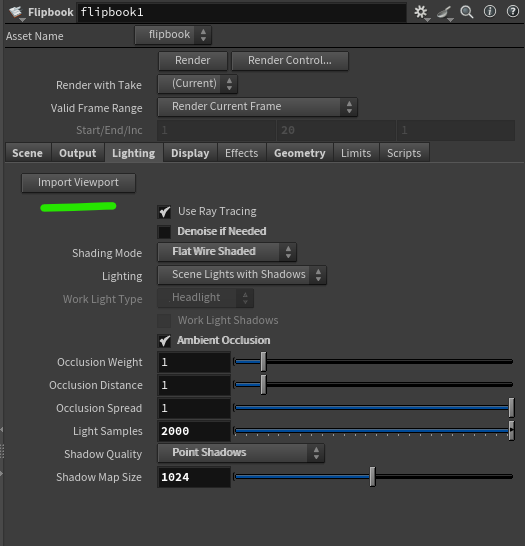
Shelf tool, creates flipbook ROP with matching viewport dims and import scene lighting (captures most of it). Wouldn’t take much to extend.

h21 ^ Might need updating for h22.

Maybe some obscure license connection bullshit.

Attachments in this post:
http://fx-td.com/houdiniandchill/wp-content/uploads/discord/20265810/08/26/image.png

Archived post by eetum

hello gentlepeople! I’ve been cooking with texture synthesis lately, and I have a couple of HDAs for your testing pleasure, an H+C beta test if you will.
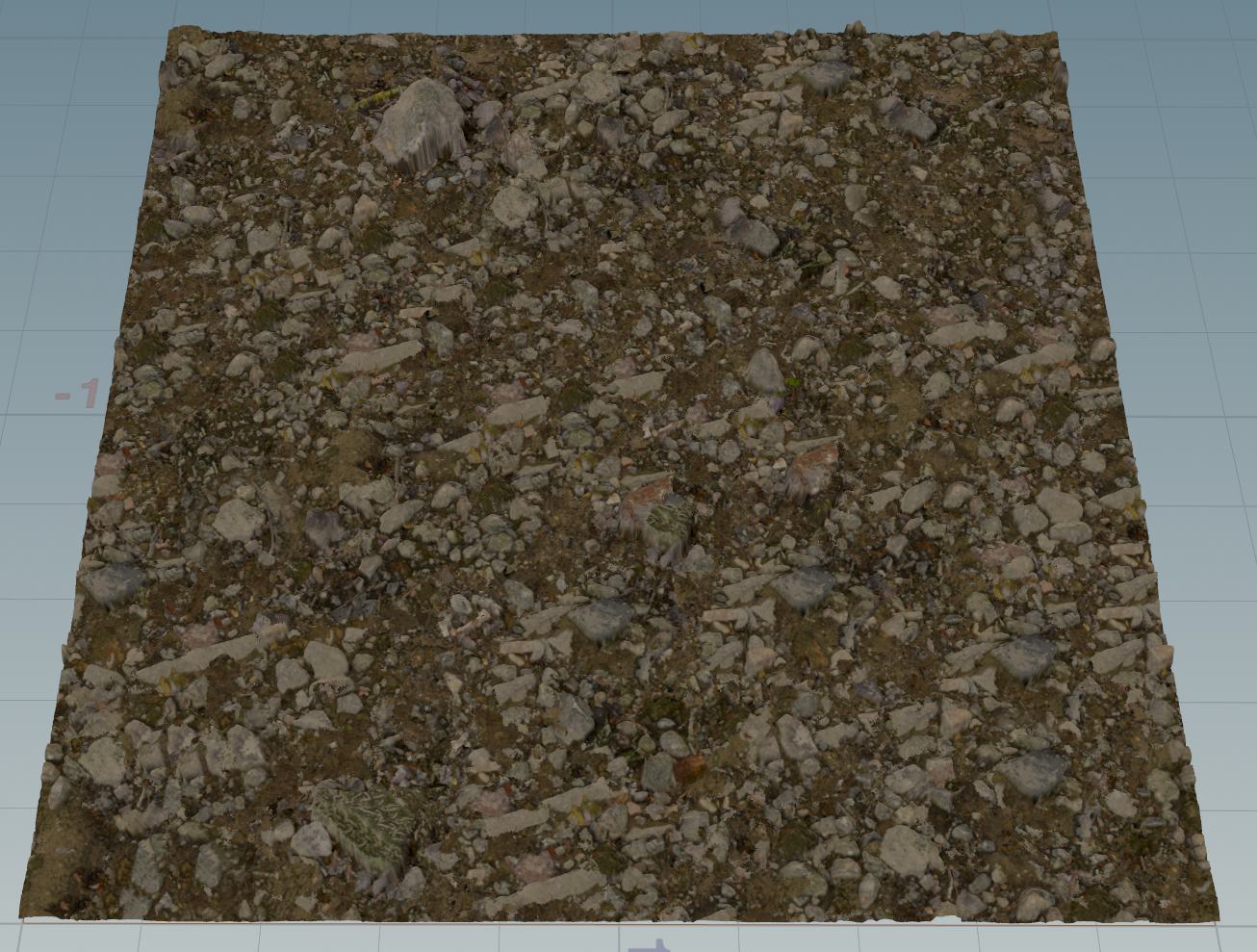
The first is essentially an OpenCL Copernicus port of the Embark texture synthesis system from A Opara et al (a hidden gem!), with a couple of additional operation modes as well. Pretty much all the options should be there. github.com/EmbarkStudios/texture-synthesis It is divided into a solve and replay node, so you can repeat the same operation to several textures if needed (e.g. PBR components) This is a non-AI solution, just old fashioned clever algorithms 🙂 It’s pretty fast too, in the video the texture synthesis is done on the fly at 512×512

the terrain example was too large to attach: www.dropbox.com/scl/fi/lw3d9flg45m0dr5q284xq/ee_texsynth_application.zip?rlkey=mm39za8qv1mvlwj69l52tcdsr&dl=0

the second is an extension of the same idea into 3d. Instead of finding suitable neighbor pixels from an exemplar, it finds neighbor voxels for a volume by trying different projection axes. Essentially a 2d -> 3d converter! It works sometimes, sometimes not, but could be a fun tool. There are a few operating modes with some masking options as well.

(agents were harmed in the making of these hdas. I’m testing the limits by posting these here nevertheless..;)

I’ll post these publicly after a few days, if someone wants to take these for a spin and give feedback before

Attachments in this post:
http://fx-td.com/houdiniandchill/wp-content/uploads/discord/20264609/21/26/image.png

Archived post by zspc

Put this together for the cgwiki server and thought I’d share it here too in case anyone finds it helpful~
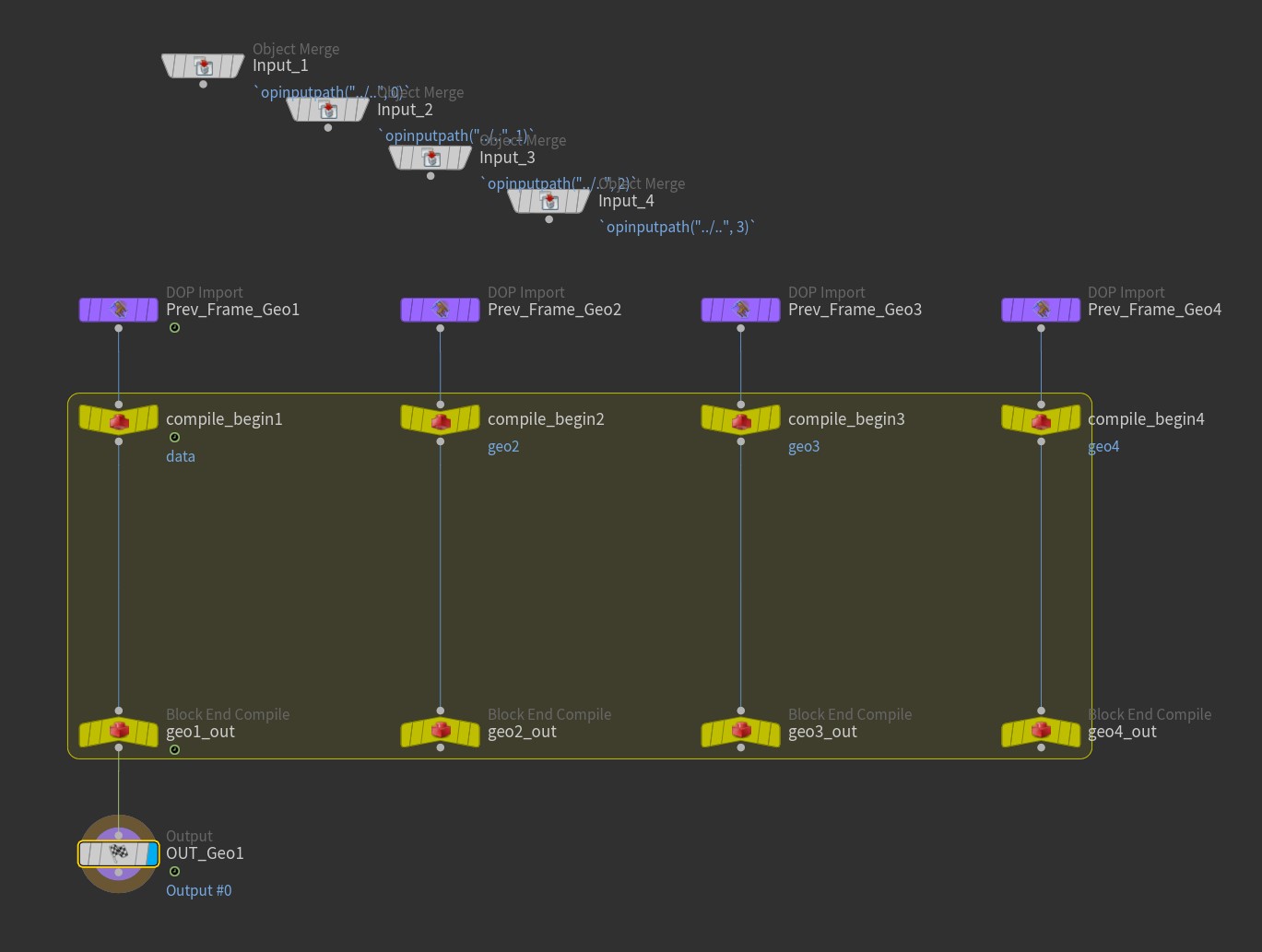
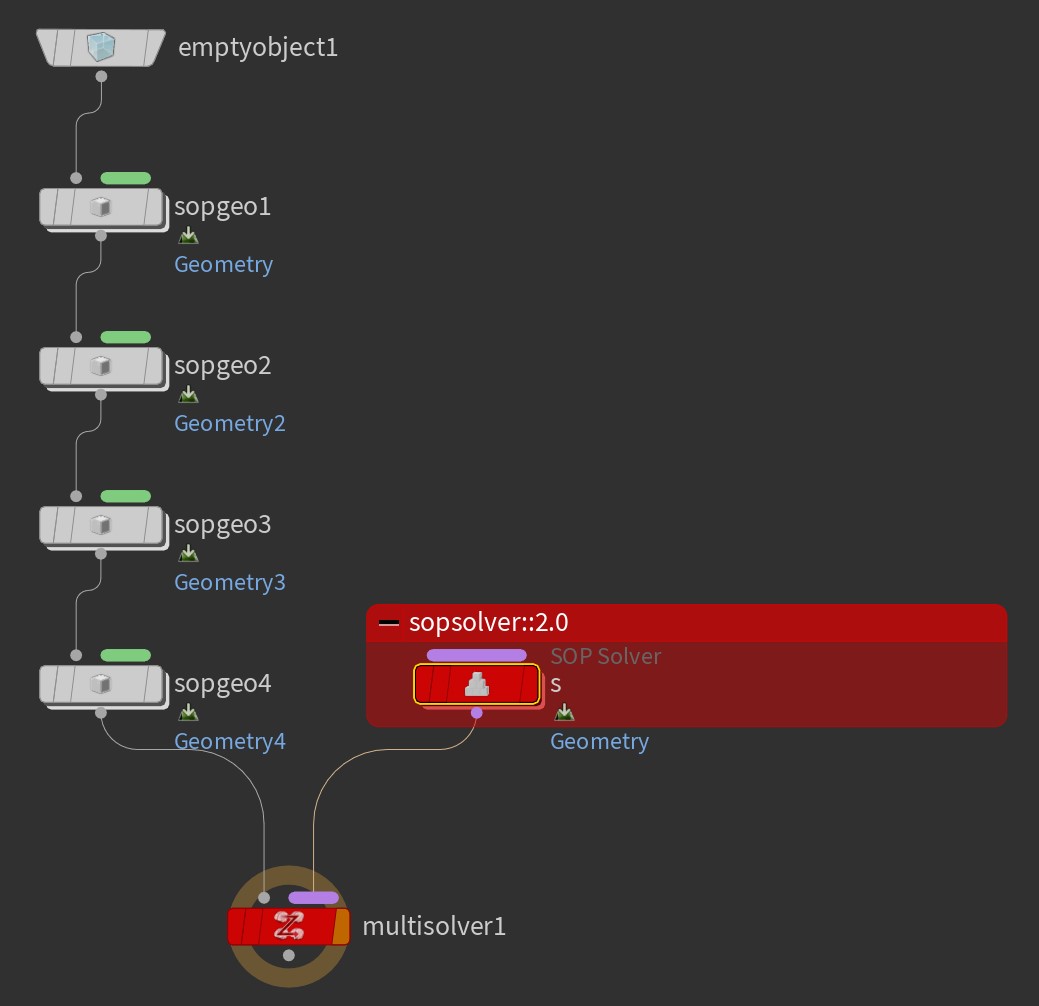
The Solver SOP can only modify one stream of geo, but if you break it open and replace the internal SOP Solver DOP with the sopsolver::2.0 and check on “Use Compiled Block” and set up the DOP data and multiparm, you can create a “Multistream Solver” SOP that can modify multiple data streams
I threw together a quick example file, and also an HDA already set up for modifying up to 4 streams and put it on github github.com/conlen-b/cb-houdini-tools/tree/main/hip-quips#multistream-solver-sop

Attachments in this post:
http://fx-td.com/houdiniandchill/wp-content/uploads/discord/20264709/17/26/MultistreamSolverSOP.jpg
http://fx-td.com/houdiniandchill/wp-content/uploads/discord/20264709/17/26/MultistreamSolverSOP_DiveTarget.jpg
http://fx-td.com/houdiniandchill/wp-content/uploads/discord/20264709/17/26/MultistreamSolverSOP_InternalDopnet.jpg

Archived post by jim.meston

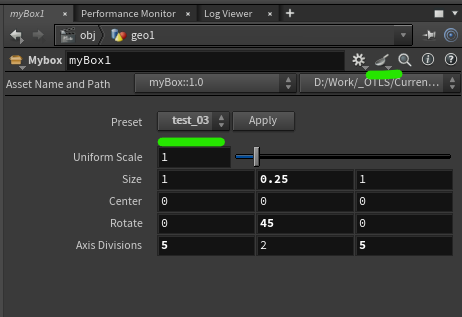
No I just meant you can save them into the actual HDA asset. So if you have something like weavetastic.hda you can just save them on that so there isn’t an extra recipes asset floating around. Not saying it is better etc…

Recipes were pretty flakey for a while.

And not as in the pastry.

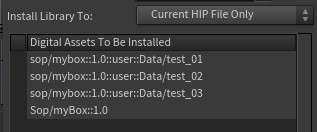
Example of recipe saved on asset. Menu system on the HDA to pick up any recipes saved on it just incase you want to make it very obvious and more accessible. Just save any recipes to the HDA and the menu is obvs auto populated. Etc. blah.

Attachments in this post:
http://fx-td.com/houdiniandchill/wp-content/uploads/discord/20262209/17/26/image.png
http://fx-td.com/houdiniandchill/wp-content/uploads/discord/20262209/17/26/install_hda.jpg
http://fx-td.com/houdiniandchill/wp-content/uploads/discord/20262209/17/26/myBox_recipe_menu_example.hda

Archived post by zspc

I just improved the docs for my Optimal Transport HDA (CPU default but GPU acceleration using CuPy if you have an NVIDIA card), thought I’d share the link since I haven’t posted it here before! github.com/conlen-b/cb-houdini-tools/tree/main/sinkhorn-based-log-domain-optimal-transport
The repo also has the raw python scripts that I heavily documented while creating it so feel free to poke around there to learn how sinkhorn based log domain optimal transport works (or to point out things I can improve!)

I originally made it for my implementation of @jake rice 😮 ‘s awesome Raya Druun paper, when I made it I didn’t realize that he had already posted an optimal transport implementation on [his github](github.com/jakericedesigns/Assorted-Houdini-Demos/tree/main/OpenCL%20Optimal%20Transport) so I reinvented the wheel a little bit 😅 but with CuPy it’s nice and fast (and can support double precision, by default I set it to float precision though) and above all helped me learn a lot!

Attachments in this post:
http://fx-td.com/houdiniandchill/wp-content/uploads/discord/20264107/30/26/OptimalTransportDemo_compressed.mp4

Archived post by pdw9472

So – who else keeps their Geo Spreadsheet open by default? Ever ran into a situation where it actually slowed down Houdini?

Curious to know.

Just in case it hasn’t been mentioned yet – you can set the Geo Spreadsheet to give each attribute listed in the spreadsheet its own color now, which makes it very well readable:

Attachments in this post:
http://fx-td.com/houdiniandchill/wp-content/uploads/discord/20262107/20/26/image.png

Archived post by remipierre

By the way, I will go back to the **quadrangulate **discussion we had a while, my geometry comes triangulated as it comes from a game engine and doesn’t keep quads.
In the end, I replaced the dissolve node by a wrangle in the node and it runs way faster, I basically recreate polygons myself. I will put it there if someone needs it
It might not work with all cases, works in mine, though

“` int ordered_poly[]; int shared_pts[]; int vtx_tmp[];
// Get the edge group from the first input int pts[] = expandedgegroup(0, “long_edge”);
// Loop through the point pairs making up the edges for (int i = 0; i < len(pts); i += 2) { // Get positions of the two points for the current edge int first_hedge = pointedge(0, pts[i], pts[i+1]); int first_prim = hedge_prim(0, first_hedge); int second_hedge = hedge_nextequiv(0, first_hedge); int second_prim = hedge_prim(0, second_hedge); int vtx1[] = primpoints(0, first_prim); int vtx2[] = primpoints(0, second_prim); shared_pts = array(pts[i], pts[i+1]); // get unique points int p_shared_a = shared_pts[0]; int p_shared_b = shared_pts[1]; vtx_tmp = vtx1; removevalue(vtx_tmp, shared_pts[0]); removevalue(vtx_tmp, shared_pts[1]); int p_unique_0 = vtx_tmp[0]; vtx_tmp = vtx2; removevalue(vtx_tmp, shared_pts[0]); removevalue(vtx_tmp, shared_pts[1]); int p_unique_1 = vtx_tmp[0]; // Find winding int idx_a = find(vtx1, p_shared_a); int idx_b = find(vtx1, p_shared_b); if((idx_a + 1) % 3 == idx_b){ ordered_poly = array(p_unique_0, p_shared_a, p_unique_1, p_shared_b); } else { ordered_poly = array(p_unique_0, p_shared_b, p_unique_1, p_shared_a); } // put prims to delete in a group setprimgroup(0, "__to_del", first_prim, 1); setprimgroup(0, "__to_del", second_prim, 1); // Create polygon int new_poly = addprim(0, "poly"); foreach(int p; ordered_poly){ addvertex(0, new_poly, p); } } “`