IF you send me your theme, this repo makes it very easy to create themes: github.com/beatreichenbach/houdini-themes
Category: hou-usd
Archived post by ogvfx
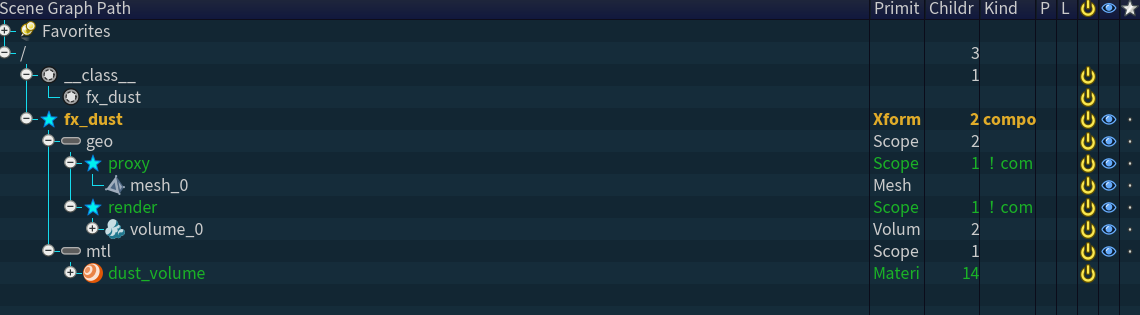
Here’s an example of how you can build it within the component builder and create an asset that’s handoff friendly to another department.
Attachments in this post:
http://fx-td.com/houdiniandchill/wp-content/uploads/discord/20265104/08/26/image.png
http://fx-td.com/houdiniandchill/wp-content/uploads/discord/20265104/08/26/og_fx_component_builder.hiplc
Archived post by kiran_irugalbandara
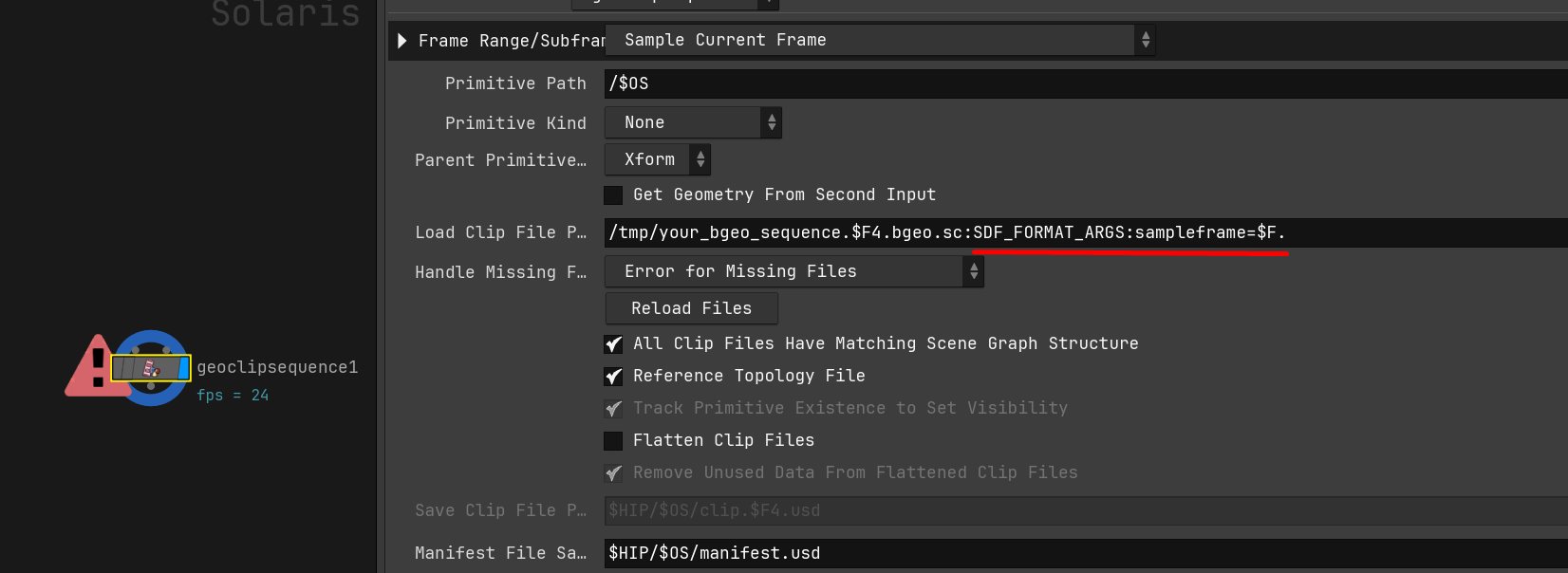
load your bgeo with this arg
Attachments in this post:
http://fx-td.com/houdiniandchill/wp-content/uploads/discord/20264104/08/26/image.png
Archived post by pixel_bender
Does anyone have a good approach to (in USD) – 1) Culling by object volume or 2) using %bound %closerthan over a shot range?
In SOPs I’d always trail and timeshift a camera frustum to the end frame – generating a shotlength frustum volume and cull objects based on it – in USD, as far as I can tell, this isn’t possible in any meaninfgul way – which is incredibly problematic
If I could cull by object volume, I could do the heavy lifting in SOPs by generating the frustum there
alternatively, if I could do a ‘cumulative closerthan / bound(cam)’, I’d get the same benefit
Oh shit.. maybe this is accounted for
well shit, this works amazingly
canera path and its prims
no time dependency introduced
`%bound(path/to/cam, bound = 20, t = ($FSTART, $FEND)) & %type:Mesh`
on a prune node seet to prune unselected
this is so great- beats even the sops workflow of frustum/trail/timeshift/group/delete
Here it is culling outside bounds, then using %closerthan in another prune to remove points getting to close to camera
seriously, beyond useful, and fast
Im just not sure if it works with instances…
Now the problem is with payloads and instances…
Attachments in this post:
http://fx-td.com/houdiniandchill/wp-content/uploads/discord/20265503/24/26/image.png
Archived post by coskuturhan
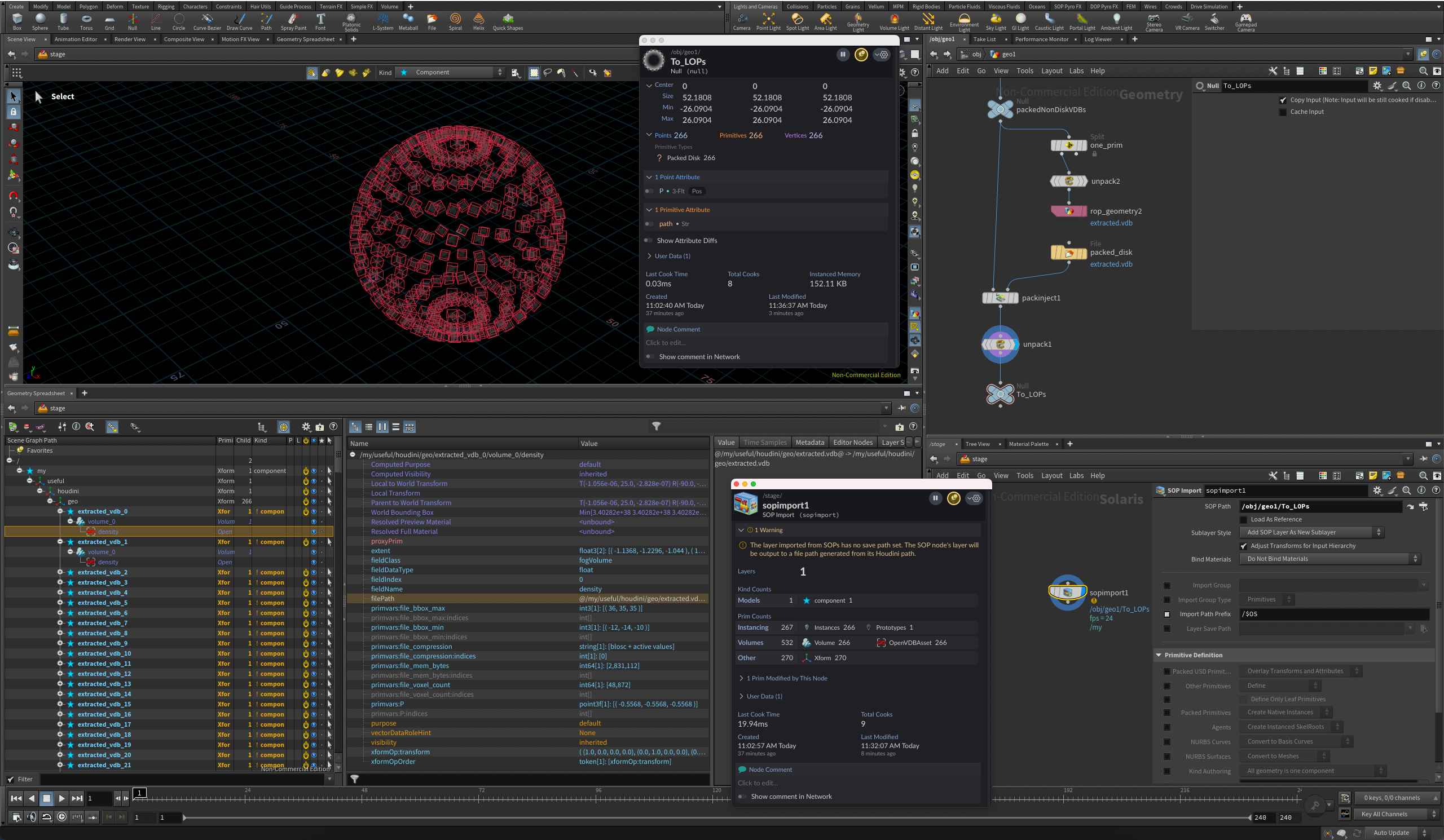
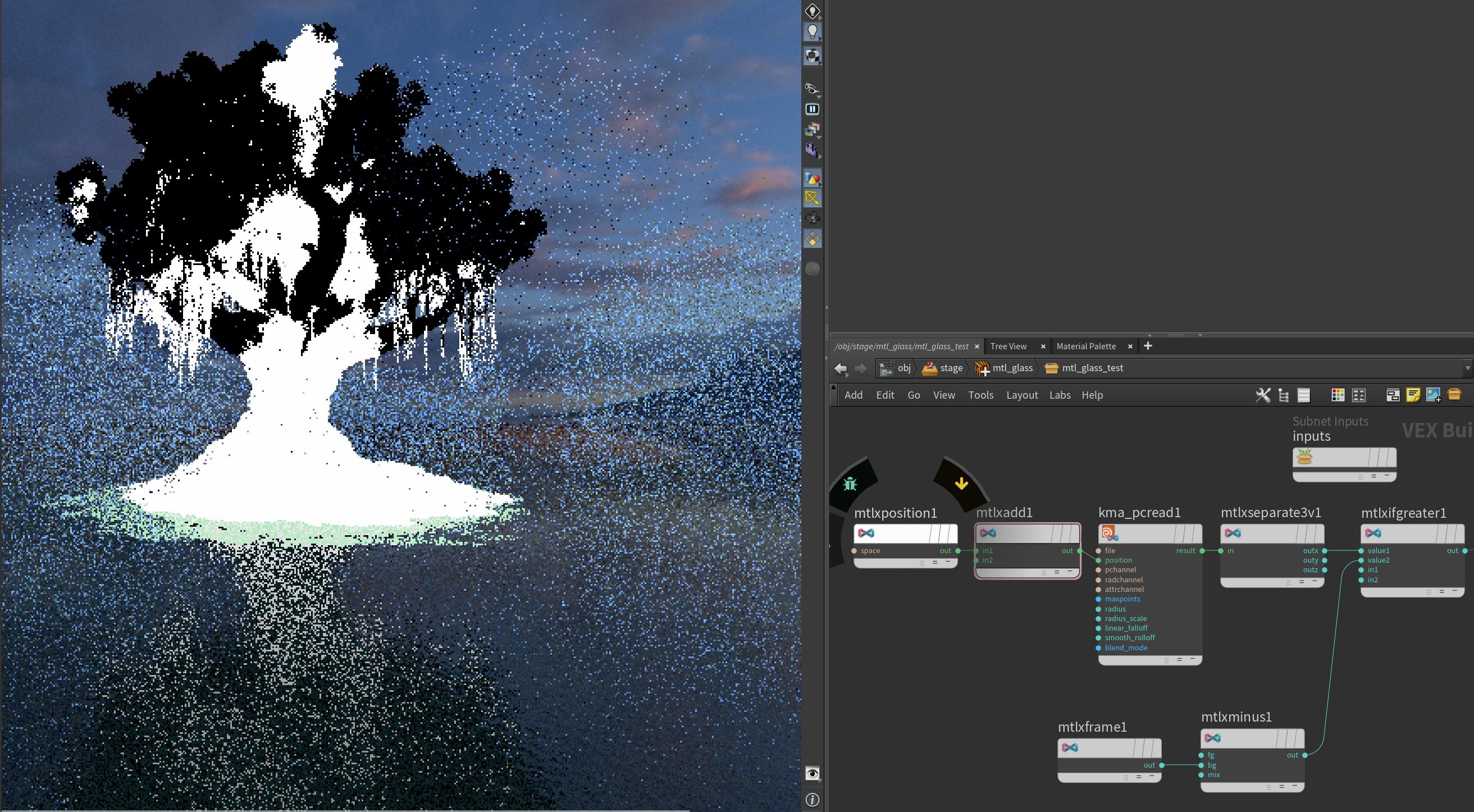
for those who were helping, you can import a bgeo pointcloud in the kma_pcread node and read an attribute as a mask in a karma shader. Super handy!
And if you use world space position, you can do this on instances, super heavy geo etc….
Attachments in this post:
http://fx-td.com/houdiniandchill/wp-content/uploads/discord/20265902/24/26/image.png
Archived post by toadstorm
am i stupid? why is `gl_wireframe` somehow nowhere visible in the render properties shown in an Edit Properties LOP?
i’ve seen it done this way, i know i’ve done it myself in the past, but it’s like impossible to find in this mess of parameters. also, *why is it so fucking hard to show curves in the viewport without thickness*? why do i have to dig through this insane menu to do this?
i even tried adding the property as-is myself having memorized the name and it doesn’t fuckin work!
okay so after some digging, apparently this property has *never* been exposed by any menu and can’t be assigned at all unless you do it manually. so if you want guide curves in solaris, and you don’t want them rendered as big obnoxious ribbons, you have to use an Edit Properties LOP, manually drag an integer property from the USD Proprties list, and name it `primvars:houdini:gl_wireframe`, OR you have to do it via a wrangle: “` usd_addprimvar(0, s@primpath, “houdini:gl_wireframe”, “bool”); usd_setprimvar(0, s@primpath, “houdini:gl_wireframe”, 1); “`
brilliant UX
i find it really hard to believe this hasn’t been an issue for any other solaris users before. are guide curves really not used by anyone?
Archived post by pixel_bender
Why would my LOPimport camera have a 100x multiplier on FL and aperture?
No scaling
This is it (thanks @.grahama )
Attachments in this post:
http://fx-td.com/houdiniandchill/wp-content/uploads/discord/20264701/21/26/image.png
Archived post by shadeops
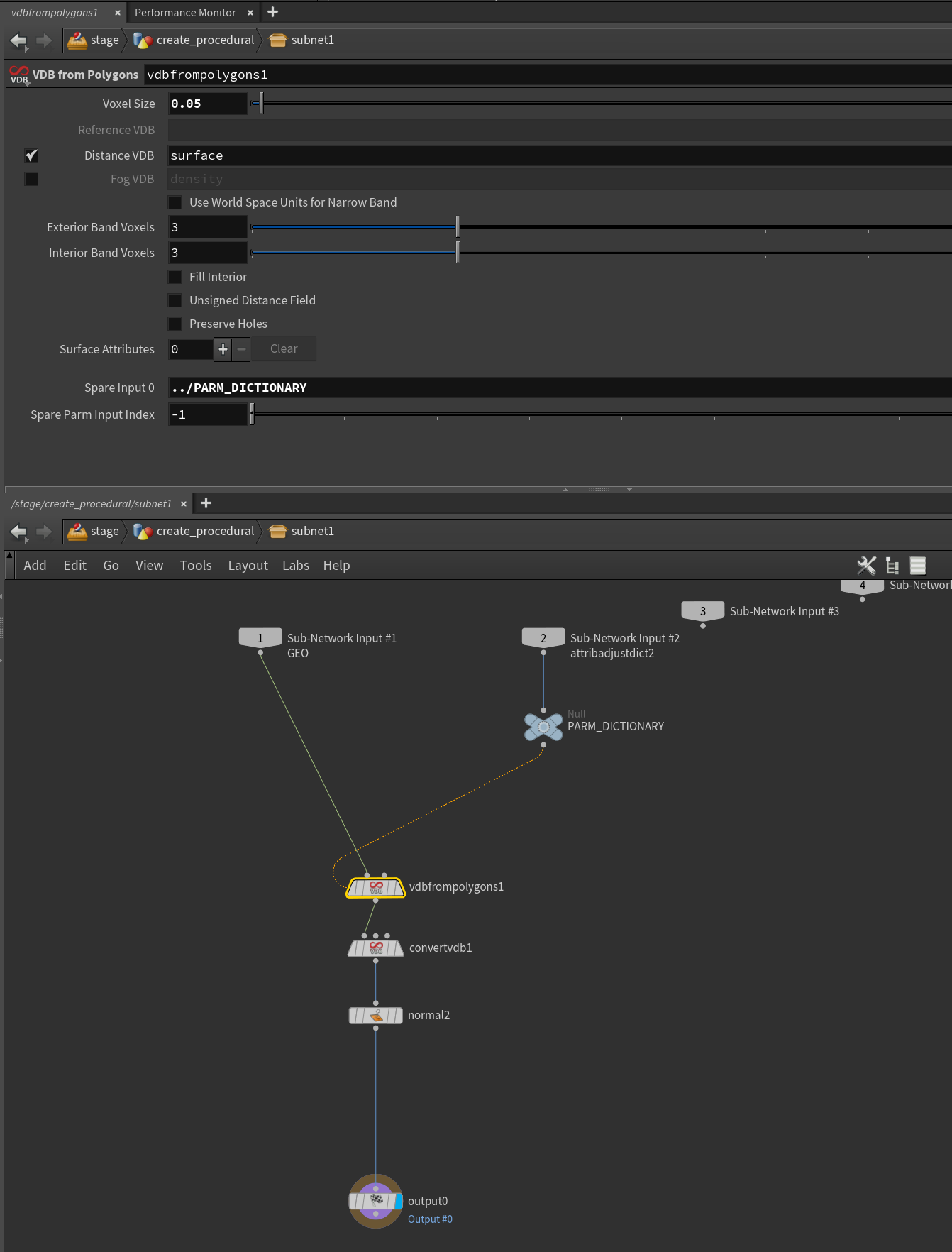
General PSA when rendering VDBs with Karma (XPU/CPU) or the Vulkan Viewport
Currently when rendering VDB volumes in a Houdini renderer, Houdini will read the entire VDB file from disk regardless of the number of fields within the VDB that are actually used.
Say for example when working in SOPs, you exported a VDB with the following fields to a VDB on disk. – `density` ( 200MB ) – `temperature` ( 200MB ) – `scatter` ( 300MB ) – `vel` ( 350MB ) – `rest` ( 300MB ) – `flame` (150MB ) (Total, 1500MB file)
However on the USD Stage, either through pruning or selective loading with a Volume LOP, your final stage looks like “` /fx/geo/explosion/ [ Volume ] density [OpenVDBAsset] vel [OpenVDBAsset] scatter [OpenVDBAsset] “` Since only 850MB of data is needed to render, ideally that is all that would be loaded from the VDB files (since they support random access). However with Karma / Vulkan this isn’t the case and all the fields will be read from disk. Which can cause a lot of extra network I/O.
As for other renderers – – RenderMan 26 will only read the fields from disk that are referenced on the stage. (850MB) – V-Ray 7 will only read the fields from disk that are referenced on the stage and used within the volume shaders (850MB)
tl;dr – Make sure you only save the VDB fields you intend to render with, pruning on the stage doesn’t reduce I/O with Karma / Vulkan.
Technically you could have 1 field per VDB file, and assemble them under one Volume prim on the stage and Karma would be okay with that. Resulting in data I/O for only what is on the stage. However other renderers (V-Ray especially) will have an utter shit-fit if your fields are spread across multiple VDBs. So not really recommended.
(This was verified by using a file page monitor on Linux)
Archived post by jacobs1111
I started looking into this. How to make the edit material parameters user friendly rather than the ugly flat list. Found this in the docs but I got waylaid and didn’t get back to working out how I can get that created for materials already authored without it or a hda material for example
Attachments in this post:
http://fx-td.com/houdiniandchill/wp-content/uploads/discord/20251809/15/25/IMG_7793.png
Archived post by mikael00794
@eckxter This is how I usually set up an animated .bgeo sequence with the Geometry Clip Sequence node. I’ve left some notes in the hipfile that should hopefully note any gotchas. I’m curious if anyone else does it any differently or has more info around the process. If so then I’d be really keen to hear it. I’m also curious if @erikovic has a different process.
Attachments in this post:
http://fx-td.com/houdiniandchill/wp-content/uploads/discord/20254206/26/25/geo_clip_sequence_example.hiplc