Archived post by aswaab

I made a handy little guide for myself to working with ACES in Fusion, since I am consistently forgetting or overlooking things I need to remember. I’d love if someone can give this a look over and let me know if I got anything wrong, or am missing anything.

“`-CG renders in ACEScg color space -All elements converted from their source space into ACEScg, if not already in that color space.
-Two methods of working in Fusion:
1. Display LUT in the viewer – Choose OCIO Display – Edit it to make sure it is pointing to an OCIO config (ACES 1.3, for example) – Source Space: ACEScg – Display: sRGB – Display if working on web, rec709 for film and TV, usually. – View: ACES 1.0 – SDR Video – This will not affect rendering. To bake in the Display LUT, you need option 2.
2. Display LUT as a Fusion Node – For viewer, make sure no LUT is active – Add OCIO Display node at the end of the chain. Compositing happens before that. – Make sure the OCIO Display Node is pointing to an OCIO config (ACES 1.3, for example) – Source Space: ACEScg – Display: sRGB – Display if working on web, rec709 for film and TV, usually. – View: ACES 1.0 – SDR Video – If you render this, it will bake the display LUT, including the ACES tonemapper, into your rendered files.
->Shows usually provide a LUT with their own formula and color decisions that should be used instead of the generic ACES + tonemapper conversion.
Difference between OCIO Display and OCIO Colorspace – Display has the ability to use the ACES Tonemapper, Colorspace does not. – So, Colorspace is for color conversions, but Display is for viewing. – You can bake the display with the tonemapper into a render if needed.
For Delivery of files – For viewables, if baking in the display transform, run comp through OCIO Display, going from ACEScg to sRGB or Rec709 Display, with ACES 1.0 – SDR Video View. Set the Color Space and Gamma Space on the saver node to Keep. Do not enable Apply Curve. – If passing off to another artist, keep in ACEScg space without the tonemapper and render out exr files. – If passing off for final delivery, usually the color space needs to be converted from ACEScg to ACES2065-1 using an OCIO Colorspace node before going to the saver. EXR is typically the delivery format.“`
Archived post by sniperjake945

It’s probably similar to the clip sop? Here’s like a paired back version of the code, which will only work for quads (since disney modeling only ever makes full quad meshes with planar quads cuz ptex).
“`c void march(vector src_p, dst_p; float omega_a, omega_b; int new_pts[];){ if(sign(omega_a) == sign(omega_b)) return; float m = efit(0, omega_a, omega_b, 0, 1); if(m < 0 || m > 1) return; vector np = lerp(src_p, dst_p, m); int npt = addpoint(0, np); append(new_pts, npt); }
int pp[] = primpoints(0, @primnum); int new_pts[];
vector p0 = point(0, “P”, pp[0]); vector p1 = point(0, “P”, pp[1]); vector p2 = point(0, “P”, pp[2]); vector p3 = point(0, “P”, pp[3]);
float omega0 = point(0, “levelset”, pp[0]); float omega1 = point(0, “levelset”, pp[1]); float omega2 = point(0, “levelset”, pp[2]); float omega3 = point(0, “levelset”, pp[3]);
march(p0, p1, omega0, omega1, new_pts); march(p1, p2, omega1, omega2, new_pts); march(p2, p3, omega2, omega3, new_pts); march(p3, p0, omega3, omega0, new_pts);
if(len(new_pts) > 0){ int new_prim = addprim(0, “polyline”, (new_pts)); } “` now what i will say is that this might be a bit odd for people who are familiar with marching squares. It’s like even more simplified than normal. but that’s because our level set attribute in this case corresponds to the dot product between our point normals and the direction to the camera origin. And ideally there’s never going to be a primitive where that levelset enters and exits through more than 2 edges since that function will be linear across a planar quad. So we don’t really have to account for multiple crossings. 🙂

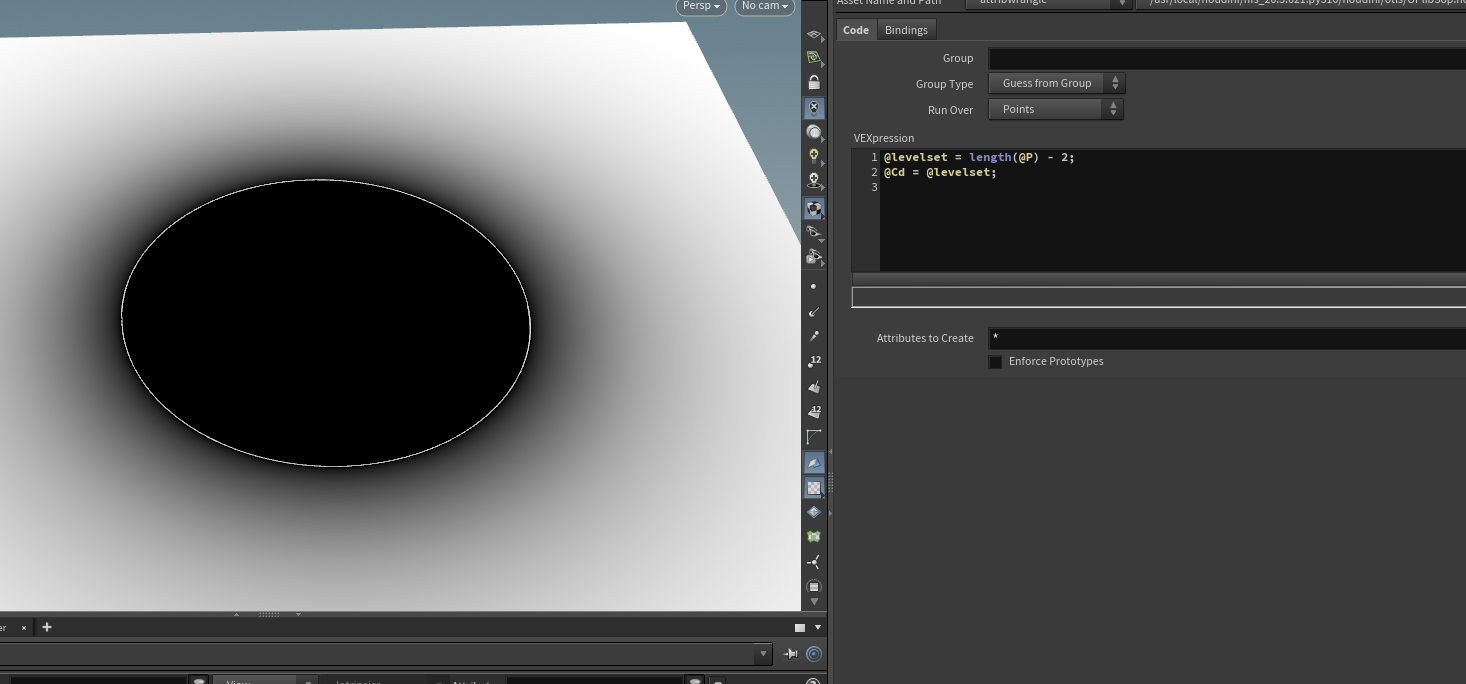
here’s an example with just a simple levelset

but yeah it’s effectively just the clip sop with an attribute

🙂

i used the above code though because it needed to get used in a houdini engine rig for maya artists so i needed everything to be as simple and fast as possible. The biggest bottleneck ended up being the I/O from maya to houdini engine and back 🙁

Attachments in this post:
http://fx-td.com/houdiniandchill/wp-content/uploads/discord/20252208/01/25/image.png

Archived post by mattiasmalmer

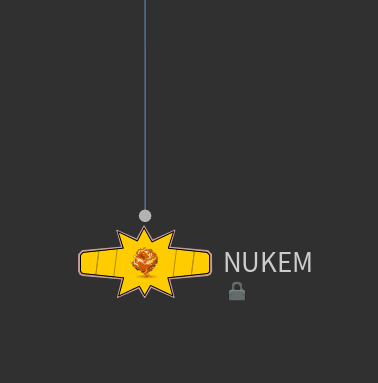
here is a little sing and a dance number to get a lop camera to nuke… 🙂

i have made a little set of helper nodes for nuke export. Nukem can send out cameras, meshes, and kineFX skeletons to nuke.

mostly intended for the obj/sops area. but this was a way to get a lop camera to play ball.

try it

Attachments in this post:
http://fx-td.com/houdiniandchill/wp-content/uploads/discord/20254702/06/25/houdini_0N03uHYHhb.mp4
http://fx-td.com/houdiniandchill/wp-content/uploads/discord/20254702/06/25/image.png
http://fx-td.com/houdiniandchill/wp-content/uploads/discord/20254702/06/25/Nukem.zip

Archived post by mattiasmalmer

ok i made a really crappy iterative solver… will work some more on this.

simple curvature aware hole filler.

Attachments in this post:
http://fx-td.com/houdiniandchill/wp-content/uploads/discord/20242709/11/24/houdini_nnqalBqjZO.mp4
http://fx-td.com/houdiniandchill/wp-content/uploads/discord/20242709/11/24/patch_deluxe.hiplc
http://fx-td.com/houdiniandchill/wp-content/uploads/discord/20242709/11/24/image.png