Archived post by siegmattel

this approach is more like you’re building different custom rig poses with much more advanced functionality

how do i make sure that blendshape animation comes through on a rop fbx character export?

i’m guessing it’s some combination of character blend shapes add and a few other nodes?

for anyone curious, found this hip file from edward on the sidefx forums, seems like it works. you basically pack each blendshape, give it the same name attribute as your capture geo, add blendshape_channel and blendshape_name attributes, hide the blendshape visibility, and then you set up a few detail attributes on the skeleton to act as the blendshape weights.

Attachments in this post:
http://fx-td.com/houdiniandchill/wp-content/uploads/discord/20251607/03/25/kinefxBlendShapeFromScratch.hip
[hou-tops] Archived post by fabriciochamon

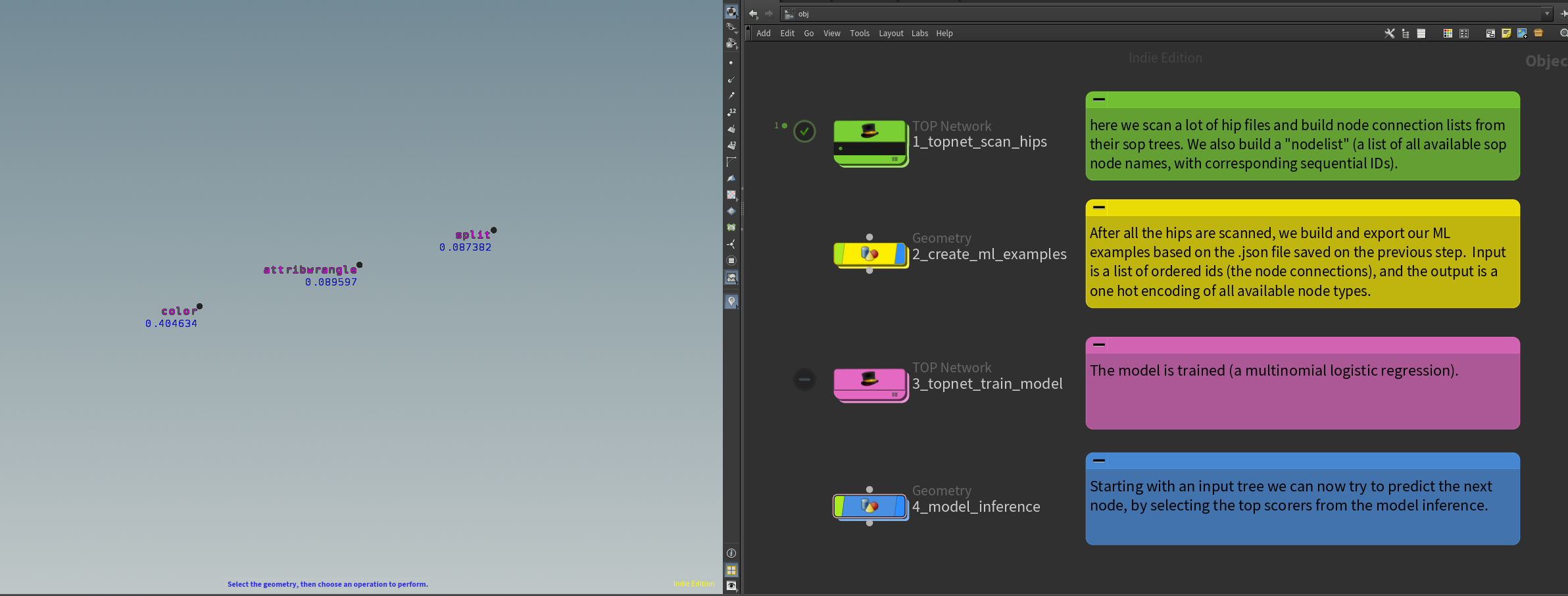
Here you go, node recommender trained in Houdini.
I’ve reorganized this thing to avoid external python code, so now a topnet scans hip files and stores node connections. In sops I create the ML examples, which are then trained in another topnet, and finally I do model inference in sops again.
added comments so its (hopefully) easy to follow. Worth noting that it builds a list of available node types based on the current houdini session and won’t evaluate HDAs that are not part of current environment (ie: unloaded packages).
First run takes a while since the ml regression top creates a venv with pytorch (5gb!)
regarding inference: It needs a good amount of examples to produce something useful! also its just prototype ofc, would definitely need some work on the UX, etc..

Attachments in this post:
http://fx-td.com/houdiniandchill/wp-content/uploads/discord/20251906/29/25/image.png
http://fx-td.com/houdiniandchill/wp-content/uploads/discord/20251906/29/25/node_recommender.hiplc

Archived post by mikael00794

@eckxter This is how I usually set up an animated .bgeo sequence with the Geometry Clip Sequence node. I’ve left some notes in the hipfile that should hopefully note any gotchas. I’m curious if anyone else does it any differently or has more info around the process. If so then I’d be really keen to hear it. I’m also curious if @erikovic has a different process.

Attachments in this post:
http://fx-td.com/houdiniandchill/wp-content/uploads/discord/20254206/26/25/geo_clip_sequence_example.hiplc

Archived post by jesswho.

I finally replicated this issue again, and it was a floating point error issue. If my stiffness values were getting too small and the floating points were getting too long it would collapse the constraint and subsequently delete the points it was tied to. I rounded all my stiffness values to “`rint(@stiffness * 1000) / 1000“` and that seemed to solve it if anyone every runs into that issue again in vellum. I guess I just got lucky when I remade my dop and it wasn’t happening for a week lol

Archived post by mattiasmalmer

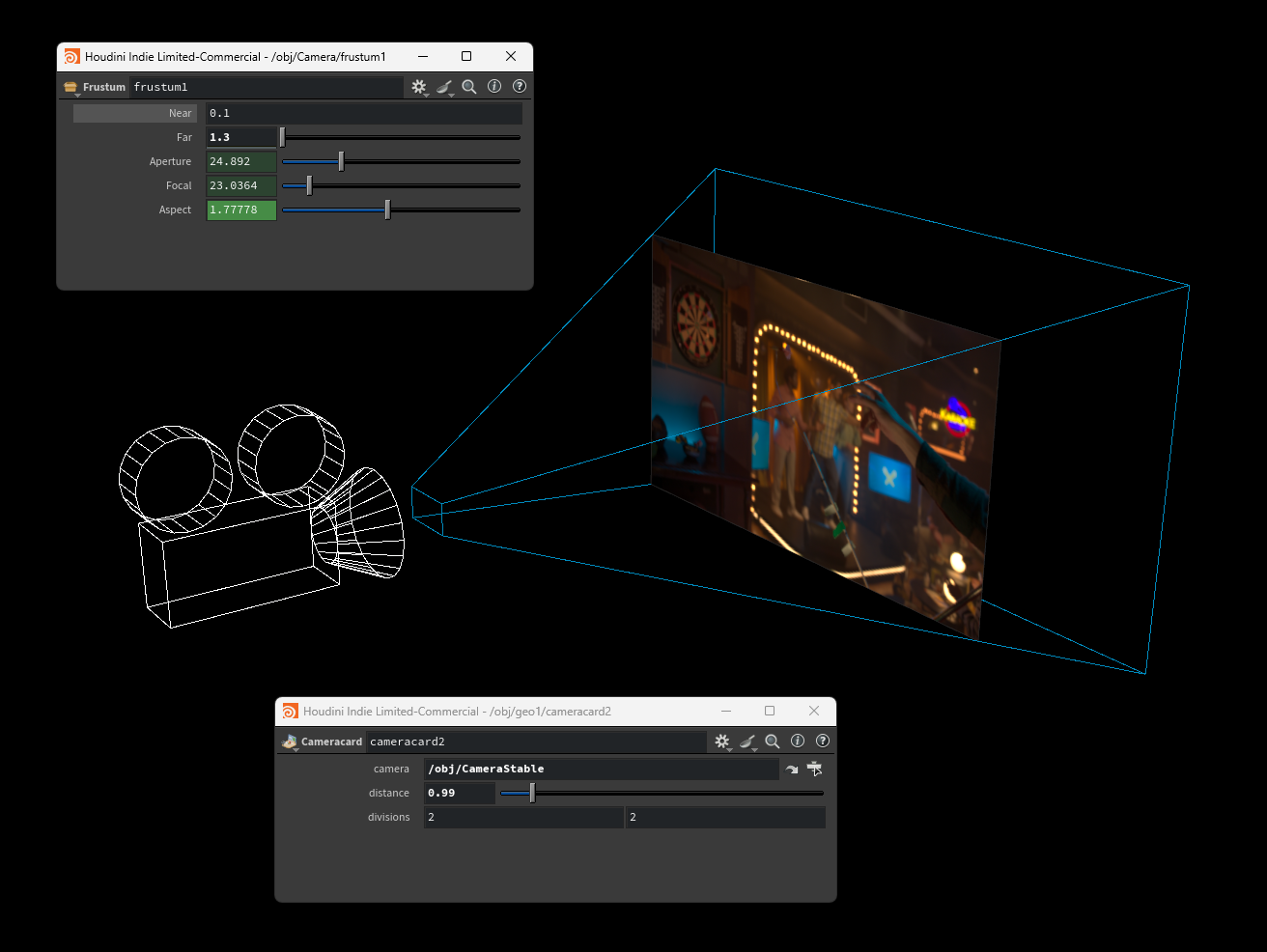
two useful camera tools:
a frustum outline that you can add to your camera to easily see what your camera is up to.
a backplate card that follows the camera that you can use as phantom backplate for renders and such.

Attachments in this post:
http://fx-td.com/houdiniandchill/wp-content/uploads/discord/20255606/24/25/image.png
http://fx-td.com/houdiniandchill/wp-content/uploads/discord/20255606/24/25/sop_mattias.cameracard.1.0.hdalc
http://fx-td.com/houdiniandchill/wp-content/uploads/discord/20255606/24/25/sop_render.frustum.1.0.hdalc