I should start using recipes more then I don’t have to dig through 100x files to find something
“`cpp
#bind layer src float4 #bind layer &dst float4 #bind parm radius int value=4 #bind parm sigma_s float value=4.0 // spatial falloff #bind parm sigma_r float value=0.1 // range/value falloff
@KERNEL { int2 gid = (int2)(@ix, @iy); int w = @src.xres; int h = @src.yres;
float4 center = (float4)(@src.bufferIndex(gid)); float4 acc = (float4)(0.0f); float weight = 0.0f;
float ss2 = 2.0f * @sigma_s * @sigma_s; float sr2 = 2.0f *max(@sigma_r,0.001f) * max(@sigma_r,0.001f);
int r = @radius;
for (int dy = -r; dy <= r; dy++) { for (int dx = -r; dx <= r; dx++) { int2 p = (int2)( clamp(gid.x + dx, 0, w-1), clamp(gid.y + dy, 0, h-1) );
float4 sample = (float4)(@src.bufferIndex(p));
// Spatial weight — gaussian falloff by pixel distance float spatial = (float)(dx*dx + dy*dy) / ss2;
// Range weight — gaussian falloff by value difference float4 diff = sample – center; float range = dot(diff, diff) / sr2;
float w_combined = exp(-spatial – range);
acc += sample * w_combined; weight += w_combined; } }
@dst.set(acc / weight); }
“`
Author: admin
Archived post by vanity_ibex
Got an okayish optical flow working
Attachments in this post:
http://fx-td.com/houdiniandchill/wp-content/uploads/discord/20264603/09/26/2026-03-09_11-37-28_resized_50percent.mp4
http://fx-td.com/houdiniandchill/wp-content/uploads/discord/20264603/09/26/Optical_flow_08.hiplc
Archived post by zakkatara
Here’s a quick file which utilizes geometry clip sequences so that geometry data for each loop offset doesn’t have to be re-written. Very fast playback
Attachments in this post:
http://fx-td.com/houdiniandchill/wp-content/uploads/discord/20260303/05/26/Offset_Asset_Loops.hip
http://fx-td.com/houdiniandchill/wp-content/uploads/discord/20260303/05/26/2026-03-05_16-53-32.mp4
Archived post by kiran_irugalbandara
sorry. its “ctrl + alt + s“
Archived post by lewis.taylor.
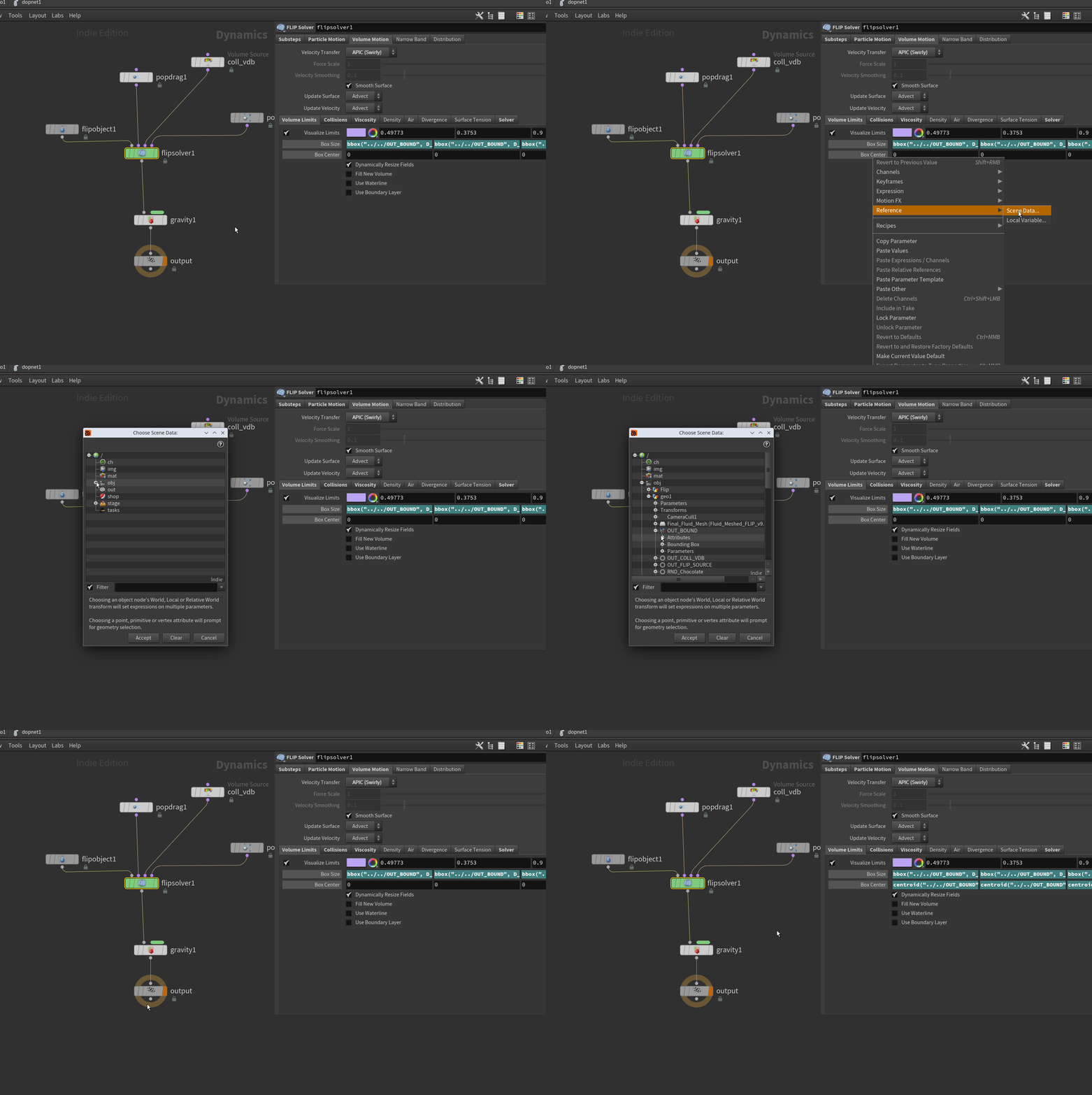
we all knew this one right?
Attachments in this post:
http://fx-td.com/houdiniandchill/wp-content/uploads/discord/20261203/03/26/reference_parms.gif
Archived post by bouncyferret
You “just” need to enable `Continuous Dicing` to be able to tweak the cop displacement live
Attachments in this post:
http://fx-td.com/houdiniandchill/wp-content/uploads/discord/20261803/02/26/karma_realtime_dice_60fps.mp4
Archived post by aluen0749
I feel weird about this video I just published… The goal was to make a video that would help people understand the performance/memory tradeoffs of different geo representations so that they could make a better choice when using Houdini. Am I wasting time explaining the basics, and should I focus only on the “advanced” stuff, or is it fine like this? https://youtu.be/CgOUMjGtZ_I
Archived post by lewis.taylor.
so this is pretty much the setup. It will animate and move along with the char, and instance geo onto it
Attachments in this post:
http://fx-td.com/houdiniandchill/wp-content/uploads/discord/20264402/26/26/image.png
http://fx-td.com/houdiniandchill/wp-content/uploads/discord/20264402/26/26/simple_growth_curves_pyro_spread2.hiplc

Archived post by lewis.taylor.
Archived post by coskuturhan
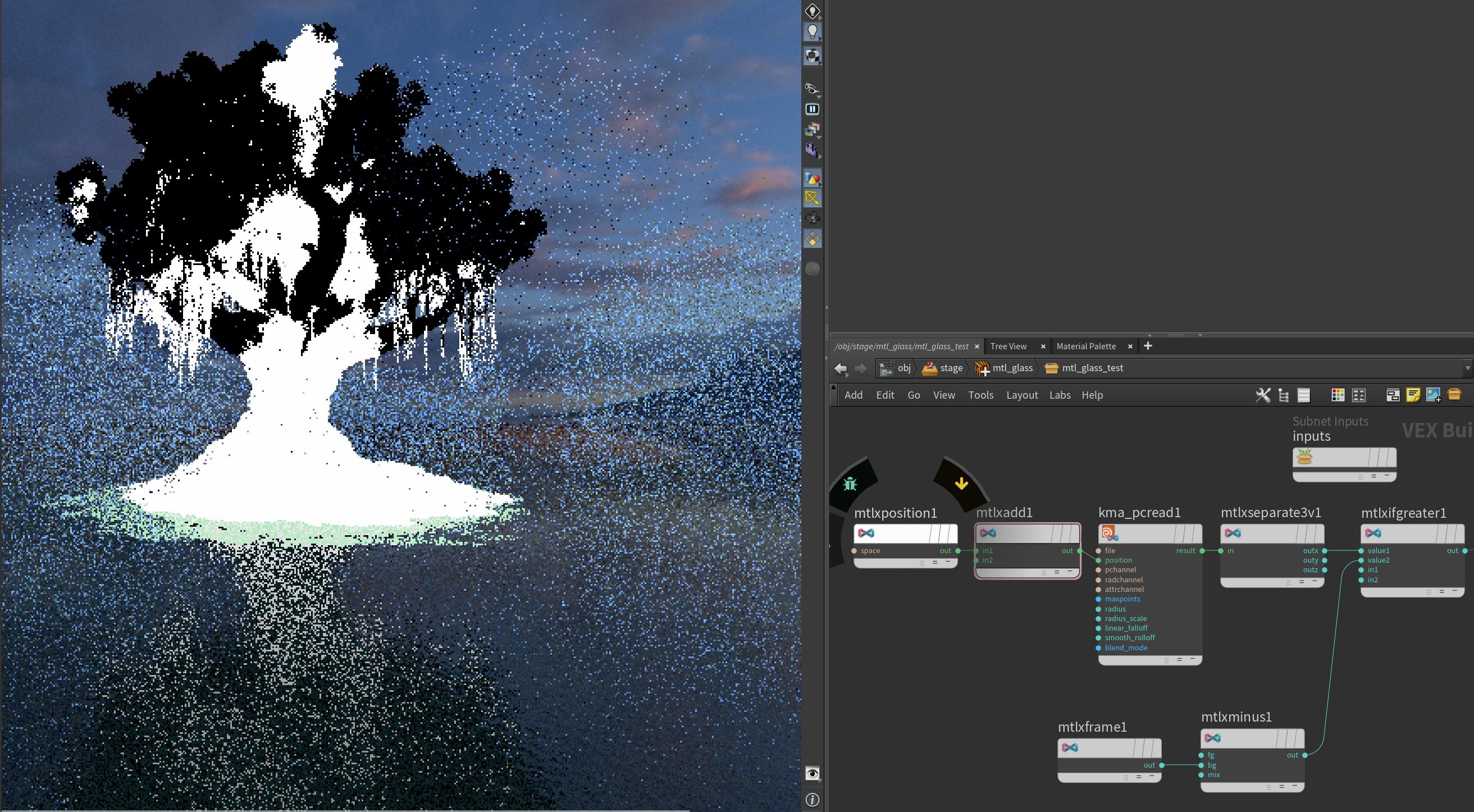
for those who were helping, you can import a bgeo pointcloud in the kma_pcread node and read an attribute as a mask in a karma shader. Super handy!
And if you use world space position, you can do this on instances, super heavy geo etc….
Attachments in this post:
http://fx-td.com/houdiniandchill/wp-content/uploads/discord/20265902/24/26/image.png