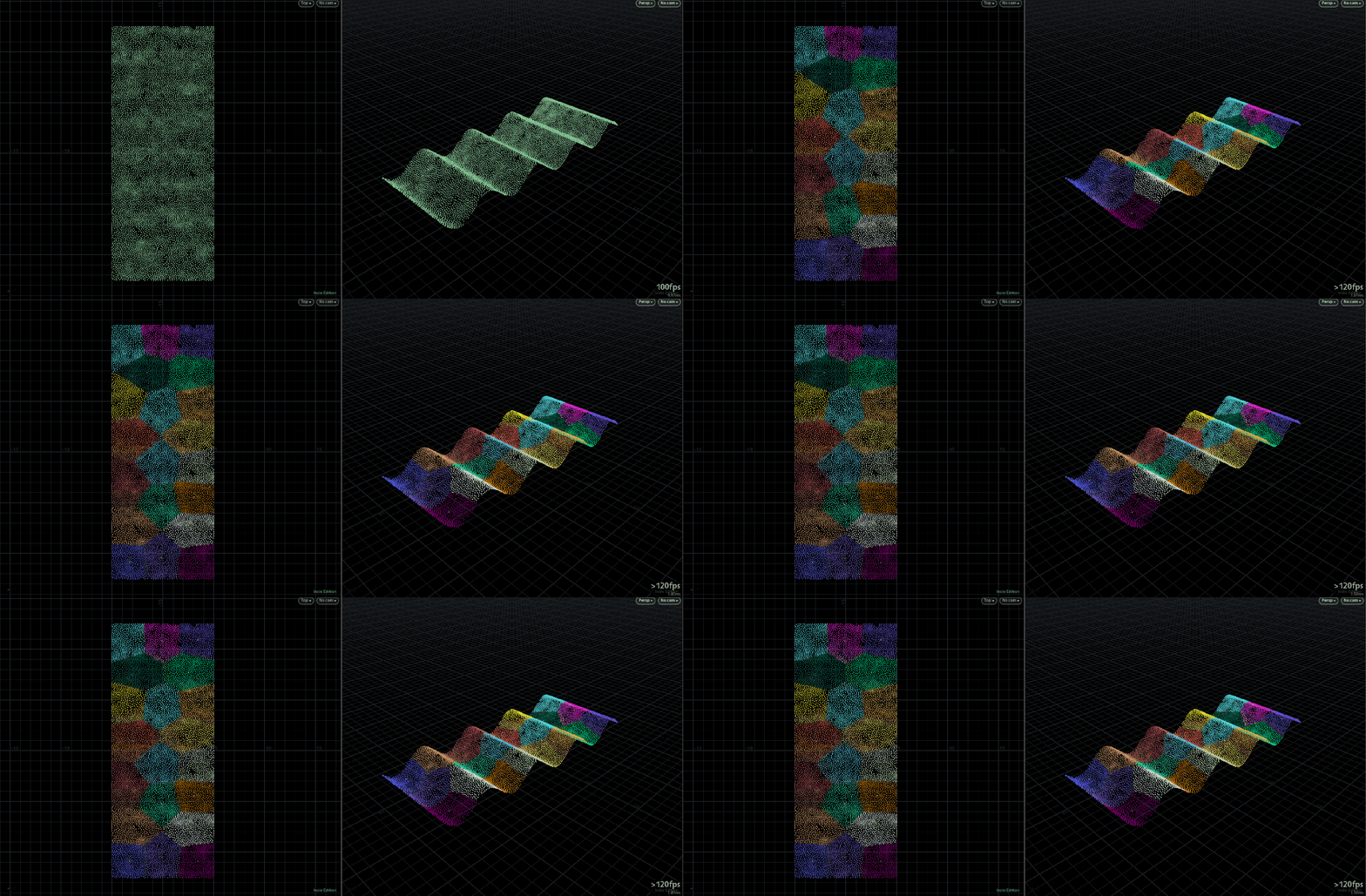
Here’s a tutorial on how to use the packages
Start at 3:15
Here’s a tutorial on how to use the packages
Start at 3:15
around %30 faster cook then cluster sop on a couple tests around 100k and x10 faster on 10m! scales much better
shout out to @Juraj where I first heard of it in his shaping particle simulations with interaction forces post
Attachments in this post:
http://fx-td.com/houdiniandchill/wp-content/uploads/discord/20192211/26/19/kmeans.gif
http://fx-td.com/houdiniandchill/wp-content/uploads/discord/20192211/26/19/kmeans_cluster.hiplc
www.bilibili.com/video/av76791470
Someone did it.
In case anybody is interested: I adapted the adjustPrimLength from groom.h to work in the other direction: “`void adjustPrimLengthInv(const int geo, prim; const float currentlength, targetlength) { float diff = targetlength – currentlength; int points[] = primpoints(geo, prim); if(diff < 0) { vector lastpos = 0; float length = 0; int numpt = len(points);
for(int idx = numpt-1; idx >= 0; idx–) { int pt = points[idx]; vector pos = point(geo, “P”, pt); if(idx < numpt-1) { float seglength = distance(pos, lastpos);
if(length+seglength > targetlength) { float frac = (targetlength-length)/seglength;
vector newpos = lerp(lastpos, pos, frac); setpointattrib(0, ‘P’, pt, newpos, ‘set’); for(int i=idx-1; i>=0; i–) { removepoint(geo, points[i]); }
break; }
length += seglength; }
lastpos = pos; } } }“`
So between the normal version and this one I can scale polylines smoothly from both sides.
Oh and I removed the extension part, I never want the lines to become longer. So below is the modified and simplified standard version:
“`void adjustPrimLength(const int geo, prim; const float currentlength, targetlength) { float diff = targetlength – currentlength; int points[] = primpoints(geo, prim); if(diff < 0) { vector lastpos = 0; float length = 0;
foreach(int idx; int pt; points) { vector pos = point(geo, "P", pt); if(idx > 0) { float seglength = distance(pos, lastpos); Just put it in a primitive wrangle, grab your currentlength with: `float currentlength = primintrinsic(0, ‘measuredperimeter’, @primnum);` and cut away… 🙂 Oh and this is in actual lengths, so if you want to cut away half your line, targetlength would be currentlength * 0.5… I love doing all this in a wrangle since it’s more flexible than carve
if(length+seglength > targetlength) { float frac = (targetlength-length)/seglength;
vector newpos = lerp(lastpos, pos, frac);
int ptnum = addpoint(geo, newpos);
for(int i=idx; i
@NickTaylor just posted this awesome guide to tweaking Bullet sims on Twitter: nicholas-taylor.com/assorted-bullet
sorry if i’m calling you out but this is cool shit
i mightve found a sidefx forum with the answer. just took phrasing the search query just right
www.sidefx.com/forum/topic/50591/
good ol Slancik to the rescue: “`string rampname = “ramp”; int npt = chi(rampname); float ramppositions[]; for (int pt=1; pt<=npt;pt++) { float ramppos = chf(rampname + itoa(pt) + "pos" ); append(ramppositions, ramppos); } f[]@ramppositions = ramppositions;```
Hey! Sorry for missing all the rigging fun (!) here… Unfortunately discord has been squeezed out of the every day happenings 😦 @TOAD$TORM One approach you could take to a planar lookat is to slightly bastardise the build in lookat constraint. The lookat constraint uses the same logic that you might be used to in the `maketransform(v@z, z@y)` vex function – i.e. the up axis gets corrected to form a rigid transform after the z and x axes have been determined. We can leverage that to keep the resulting ‘forward’ vector at 90 degrees to a given ‘up’ vector by switching them around: Set the ‘lookat’ target to the ‘up’ vector and the ‘lookat-up’ target to the position of the driver object – the result of which being that the constraint output swivels around the axis set by the ‘lookat’ input. By default this would give us a transform with the ‘Y’ axis pointing towards the driver, but fortunately the lookat constraint lets us set which axis points to ‘target’ and ‘up’ which will give us something like this
The other potentially nifty thing here is that because we’re setting the ‘lookat’ based up the DRIVEN objects own world space, we can modify the DRIVEN objects orientation and the constraint will continue to swivel around its own axis
And here’s the belated example of rigging a planar chain of more than 2 bones with a kind of ‘stiffness’ control that allows us to control how the solution is distributed between two-bone segments… Maybe it’s useful/helpful?
Attachments in this post:
http://fx-td.com/houdiniandchill/wp-content/uploads/discord/20194211/14/19/lookat_zx_plane.hip
http://fx-td.com/houdiniandchill/wp-content/uploads/discord/20194211/14/19/zig_zag_bones_with_quasi_stiffness.hip
TUT PLZ. Here’s the hip file for that quantum interference thing I made a couple days ago and posted in WIP. It’s a bit cleaned up and optimized now. Take a look and play around
@shadesoforange I think you wanted to see this
Attachments in this post:
http://fx-td.com/houdiniandchill/wp-content/uploads/discord/20195611/13/19/quantum_interference_example.hiplc
𝓂𝑜𝓁𝑒𝒸𝓊𝓁𝑒𝓈 𝒶𝓃𝒹 𝓈𝓉𝓊𝒻𝒻 𝒸𝒶𝓃 𝑒𝒶𝓉 𝒶 𝒹𝒾𝒸𝓀
make a proxy of the first instance and plug that into the second?
this was posted over in cgwiki discord, but the color theory page is a good enough read that im posting here. chrisbrejon.com/cg-cinematography/chapter-2-color-theory/