@Yon I did a blog post years and years ago about barycentric coordinates here: adamswaab.wordpress.com/2009/12/11/random-point-in-a-triangle-barycentric-coordinates/
Author: admin
Archived post by NickTaylor
@TOADSTORM I’ve had success using `smoothrotation()` in a solver to prevent quaternions from jumping
Archived post by lcrs
Archived post by rbowden
No worries. I never got an answer in here before and honestly glad Im not the only one running into the issue.
FWIW I also emailed SideFX about this also and got this response:
Hello Ryan,
If you want to use the white selection arrow button, you’ll need to replace the script in the script_action tag. These scripts tend to be highly context dependent, and I’m guessing that the current tag was just copied by dragging a group field with the white selection arrow button into the Edit Parameter Interface. The main function being called, soputils.selectGroupParm(), takes a dictionary of arguments to control how it operates. Since I don’t think it’s possible to edit multi-line scripts in the Tags list UI, the easiest way is to just set your script_action tag “kwargs[‘node’].hdaModule().scriptFunction()” and then define this scriptFunction() in your HDAs PythonModule.
You can take a look at the source for soputils.selectGroupParm() in $HFS/houdini/python2.7libs/soputils.py for things that function tries to do and the arguments it expects. You can set kwargs[‘nodepath’] to the path of the node from which you want to select, or set kwargs[‘node’] to point to a node from whose input you want to select and kwargs[‘inputindex’] to specify which index.
Archived post by lcrs
peeps were talking about using FLIP for marbling/ink sims a while back… but i gotta defend the honour of the smoke solver, this uses no particles just a full-res fully-advected “single rest” field, with some noise mapped onto it in COPs. the downside is that no diffusion/blending is possible at all, everything stays sharp no matter how folded and distorted it gets streamable.com/3gtni
Attachments in this post:
http://fx-td.com/houdiniandchill/wp-content/uploads/discord/20191805/20/19/1904-oil-v06.hiplc
Archived post by jake rice
mrpandey.github.io/d3graphTheory/index.html I found this to be an engaging intro to graph theory 😮 is there a specific area of interest you’re looking for?
Archived post by yatesholley
modified repo will be here, its in examples test.py
github.com/workproduct/face_alignment/
the test batch python file will batch a folder of frames, ill combine the 2 together later to make a sequence of the points
Archived post by jake rice
https://vimeo.com/336017942 here’s a link to my LA HUG talk where i poorly explain how to make a vex based polywire sop. unfortunately it’s only a screen recording and my voice, so its probably a little dry…
Archived post by tokyomegaplex
this is not really for you guys as much as it is for people who are asking me how i learned houdini, but i just bought HOUDININERD.COM which links to a google doc i ended up making after enough people asked me to send them resources and stuff. much more convenient than copying the google docs share url every time. if anyone has suggestions for it, more resources or anything else let me know 😛
Archived post by PaqWak
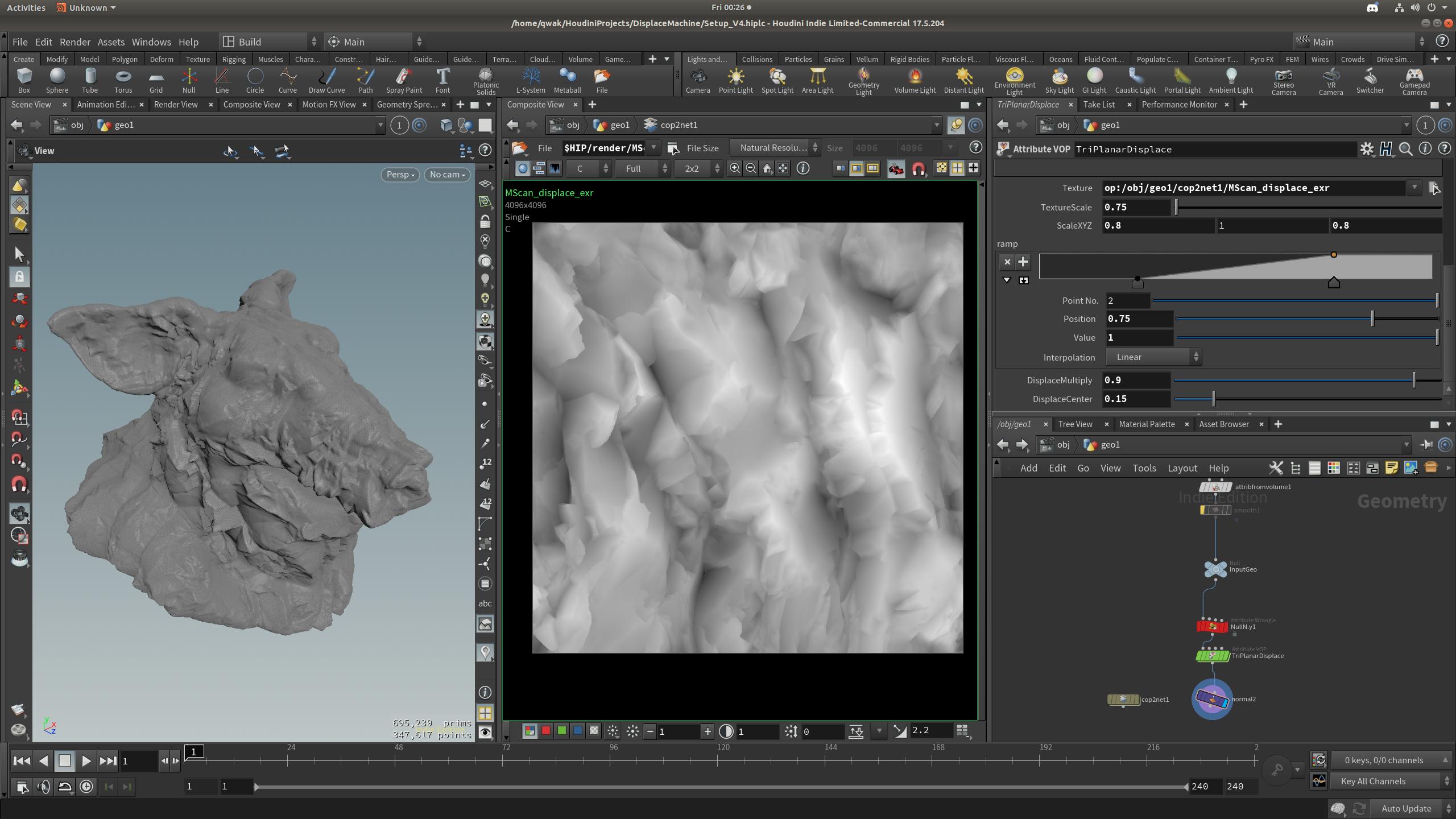
drive.google.com/open?id=1JLkug2uxw0A-DBaDfVaxhRxD2sjS_emC …. please let me know I you find something stupid in the triplanar setup 😉
Attachments in this post:
http://fx-td.com/houdiniandchill/wp-content/uploads/discord/20190005/10/19/Screenshot_from_2019-05-10_00-26-30.jpg