you can try to release it “manually” with a python script top “`py import _alembic_hom_extensions _alembic_hom_extensions.alembicClearArchiveCache() “`
Category: hou-general
Archived post by SniperJake945
@Casey throw this in a prim wrangle (this code snippet group edges based on the interior angle of the two adjacent prims):
“`c vector edge(int h){ return vector(point(0, “P”, hedge_dstpoint(0, h))) – vector(point(0, “P”, hedge_srcpoint(0, h))); }
int h = primhedge(0, @primnum); int test = h; do{ if(hedge_equivcount(0, h) > 1){ vector e = edge(h) * (hedge_primary(0,h) ? 1 : -1); int prim1 = hedge_prim(0, h); int prim2 = hedge_prim(0, hedge_nextequiv(0, h)); vector n1 = prim(0, “N”, prim1); vector n2 = prim(0, “N”, prim2); matrix3 m = dihedral(e, set(0,0, 1)); //rotate e to be face up n1 *= m; n2 *= m; n1.z *= 0; //ensure our normal is 2d now, and normalize, probably overkill but whatever n2.z *= 0; n1 = normalize(n1); n2 = normalize(n2); float ang = atan2(n2.y*n1.x – n2.x*n1.y, n2.x*n1.x + n2.y*n1.y); //angle between vectors in 2d ang += M_PI; //interior angle, from 0-2PI if(ang <= radians(ch("interior_angle_maximum"))){ //our test is in degrees, typically we want to find interior angles lower than 100 degrees? setedgegroup(0, "peaks", hedge_srcpoint(0, h), hedge_dstpoint(0, h), 1); } } h = hedge_next(0, h); }while(h != test); ``` and then click the add parms button thing on the wrangle, for the geo you sent, it seems like an angle threshold of 100 degrees seems to work 🙂
oh and you need to add prim normals with a normal sop
Archived post by Rau
I’ve created this fireworm looking thing and if someone wanna pick it up, here is the file 😄
Attachments in this post:
http://fx-td.com/houdiniandchill/wp-content/uploads/discord/20223605/13/22/Fire_Worm.mp4
http://fx-td.com/houdiniandchill/wp-content/uploads/discord/20223605/13/22/Fire_Worm.hip
Archived post by profbetis
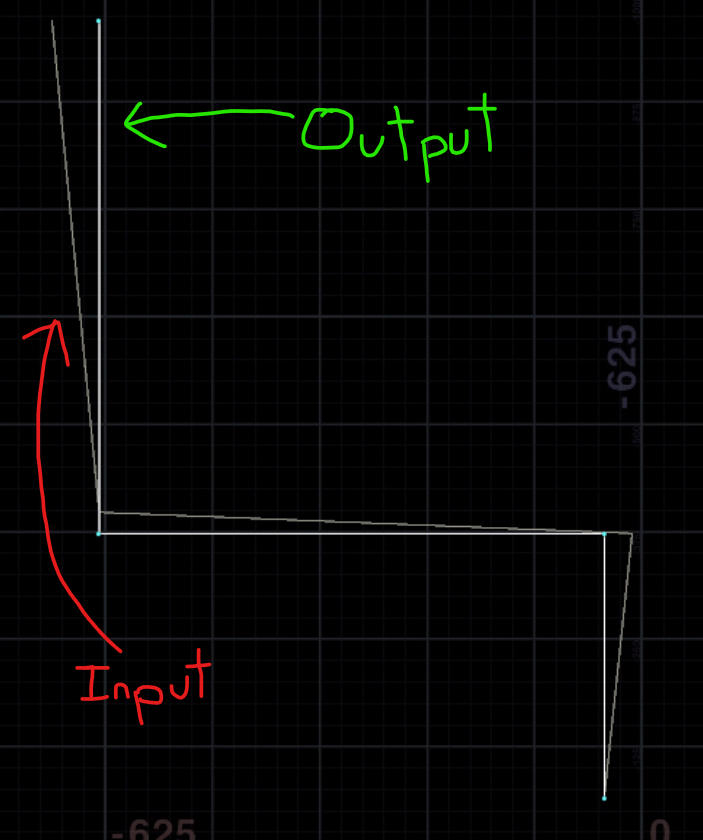
made a neat lil vex thing. Takes a sloppy hand-placed input curve and straightens it up for you on major axes. Doesn’t support diagonal lines yet. Has one control for maintaining segment length (as opposed to picking the closest spot to the original vertex position). Runs as a prim wrangle.
“`c int points[] = primpoints(0, @primnum); vector prev_pos = point(0, “P”, points[0]); foreach( int idx; int pt; points[1:] ){ vector this_pos = point(0, “P”, pt); vector dir = normalize(this_pos – prev_pos); float dist = distance(this_pos, prev_pos); // Determine dominant direction axis vector new_dir; vector abs_dir = abs(dir); if( abs_dir.x > abs_dir.y ){ if( abs_dir.x > abs_dir.z ) new_dir = sign(dir.x)*{1,0,0}; else new_dir = sign(dir.z)*{0,0,1}; } else { if( abs_dir.y > abs_dir.z ) new_dir = sign(dir.y)*{0,1,0}; else new_dir = sign(dir.z)*{0,0,1}; } int maintain_length = chi(“maintain_length”); vector new_pos = prev_pos + new_dir*dist; if( !maintain_length ) new_pos *= dot(dir, new_dir); setpointattrib(0, “P”, pt, new_pos); prev_pos = new_pos; }“`
finally got to use the dot product for something other than checking if two vectors point in the same direction! <:cross_gang:863101157307449365>
Attachments in this post:
http://fx-td.com/houdiniandchill/wp-content/uploads/discord/20220205/11/22/unknown.png
Archived post by heimlich
one sec
getting the report
this is what i initially submitted:
i, I was trying to find some of the slowdowns that occur when Houdini stats on windows, and while looking at things with sysinternals “process monitor”.
Looking at events that happen it seems to add /scripts/sop or /scripts/vop and some labs viewerhandle/state, or install… which. of course does not exist. And it does this with 1000’s of files, the more you have, the more it happens. This take a considerable amount of time, and i am just wondering, if this is something that you assume to happen, or if there could potentially be an issue
And this is what i got from support.. This has was by design for flexibility but this has long come up as a sore point. You can try disabling this mechanism (at the risk of breaking packages that rely on this behaviour) by setting the undocumented `HOUDINI_EXPERIMENTAL_DISABLE_EVENTSCRIPT_PATHSEARCH` environment variable to `1` prior to starting Houdini.
I have a lot of packages running, and so far, i havent come across one thats “broken” due to this
Archived post by NickTaylor
Here’s a new blog post on deformations. No fancy tricks in this one but could be a good quick reference. All hail deltamush www.nicholas-taylor.com/blog/deforms 🙃
Archived post by SniperJake945
One thing I neglected to mention in that post is xyzdist and mindist both require primitives in the geo stream you’re looking up
So they aren’t totally apples to apples with nearpoints/pcfind
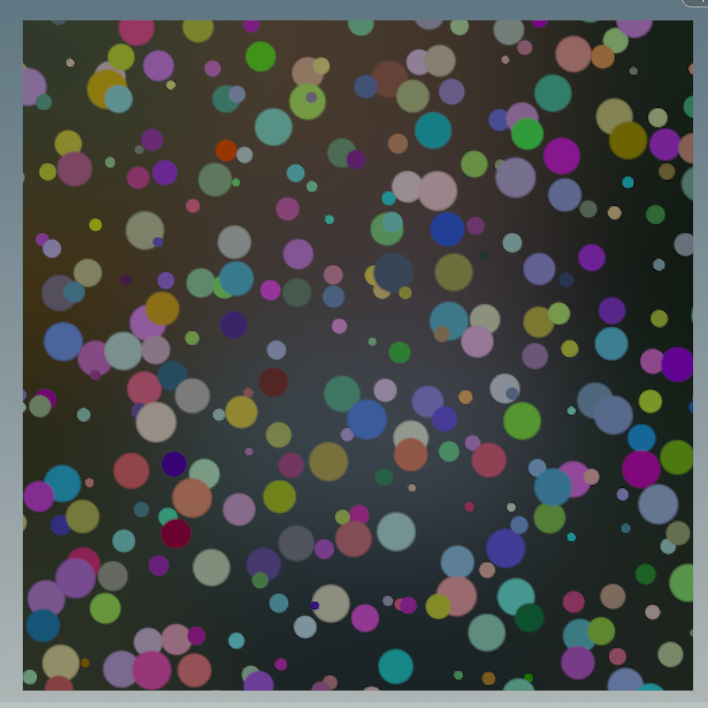
okay i couldnt help myself, but here’s single pass random overlapping dots “`c #include
vector dots(vector2 uv_in; vector2 freq; float rand_position, rand_scaling, rand_exp, dot_sharpness, alpha_out){ vector2 uv = uv_in; uv *= freq; vector2 iuv = floor(uv); vector2 grid = frac(uv); float alpha = 0; vector color = 0; float sharpness = fit(dot_sharpness, 0, 1, .5, 1); for(int i = -1; i <= 1; i++) for(int j = -1; j <= 1; j++){ vector2 nb_pixel = set(i, j); vector2 nb_offset = vector2(rand(iuv + nb_pixel + 324)) * clamp(rand_position, 0, 1); //random positional offsetting vector nb_color = vector(rand(iuv + nb_pixel + 64)); float nb_dot_size = pow(fit01(rand(iuv + nb_pixel), max(1 - rand_scaling,0), 1), rand_exp); //random scaling float nb_dots = length(nb_pixel + nb_offset - grid) - nb_dot_size; nb_dots = -min(0.0, nb_dots / nb_dot_size); //convert from distance field to dot nb_dots = smooth(1. - sharpness, sharpness, nb_dots); //sharpening the dots vop_composite("AoverB", color, alpha, nb_color * nb_dots, nb_dots, color, alpha); } alpha_out = alpha; return color; }
vector2 uv = set(v@uv.x,v@uv.y); float sharpness = ch(“sharpness”); vector2 freq = chu(“dot_freq”); float random_dot_scaling = ch(“rand_scaling”); float random_exponent = ch(“rand_exponent”); vector2 offset = vector2(chu(“offset”)); float rand_offset = ch(“rand_dot_offset”); float dots_alpha; vector random_dots = dots(uv + offset / freq, freq, rand_offset, random_dot_scaling, random_exponent, sharpness, dots_alpha);
/* comp dots over incoming color*/ float alpha_out = 0; vop_composite(“AoverB”, v@Cd, alpha_out, random_dots, dots_alpha, v@Cd, 1); “`
Attachments in this post:
http://fx-td.com/houdiniandchill/wp-content/uploads/discord/20224804/14/22/unknown.png
Archived post by eetu
I needed again to get an axis-aligned Largest Interior Rectangle, and @jake rice 😮 earlier solution didn’t cut it (too much obvious failure cases, even with @CoskuTurhan modifications), so I did a new one from scratch. It’s based on this algorithm (without the outline optimizations) github.com/lukasalexanderweber/lir
I started with a more-nodes-less-vex approach, so it’s a bit of a weird combination. But seems to work 😉
Attachments in this post:
http://fx-td.com/houdiniandchill/wp-content/uploads/discord/20224903/28/22/ee_largest_interior_rectangle.hip
Archived post by Sepu
is open source which is awesome
Archived post by mestela
this is going straight to the wiki…