Drawing with a wacom using Qt in Houdini’s python panel
Category: hou-general
Archived post by SniperJake945
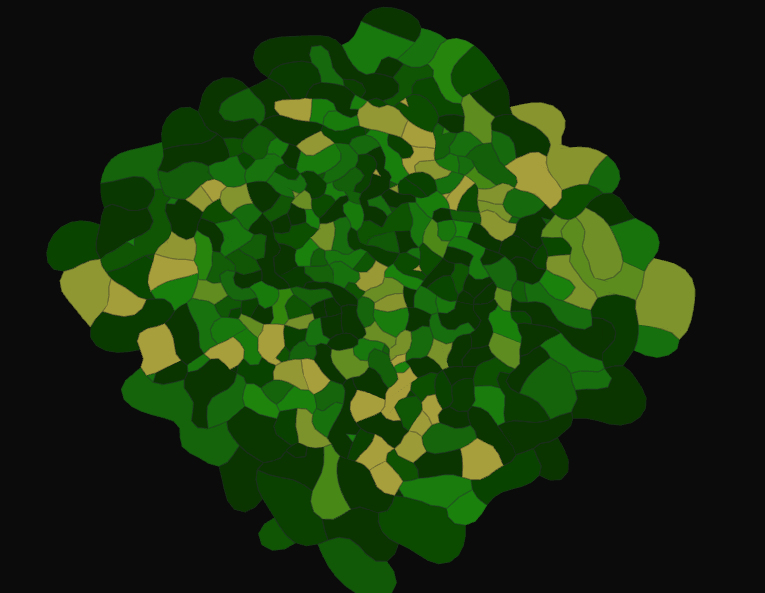
its vvvv simple, i learned about it in some random twitter thread. basically in a solver at each time step you want to:
“` Use an Add sop with delete geom but keep points, turned on “`
“` //point wrangle A //find two near points to any given point, and project onto the edge that spans those points //projecting fully causes instability so maybe just blend between ur current point position and the projected position //also connect the current point to it’s two nearpoints with polylines “`
“` //point wrangle b //relax that shit //if our current point is too close to either of it’s two neighbors, push away from those neighbors //also blend again to the relax position to prevent crazy instability “`
and if u dont want to implement it urself, here’s my file
the basic version of it looks like farm plots to me, which is really cool
Attachments in this post:
http://fx-td.com/houdiniandchill/wp-content/uploads/discord/20194912/23/19/stupid_annealing_JR.hip
http://fx-td.com/houdiniandchill/wp-content/uploads/discord/20194912/23/19/unknown.png
Archived post by Malmer
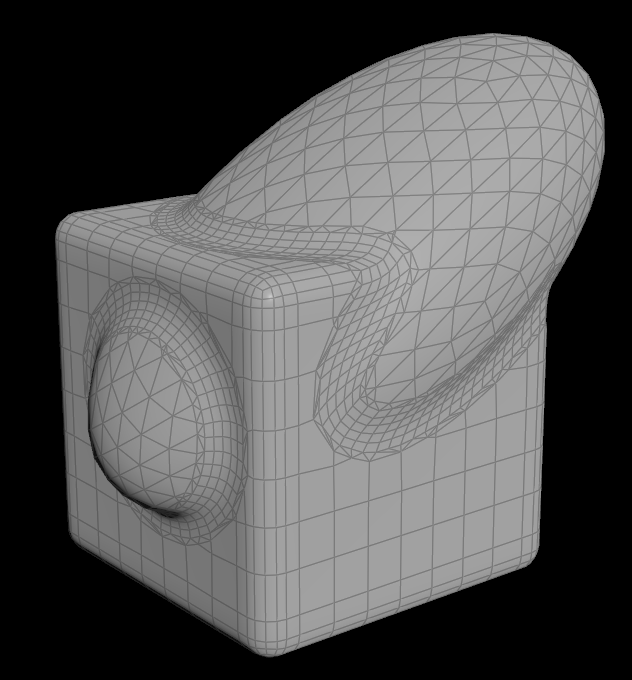
Made a little thing that does bevels to your bools. Perhaps something that could come in handy? mattias.malmer.nu/wp-content/uploads/2019/12/boolbevel_v02-2.zip It is nice if you need to do big bevels on fairly dense meshes. it is experimental but kindof fun. Let me know if you guys find it at all useful.
Attachments in this post:
http://fx-td.com/houdiniandchill/wp-content/uploads/discord/20193912/15/19/boolbevel.PNG
Archived post by chris_gardner
prim wrangle for completeness “`int pts[] = primpoints(0, @primnum);
for (int i=0; i
}“`
Archived post by JeffLMnT
Well – update on the usd – ism as of tomorrows build Houdini Indie will be able to export .usd instead of .usdlc
Archived post by Ambrosiussen
Here’s a tutorial on how to use the packages
Start at 3:15
Archived post by flight404
i mightve found a sidefx forum with the answer. just took phrasing the search query just right
www.sidefx.com/forum/topic/50591/
good ol Slancik to the rescue: “`string rampname = “ramp”; int npt = chi(rampname); float ramppositions[]; for (int pt=1; pt<=npt;pt++) { float ramppos = chf(rampname + itoa(pt) + "pos" ); append(ramppositions, ramppos); } f[]@ramppositions = ramppositions;```
Archived post by ajk48n
TUT PLZ. Here’s the hip file for that quantum interference thing I made a couple days ago and posted in WIP. It’s a bit cleaned up and optimized now. Take a look and play around
@shadesoforange I think you wanted to see this
Attachments in this post:
http://fx-td.com/houdiniandchill/wp-content/uploads/discord/20195611/13/19/quantum_interference_example.hiplc
Archived post by trzanko
np
this will build points on top of a previous layer of points and do that over n over again
basically an L system
also this could work pretty alright for cloudscapes haha
Attachments in this post:
http://fx-td.com/houdiniandchill/wp-content/uploads/discord/20190510/30/19/snowGrow_v002.hip
Archived post by JeffLMnT
“` How to deal with Iterations: Substeps – More expensive, but gives a better solve – especially for higher stiffness values Constraint Iterations – Increase for higher stiffness value to control excessive deformations – great for cheaper solver at high resolutions Smoothing Iterations – smoothing ops, to smooth out errors of excessive deformations, or constraint errors Collision Iterations – Uses the Detangle sop – lower frequency iterations – complicated and time consuming – increase when collisions are fighting against constraints or other collisions However, its probably better to increase substeps and decrease constraint iterations for a more accurate solve – and to reduce load on the constraints – but is more expensive “`