`HOUDINI_USE_OLD_INFO_WINDOW = 1`
Agreed about the design issues
`HOUDINI_USE_OLD_INFO_WINDOW = 1`
Agreed about the design issues
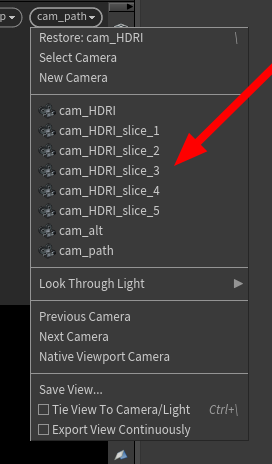
any tricks to choose which cameras to hide from here ?
of course the info is clear as hell on the docs and I can’t read for some reason 🤦♂️ `To prevent cameras from appearing in the viewport menu, add a spare parameter named viewmenu to the camera you want to hide and change the value to 0`
Attachments in this post:
http://fx-td.com/houdiniandchill/wp-content/uploads/discord/20244411/19/24/image.png
@tokyomegaplex Sry for the delay, but here’s a simple scene that will hopefully give you an idea of how to do your hair stuff in SOP vs. OBJ context. Re deformation of the final groom, it’s always tricky (every presentation I watched pretty much ends with “yeah, we wrote our own hair deformer”), but with enough fiddling you can get acceptable results. There are notes all over the place but if something is not clear, just let me know. *I’m prepared to be ridiculed by the folks who do this type of stuff on a daily basis, just so you know :)*
Attachments in this post:
http://fx-td.com/houdiniandchill/wp-content/uploads/discord/20240111/16/24/SOPs_hair_for_Chris.hiplc
hey! no cheating!
perhaps when I get all five…
Attachments in this post:
http://fx-td.com/houdiniandchill/wp-content/uploads/discord/20245711/01/24/image.png
if you want to chamfer your polylines and if you change your mind…
they are a bit fidgety at times. you might want to throw a fuse and a polypath after the linechamfer. but it depends on the use case.
Attachments in this post:
http://fx-td.com/houdiniandchill/wp-content/uploads/discord/20243011/01/24/houdini_YMeBO0KWQj.mp4
http://fx-td.com/houdiniandchill/wp-content/uploads/discord/20243011/01/24/sop_mattias.harden_line.1.0.hdalc
http://fx-td.com/houdiniandchill/wp-content/uploads/discord/20243011/01/24/sop_mattias.lineChamfer.1.0.hdalc
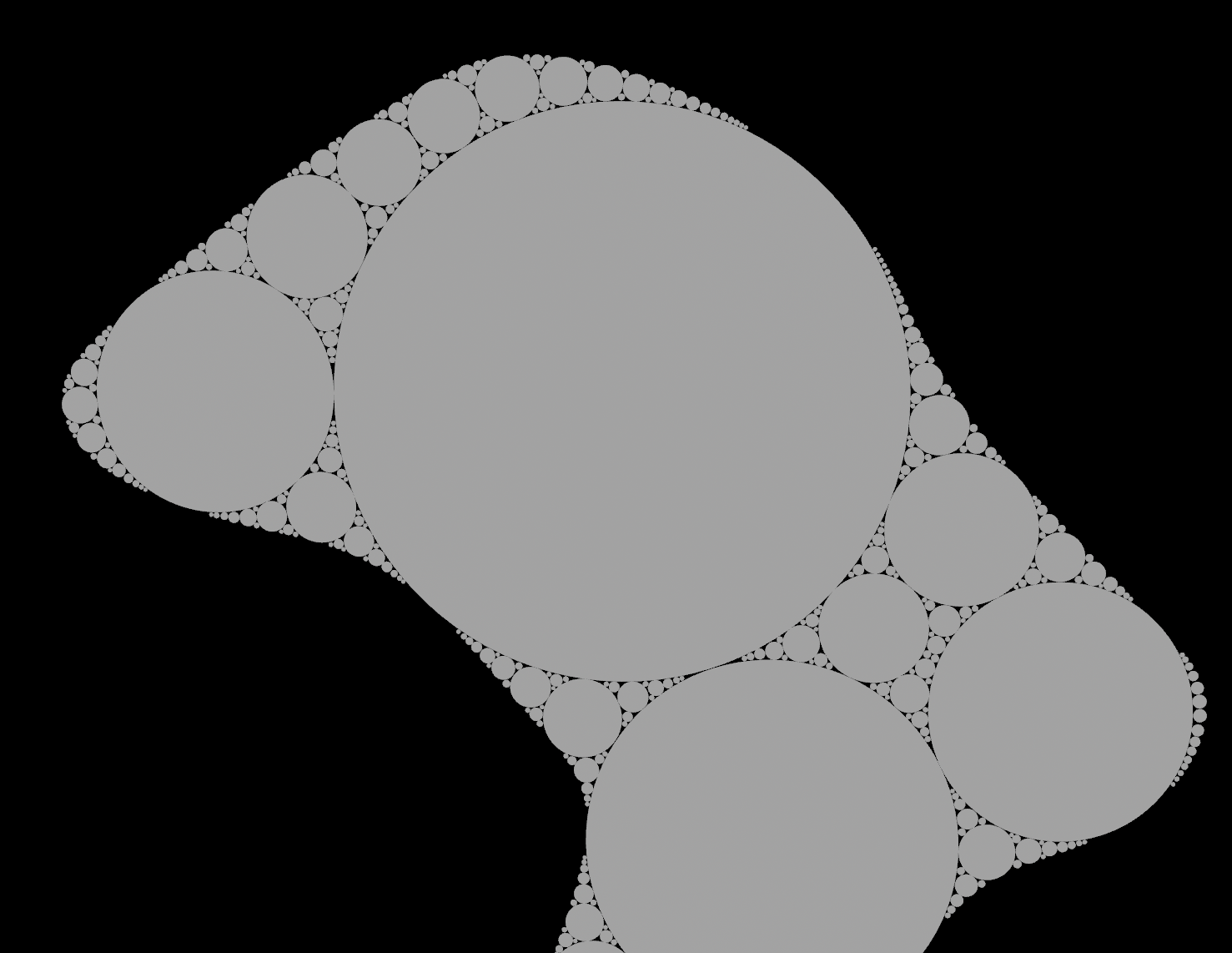
sure thing. This is not the optimal way of doing this. but i really wanted the resulting surface. If you instead of a volume use a grid and then delete all the “used” areas it gets faster and faster for each iteration. then you can easily generate many thousands of circles. but i leave that for you to experiment with 🙂
ok here is the fast one too… 🙂
Attachments in this post:
http://fx-td.com/houdiniandchill/wp-content/uploads/discord/20242910/28/24/apollonian_gasket.hiplc
http://fx-td.com/houdiniandchill/wp-content/uploads/discord/20242910/28/24/image.png
http://fx-td.com/houdiniandchill/wp-content/uploads/discord/20242910/28/24/apollonian_gasket_withfastsolve.hiplc
ah. so obvious. haha
I ended up making a simple HDA that you just drop in the camera that makes one that looks the way I want it to 🙂
Attachments in this post:
http://fx-td.com/houdiniandchill/wp-content/uploads/discord/20241809/28/24/houdini_BeFOgEc1rE.mp4
http://fx-td.com/houdiniandchill/wp-content/uploads/discord/20241809/28/24/sop_render.frustum.1.0.hdalc
I am not this video contributor, but my past implementation of this paper in Houdini is available here 😀 It has only been tested in a few cases, so there may be errors in some cases drive.google.com/file/d/14xnHLZOMVIFQAc3OY6D2N9xrXydXMr1B/view?usp=drive_link
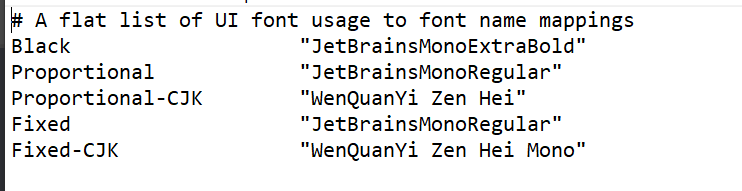
“`C:\Program Files\Side Effects Software\Houdini version\houdini\fonts“` This is the folder you need to look for. in my case , i put the jetbrains font in there and then edited the font.map file to use that font.
Houdini UI Bros, dont come at me. This was just a test. ahahaha.
Attachments in this post:
http://fx-td.com/houdiniandchill/wp-content/uploads/discord/20240609/13/24/image.png