Archived post by Thomas Helzle

In case anybody is interested: I adapted the adjustPrimLength from groom.h to work in the other direction: “`void adjustPrimLengthInv(const int geo, prim; const float currentlength, targetlength) { float diff = targetlength – currentlength; int points[] = primpoints(geo, prim); if(diff < 0) { vector lastpos = 0; float length = 0; int numpt = len(points); for(int idx = numpt-1; idx >= 0; idx–) { int pt = points[idx]; vector pos = point(geo, “P”, pt); if(idx < numpt-1) { float seglength = distance(pos, lastpos); if(length+seglength > targetlength) { float frac = (targetlength-length)/seglength;
vector newpos = lerp(lastpos, pos, frac); setpointattrib(0, ‘P’, pt, newpos, ‘set’); for(int i=idx-1; i>=0; i–) { removepoint(geo, points[i]); }
break; }
length += seglength; }
lastpos = pos; } } }“`

So between the normal version and this one I can scale polylines smoothly from both sides.

Oh and I removed the extension part, I never want the lines to become longer. So below is the modified and simplified standard version:

“`void adjustPrimLength(const int geo, prim; const float currentlength, targetlength) { float diff = targetlength – currentlength; int points[] = primpoints(geo, prim); if(diff < 0) { vector lastpos = 0; float length = 0; foreach(int idx; int pt; points) { vector pos = point(geo, "P", pt); if(idx > 0) { float seglength = distance(pos, lastpos);
if(length+seglength > targetlength) { float frac = (targetlength-length)/seglength;
vector newpos = lerp(lastpos, pos, frac);
int ptnum = addpoint(geo, newpos);
for(int i=idx; i

Just put it in a primitive wrangle, grab your currentlength with: `float currentlength = primintrinsic(0, ‘measuredperimeter’, @primnum);` and cut away… 🙂

Oh and this is in actual lengths, so if you want to cut away half your line, targetlength would be currentlength * 0.5…

I love doing all this in a wrangle since it’s more flexible than carve
Archived post by matte

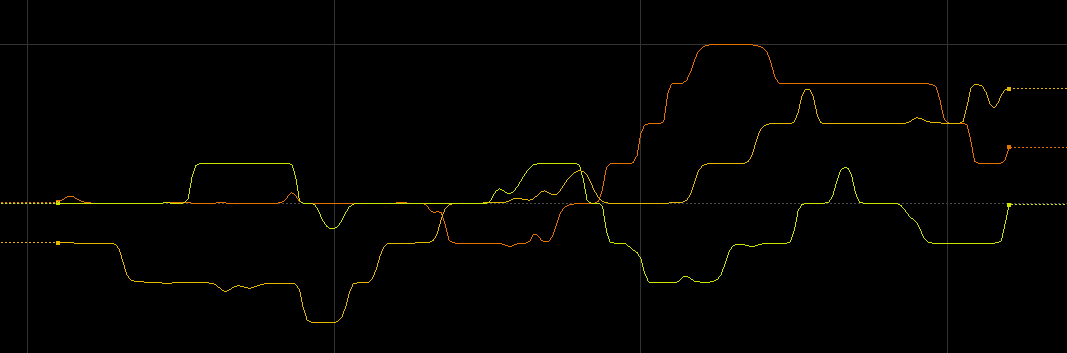
Just a random thing if anyone finds it useful – here’s some vex to quantise a value to steps, with variable smoothness: “` float smoothstep(float n; float x) { if (n == 0) return x; return 1.0/(1.0+pow(1.0/x-1.0,n) ); }
vector smoothstep(float n; vector x) { if (n == 0) return x; vector un = {1,1,1}; return un/(un+pow(un/x-un,n) ); }
// step: levels of quantisation // val: value to quantise // rolloff: smoothness
val *= step; vector fraction = smoothstep(rolloff, frac(val)); val = floor(val) + fraction; val /= step; “`

default houdini smooth() doesn’t work symmetrically

Attachments in this post:
http://fx-td.com/houdiniandchill/wp-content/uploads/discord/20192210/08/19/smoothquant.png

Archived post by matte

@nicholas ralabate afaik it doesn’t make a RAT, so blurring/filtering can be slow

imo image texture access in vex is just slow in general

On a recent project which involved lots of SOPs/VEX texture access I accellerated it substantially by first pre-loading the texture into a 2D volume, then sampling the volume rather than the texture

Archived post by jake rice

@dchow @CoskuTurhan “`Hello Jake, There are two phases to cooking a DOP frame: the network pass and the solve pass. Former takes care of setting parameters and building the sequence of operators that are to act on the objects; the solve pass then actually invokes these operators. The issue is that substepping triggered by the Gas Substep solver is done as part of the solve pass, while the Switch Solver gets its switch value set during the network pass. To perform its solve, Gas Substep DOP basically determines how many substeps to take and calls its sequence of input operators that number of times. So when the Switch Solver is reached, it uses the switch value that was evaluated at the network pass. In other words, the value of that parameter does not get refreshed for each of your substeps.
You can get the behaviour you want by disabling Override with Default and using the data specified in Switch Value Name. This data will have to be modified to account for your frame number logic, which can be done fairly easily with a Script Solver. Note that this works because the parameter value is static (name of the data to use), but the actual data stored gets evaluated every time the node goes to perform its solve. “`

Archived post by Reinhold

looks like vtx0 is {0, 0, 0}, vtx1 is {1, 0, 0}, vtx2 is {0, 1, 0} and vtx3 is {0, 0, 1}. and any point in between is just a linear interpolation of these four values. shouldn’t take too long to get there now

got it working now. building a matrix from the tet vertex positions and running an inverse transform on the point position puts the sample point into the normalized barycentric space, i.e. the new point position is the barycentric coordinate

“` int prims[]; vector p = v@P; vector vtxp[];
prims = primfind(1, v@P, v@P);
foreach(int prim; prims) { for(int i=0; i<4; i++) { vtxp[i] = vector(point(1, "P", primpoint(1, prim, i))); } matrix3 mat = set(vtxp[1] - vtxp[0], vtxp[2] - vtxp[0], vtxp[3] - vtxp[0]); p -= vtxp[0]; p *= invert(mat); } v@uv = p;“`