trying out that fake volumetric shading thingy
Attachments in this post:
http://fx-td.com/houdiniandchill/wp-content/uploads/discord/20232509/13/23/vr.mp4
trying out that fake volumetric shading thingy
Attachments in this post:
http://fx-td.com/houdiniandchill/wp-content/uploads/discord/20232509/13/23/vr.mp4
Pretty much everything I know about lighting/rendering in LOPS with Karma. Hot off the press: www.sidefx.com/solaris-essentials-lops-karma-matx/
yeah exactly 🙂 www.dgp.toronto.edu/projects/fast-winding-numbers/ in the original paper they use the point cloud with normals version to generate a simple SDF from a point cloud
how do i get the cameras uv space in a materialx shader? i want to do projective texturing in the shader.
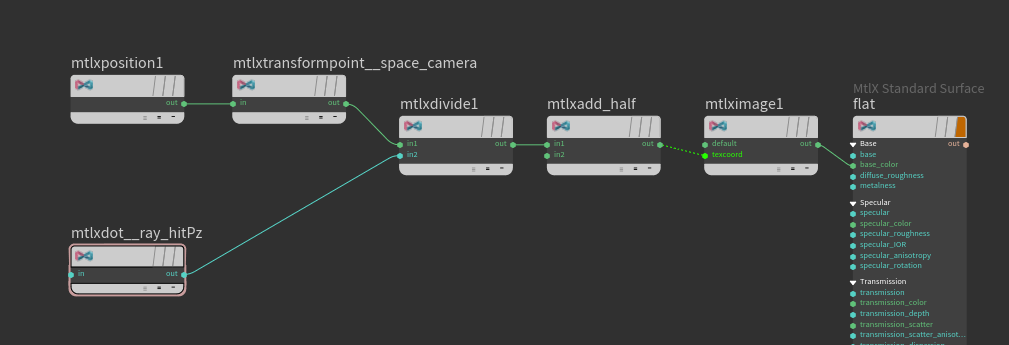
This works half-assedly but only on CPUkarma. I load the hit position in worldspace. transform it to cameraspace (using space:camera in the transformpoint) then divide that with hit distance to get a projection. (using ray:hitPz in the mtlxdot) but the camera:space thing does not work in XPU.
I thought this would be the easiest thing ever. anyone having any better tricks?
generating precooked uv data on the geo from the camera is not as good as one tends to get projection errors over larger polygons and such.
ok after the longest time mucking about I found how it is actually done:
You use the coordsys node in LOP:s to define the coordinate system and reference the camera. Then use that coordsys in a mtlxposition and use myCoordinateSysName:ndc to get it in the camera projection space. Neat because then you can use any camera as a projector and so forth.
aw frekk. does not work in xpu.
Attachments in this post:
http://fx-td.com/houdiniandchill/wp-content/uploads/discord/20232109/07/23/image.png
Haha 1 min
since its gonna go online anyway, here’s a preview to play with
connect em like this
Good chat 😊
Attachments in this post:
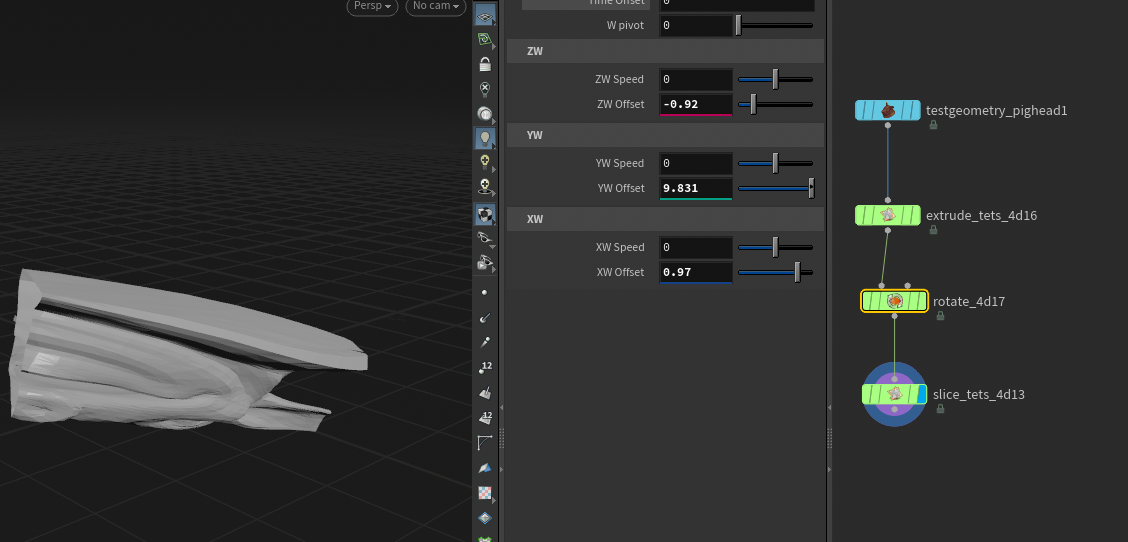
http://fx-td.com/houdiniandchill/wp-content/uploads/discord/20231409/01/23/4d_tets_hdas.zip
http://fx-td.com/houdiniandchill/wp-content/uploads/discord/20231409/01/23/image.png
Ah. I deleted Tailor for a reason. 😂 Always misses an image when stitching.
Instaweb works better, but it’s a PDF, which is silly. Regardless here’s the full thread as PDF.
Attachments in this post:
http://fx-td.com/houdiniandchill/wp-content/uploads/discord/20230208/26/23/Paul_Ambrosiussen_ArgumentParser.pdf
thanks! 🙂
weeeeee
too much fun
aww, froze houdini
flew too close to the sun
future matt: this was using ray:direction on the karma ray import node
oh it came back! hooray!
Attachments in this post:
http://fx-td.com/houdiniandchill/wp-content/uploads/discord/20230408/21/23/image.png
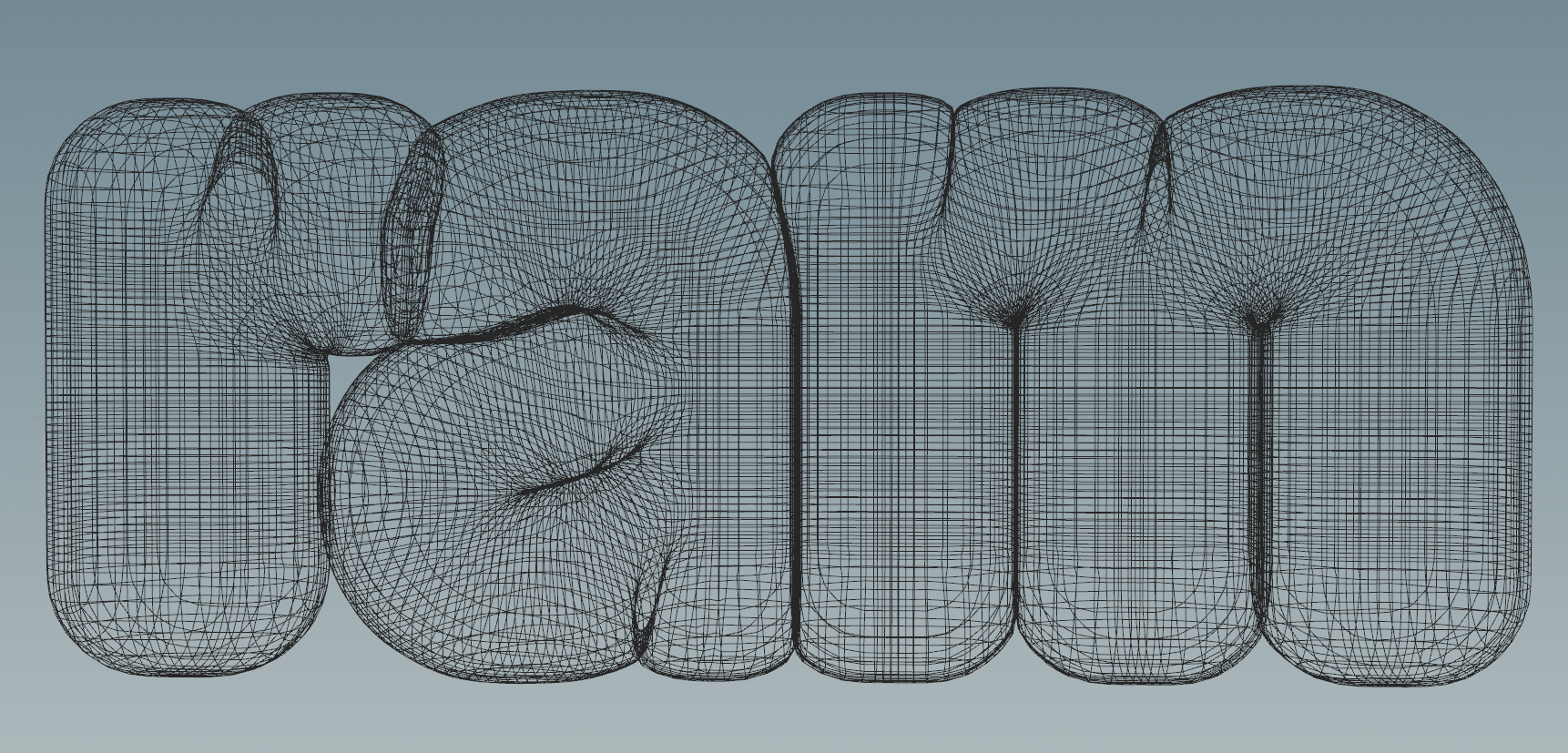
here’s a basic extrude, but not letting you self-intersect
(ah, so nice to do something that involves zero battling with Unreal:)
Attachments in this post:
http://fx-td.com/houdiniandchill/wp-content/uploads/discord/20232108/21/23/ee_sdf_deintersect.hip
http://fx-td.com/houdiniandchill/wp-content/uploads/discord/20232108/21/23/image.png
If you do find use in this thing, I updated the above vex to fix the numerical issues, so definitely use that. the project file i posted is using the old method which has issues numerically…. And then you can set mu to be something low, like .05 and it’ll resolve really quickly and with much fewer issues…
okay this one fixes the issue ive been talking to myself about
Attachments in this post:
http://fx-td.com/houdiniandchill/wp-content/uploads/discord/20235908/15/23/FlattenPrims5_jr_v0003.hiplc
@paqwak i wish houdini had a built in nearest point on single prim function… you can make one yourself by manually computing the barycentric coords…
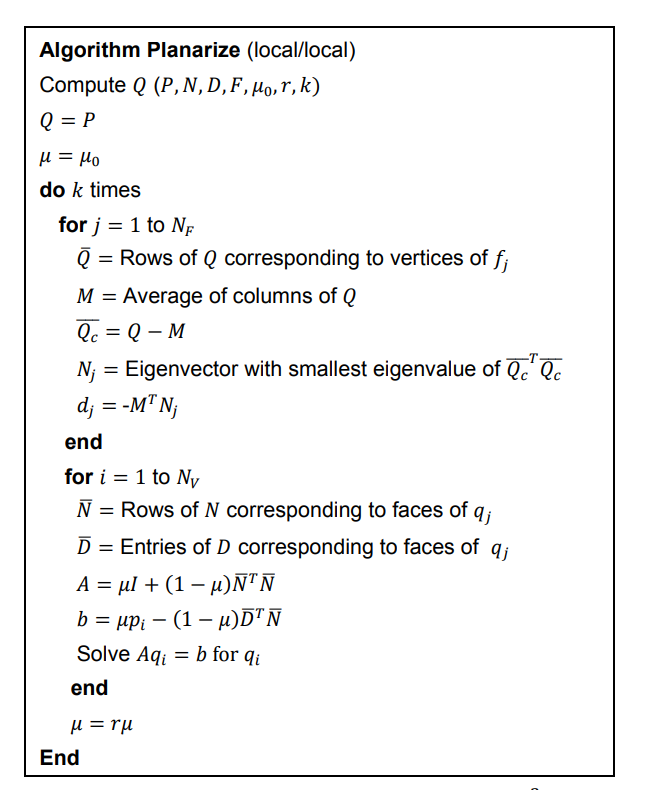
the local solve from the paper i linked above seems to work pretty well. the idea is to generate prim normals using a normal sop, and then use the following vex in a for loop: @paqwak “`c //run over points int nbs[] = pointprims(0, @ptnum); matrix3 nTn = 0; vector dTn = 0; foreach(int prim; nbs){ vector n = prim(0, “N”, prim); vector p = prim(0, “P”, prim); nTn += outerproduct(n, n); dTn += n * dot(p, n); }
3@A = nTn; v@b = dTn; v@P = invert(3@A) * v@b; //solve Ax=b “`
if you use enough iterations on the above idea, you’ll end up at a point where your for loop with the fuse and stuff no longer really affects the mesh. the only problem with this method is that it requires the geometry to be like manifold and not poopy
the paper wrote the algorithm in matrix form, which does also work (though the normal building step that uses eigenvalues/vecs is really annoying so we skip that and just use a normal sop)
and since we can use a normal sop, really only the bottom half of the algorithm is what we need, and i’ve translated it to the vex above
I also omitted the `mu` stuff since that’s just like a lerp from non-planar to planar… which is a parameter we don’t really need
the above method can be problematic if the matrix A has a really stupid inverse… since i’m solving by inversion, it will cause like crazy results
Attachments in this post:
http://fx-td.com/houdiniandchill/wp-content/uploads/discord/20232608/15/23/FlattenPrims5_jr_v0002.hiplc
http://fx-td.com/houdiniandchill/wp-content/uploads/discord/20232608/15/23/image.png