My favorite way to install python libs for use in houdini “`cmd hython -m pip install –target=/path/to/package/python3.11libs matplotlib “`
Author: admin
Archived post by tackyflea
K found out how to make a basic signal, hours of finding the right function leading to only few lines of code woo(?)
How to do a basic Signal in python compatible with Houdini: “`python from PySide2.QtCore import QObject, Signal class ECoolEventSignal(QObject): string_event = Signal(str)
cool_event_instance = ECoolEventSignal()
# sender cool_event_instance.string_event.emit(“Passing da string”) # reciever cool_event_instance.string_event.connect(self.listeningFunction) “` (You can also hook to the event functions via doc.qt.io/qt-5/qcoreapplication.html#sendEvent but it was overkill in my need)
now time for a drink and do something with this tommorow 😂
Archived post by mestela
opnode_sum.py
“` This script will inspect all installed operators in houdini and create a table summarizing them.
hython opnode_sum.py > nodeinfo.json
The -p option will also output the parameter information. The –briefparms option will output name/label parameter information. “`
Archived post by sniperjake945
i had some time this morning so i cooked up a way to do this by just writing a small little rasterizer in vex 🙂
im sure there’s a better way to do it
yeah i see what you’re sayin 😦 im unsure how to change the voxel size without just making a new volume….
Attachments in this post:
http://fx-td.com/houdiniandchill/wp-content/uploads/discord/20254801/08/25/comp.mp4
http://fx-td.com/houdiniandchill/wp-content/uploads/discord/20254801/08/25/jr_tiny_rasterizer.hiplc
Archived post by mattiasmalmer
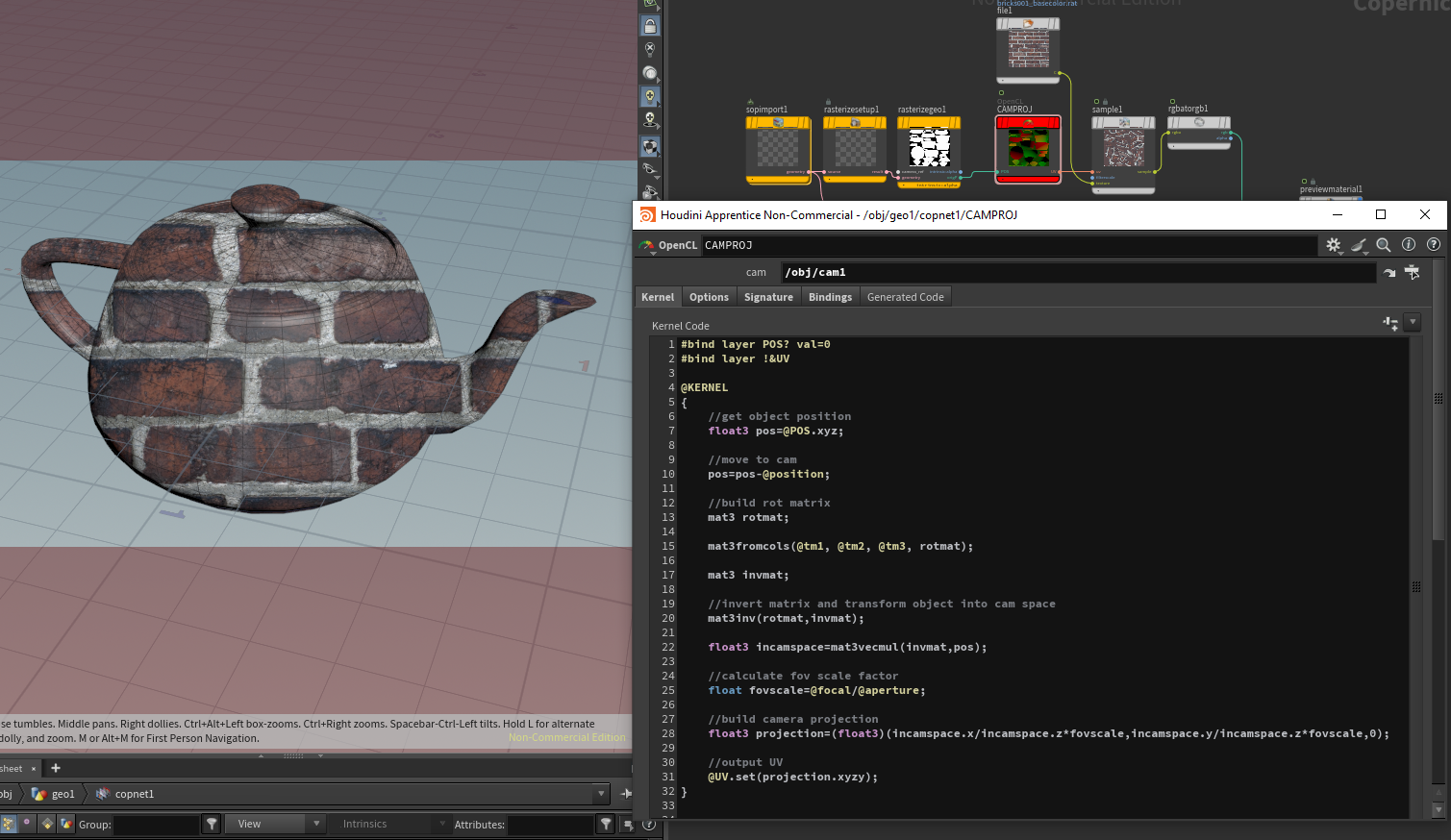
finally got it working in openCL:
Attachments in this post:
http://fx-td.com/houdiniandchill/wp-content/uploads/discord/20241412/28/24/image.png
http://fx-td.com/houdiniandchill/wp-content/uploads/discord/20241412/28/24/CAMERA_PROJECTION_COPS_OCL.hipnc
Archived post by mattiasmalmer
just brute force grabbing eaach matrix component
not sure why i need to do the minus sign in Y tho… guess some kind of handedness oddity
This one updates much more consistently compared to the vex one and feels really fast.
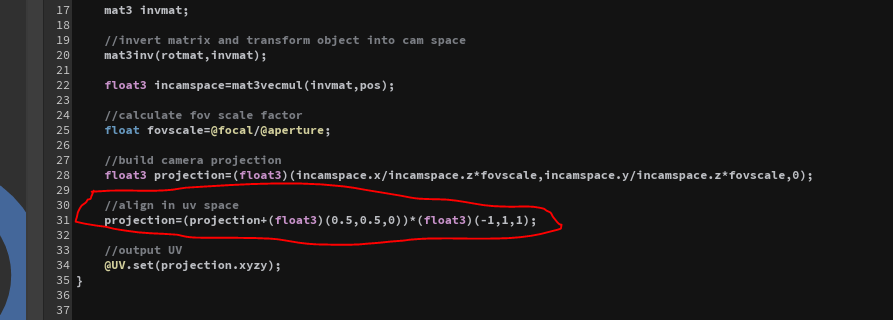
oops. the UV space was a little wonky there…
add this line
Attachments in this post:
http://fx-td.com/houdiniandchill/wp-content/uploads/discord/20244812/28/24/image.png
Archived post by mattiasmalmer
here is a simple vex camera projection if you do feel the need to be overcomplicated. 🙂
this is useful if your pos data comes from a rendering or something.
Attachments in this post:
http://fx-td.com/houdiniandchill/wp-content/uploads/discord/20241612/27/24/houdini_0NwyzI106U.mp4
http://fx-td.com/houdiniandchill/wp-content/uploads/discord/20241612/27/24/CAMERA_PROJECTION_COPS.hipnc
[f_ai_lures] Archived post by lwwwwwws
i like filmot.com for doing something similar, it’s a search engine for youtube subtitles mainly but the builtin player shows the subs as a nice little column you can scroll through really fast and click the little button at the start of each line to jump in the video to that point
it’s kind of insane that you can search for like “vellum configure strut” then keep hitting “next clip” and it’ll jump through every single time someone has talked about vellum struts on all of youtube
Attachments in this post:
http://fx-td.com/houdiniandchill/wp-content/uploads/discord/20240612/24/24/Screenshot_2024-12-24_at_13.27.55.png

Archived post by paqwak
@tokyomegaplex ?
a bit of this and that :
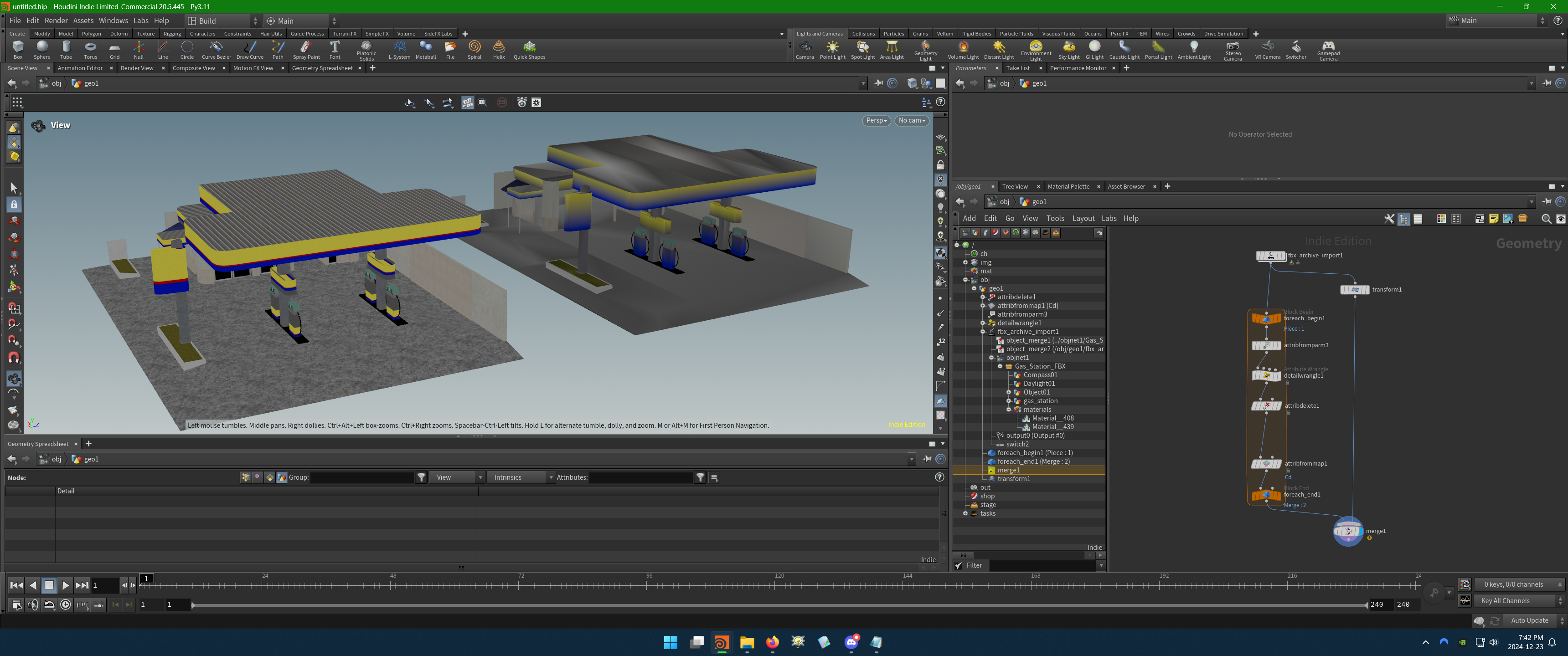
Tested with that FBX that has embedded textures … at some point as folder “`Gas Station.fbm“` was created but I don’t by who, probably the fbx_archive_import … after that you can use a “attribfromparm” that helps to create a dict from nodes parameters, and retrieve the path to every texture plug as basecolor_texture.
It’s possible you don’t even need a loop for this, but it’s easier to build and check strings that way.
Attachments in this post:
http://fx-td.com/houdiniandchill/wp-content/uploads/discord/20240212/23/24/image.png
http://fx-td.com/houdiniandchill/wp-content/uploads/discord/20240212/23/24/FBX_Texture_To_Cd.hiplc
http://fx-td.com/houdiniandchill/wp-content/uploads/discord/20240212/23/24/Gas_Station.FBX
Archived post by sniperjake945
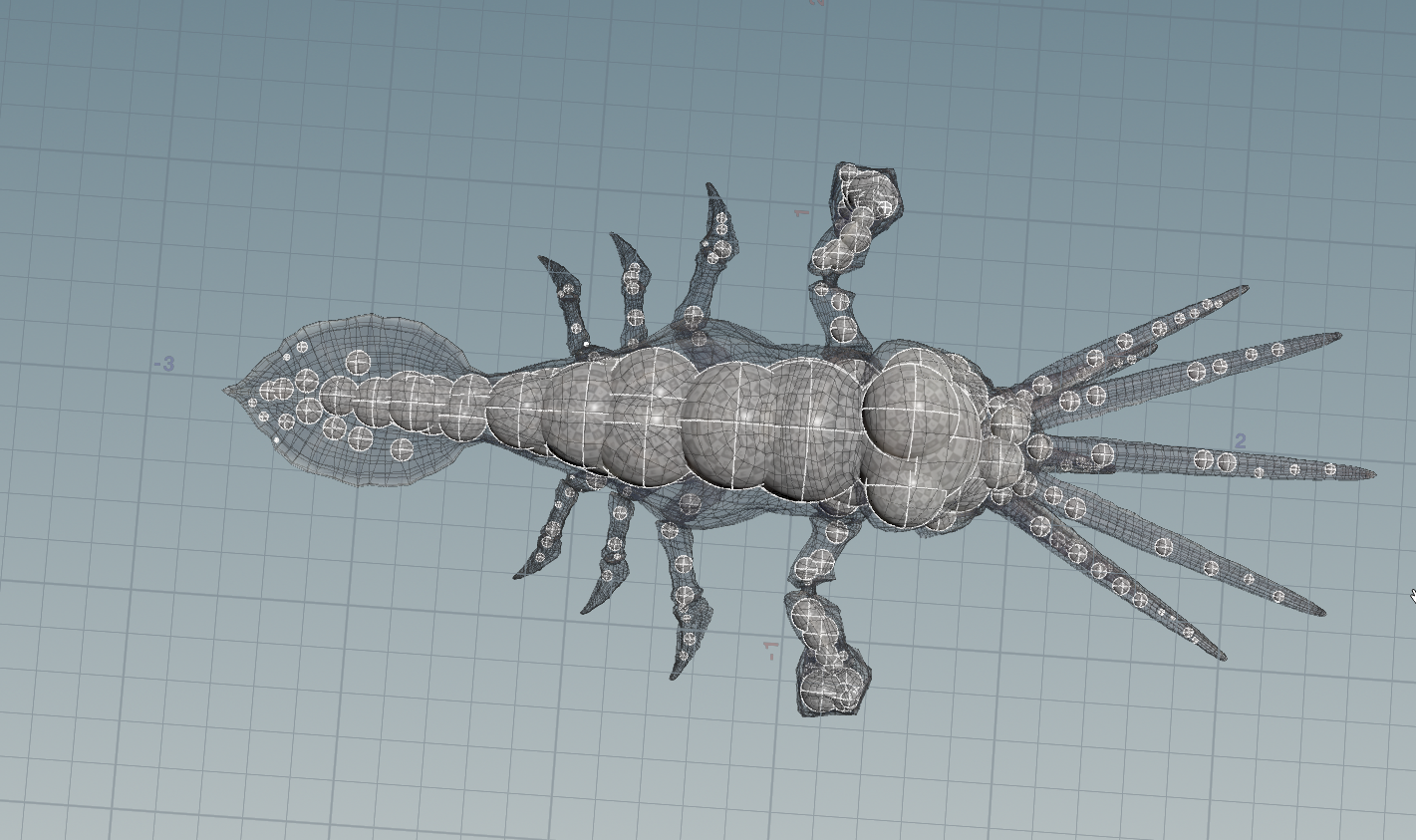
if you want to sample points at the medial axis you could look at something like `coverage axis ++` which uses some really simple metrics to sample points at the medial axis without needing to do any kind of fusing/remeshing or advection.
But i will say the medial axis is inherently not as useful as the straight skeleton, cuz in 3d for many shapes its a surface and not a curve…
arxiv.org/abs/2401.12946 its a neat paper, a totally different approach for finding these surfaces. @mattiasmalmer @_white_dog_
if you want to get topology out of this and not just a point cloud it definitely takes more effort, and no one likes using effort
Attachments in this post:
http://fx-td.com/houdiniandchill/wp-content/uploads/discord/20243212/22/24/image.png
http://fx-td.com/houdiniandchill/wp-content/uploads/discord/20243212/22/24/coverage_axis_plus_plus_JR.hiplc