Archived post by solitude9206

Yeah pretty much.

I’ll try some sneaky stuff tomorrow with symlinks

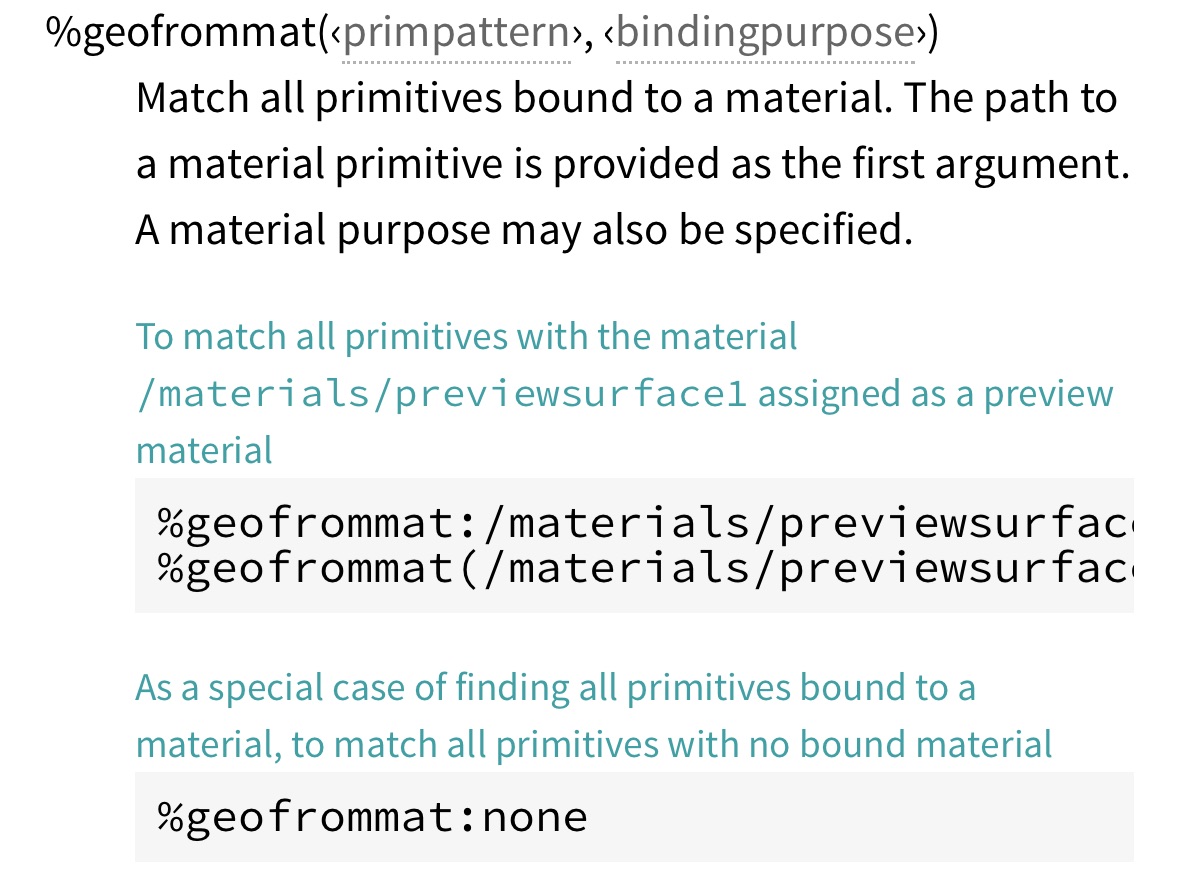
Ok so far the easiest thing I found was the assign material node – adding a parameters override – it basically clones the material for you and just sets the attr and assigns the copy of the material to the geo. You can have it reference primvars from the geometry as well, so I can do s@inputs:file = s@txpath; But it can’t do **_geo and loop ove the prims, so I still have to do it in a for each (which I haven’t done yet.

But… this in itself ‘kinda’ makes the point inmho that you can definitely clearly define a primvar/attr AS a texture up front, and collect them ahead of time for the renderers

I take it back. It works with ** so yay.

Easy enough for me

Archived post by tackyflea

K found out how to make a basic signal, hours of finding the right function leading to only few lines of code woo(?)
How to do a basic Signal in python compatible with Houdini: “`python from PySide2.QtCore import QObject, Signal class ECoolEventSignal(QObject): string_event = Signal(str)
cool_event_instance = ECoolEventSignal()
# sender cool_event_instance.string_event.emit(“Passing da string”) # reciever cool_event_instance.string_event.connect(self.listeningFunction) “` (You can also hook to the event functions via doc.qt.io/qt-5/qcoreapplication.html#sendEvent but it was overkill in my need)

now time for a drink and do something with this tommorow 😂

Archived post by mestela

opnode_sum.py

“` This script will inspect all installed operators in houdini and create a table summarizing them.
hython opnode_sum.py > nodeinfo.json
The -p option will also output the parameter information. The –briefparms option will output name/label parameter information. “`

Archived post by sniperjake945

i had some time this morning so i cooked up a way to do this by just writing a small little rasterizer in vex 🙂

im sure there’s a better way to do it

yeah i see what you’re sayin 😦 im unsure how to change the voxel size without just making a new volume….

Attachments in this post:
http://fx-td.com/houdiniandchill/wp-content/uploads/discord/20254801/08/25/comp.mp4
http://fx-td.com/houdiniandchill/wp-content/uploads/discord/20254801/08/25/jr_tiny_rasterizer.hiplc

Archived post by mattiasmalmer

just brute force grabbing eaach matrix component

not sure why i need to do the minus sign in Y tho… guess some kind of handedness oddity

This one updates much more consistently compared to the vex one and feels really fast.

oops. the UV space was a little wonky there…

add this line

Attachments in this post:
http://fx-td.com/houdiniandchill/wp-content/uploads/discord/20244812/28/24/image.png

Archived post by mattiasmalmer

here is a simple vex camera projection if you do feel the need to be overcomplicated. 🙂

this is useful if your pos data comes from a rendering or something.

Attachments in this post:
http://fx-td.com/houdiniandchill/wp-content/uploads/discord/20241612/27/24/houdini_0NwyzI106U.mp4
http://fx-td.com/houdiniandchill/wp-content/uploads/discord/20241612/27/24/CAMERA_PROJECTION_COPS.hipnc