I think transforming to NDC is the correct approach, that’s also what i’ve been doing “`cpp @P = toNDC(chs(“camera”), @P); @P.x = @P.x * 2.0 – 1.0; @P.y = (@P.y * 2.0 – 1.0) * (chf(chs(“camera”) + “/resy”) / chf(chs(“camera”) + “/resx”)); @P.z = 0; “`
Category: hou-cops
Archived post by sniperjake945
Id have to try it but potentially with the eikonal cop
Gimme like 10 and I can see if the idea works
im sure you can have it be one sided with some clever weighting but thats an exercise for another time. but this is all cops. you just use a black circle on a white background (where the white value is super high) as a source point/the initial distance and then use the letter outline as the speed parameter on the eikonal node. It’s worth noting that doing this with geometry is of course going to be way more controllable. But this way avoids any kind of geo
Attachments in this post:
http://fx-td.com/houdiniandchill/wp-content/uploads/discord/20262203/27/26/cops_carve.mp4
http://fx-td.com/houdiniandchill/wp-content/uploads/discord/20262203/27/26/cops_carve_JR.hip
Archived post by drewzeefx
@Hallam I messed around a bit, it looked like cops cant really make a proper annulus with endless bounds so I did a lil hack, but your first image looks correct, except the rotation might need to be the opposite sign to get the picture frame to line up
Thread
Attachments in this post:
http://fx-td.com/houdiniandchill/wp-content/uploads/discord/20263903/23/26/IMG_5213.mov
http://fx-td.com/houdiniandchill/wp-content/uploads/discord/20263903/23/26/escher-loop-3blue1brown-claude-trash.hiplc
Archived post by vanity_ibex
I should start using recipes more then I don’t have to dig through 100x files to find something
“`cpp
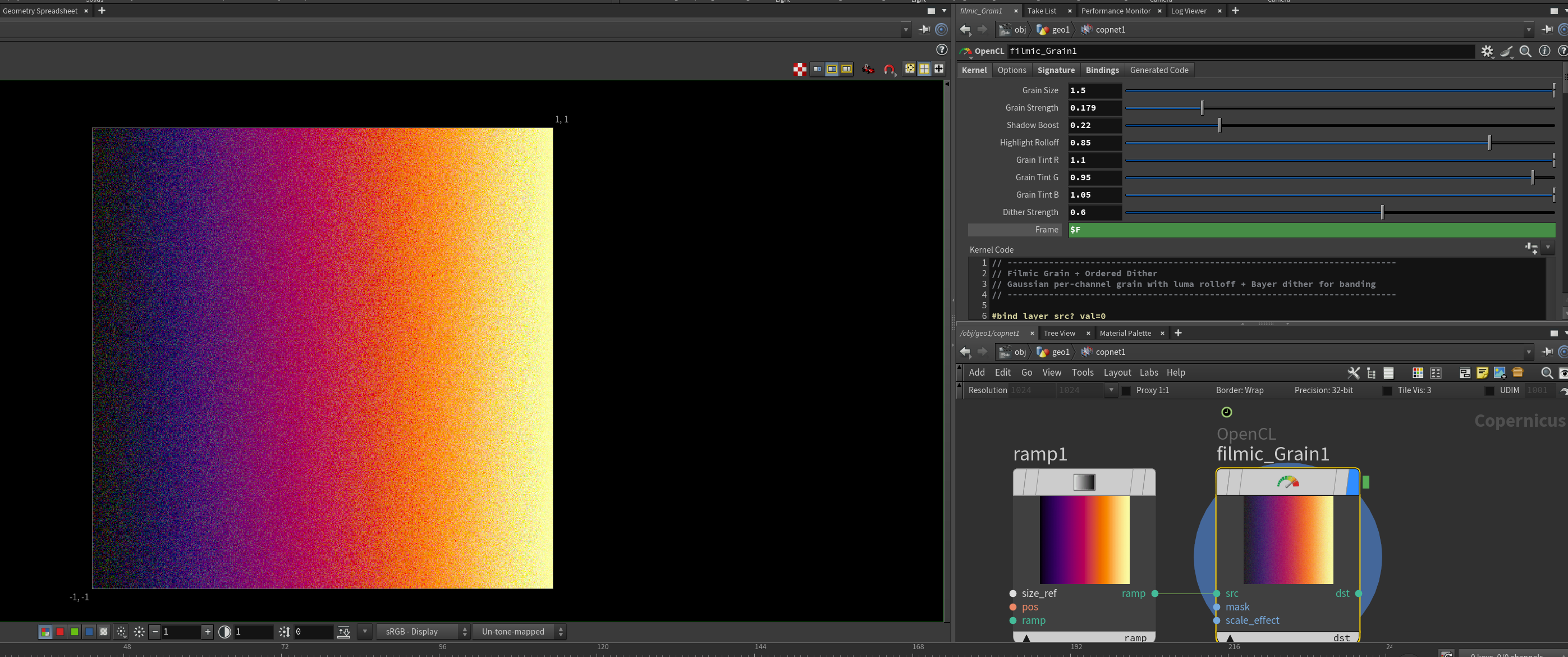
#bind layer src float4 #bind layer &dst float4 #bind parm radius int value=4 #bind parm sigma_s float value=4.0 // spatial falloff #bind parm sigma_r float value=0.1 // range/value falloff
@KERNEL { int2 gid = (int2)(@ix, @iy); int w = @src.xres; int h = @src.yres;
float4 center = (float4)(@src.bufferIndex(gid)); float4 acc = (float4)(0.0f); float weight = 0.0f;
float ss2 = 2.0f * @sigma_s * @sigma_s; float sr2 = 2.0f *max(@sigma_r,0.001f) * max(@sigma_r,0.001f);
int r = @radius;
for (int dy = -r; dy <= r; dy++) { for (int dx = -r; dx <= r; dx++) { int2 p = (int2)( clamp(gid.x + dx, 0, w-1), clamp(gid.y + dy, 0, h-1) );
float4 sample = (float4)(@src.bufferIndex(p));
// Spatial weight — gaussian falloff by pixel distance float spatial = (float)(dx*dx + dy*dy) / ss2;
// Range weight — gaussian falloff by value difference float4 diff = sample – center; float range = dot(diff, diff) / sr2;
float w_combined = exp(-spatial – range);
acc += sample * w_combined; weight += w_combined; } }
@dst.set(acc / weight); }
“`
Archived post by vanity_ibex
Got an okayish optical flow working
Attachments in this post:
http://fx-td.com/houdiniandchill/wp-content/uploads/discord/20264603/09/26/2026-03-09_11-37-28_resized_50percent.mp4
http://fx-td.com/houdiniandchill/wp-content/uploads/discord/20264603/09/26/Optical_flow_08.hiplc
Archived post by mattiasmalmer
made a little vorticity confinement node for vdb pyro stuff. (Perhaps it is already in there somewhere but i could not find it so i made one.)
Attachments in this post:
http://fx-td.com/houdiniandchill/wp-content/uploads/discord/20260002/20/26/vortcon.hiplc
http://fx-td.com/houdiniandchill/wp-content/uploads/discord/20260002/20/26/houdini_J25xJX7yYO.mp4
Archived post by zoranarizanovic
i think I have it now thanks @spectralsoda @Freddie @nikolad8022
here is solution 🙂 it is setup to bake to disk
Attachments in this post:
http://fx-td.com/houdiniandchill/wp-content/uploads/discord/20261602/13/26/image.png
http://fx-td.com/houdiniandchill/wp-content/uploads/discord/20261602/13/26/bake_down_v001.hipnc
Archived post by vanity_ibex
Here is the file! it’s also on [gumroad]() for free with properly linked img sequence but the file is too big for discord also made a small [yt video]() but I’m no Paul Esteves 😌 😋
Attachments in this post:
http://fx-td.com/houdiniandchill/wp-content/uploads/discord/20261402/10/26/COPs_Slitscanning.hiplc
Archived post by lwwwwwws
kuwahara is a cool trick but it does date from 1976, bilateral filters are a more controllable and better behaved way to filter while avoiding edges… here’s one i use a lot in comp and just translated from glsl to opencl
it works ok on bacon but i do feel like it could be improved 🤔 it’s the kind of thing that works better in log than linear and the threshold control might be better if it was a hard cutoff so colours past a certain distance are ignored, instead of this drastic pow() curve thing i’m doing
Attachments in this post:
http://fx-td.com/houdiniandchill/wp-content/uploads/discord/20261102/08/26/Screenshot_2026-02-08_at_16.18.15.png
http://fx-td.com/houdiniandchill/wp-content/uploads/discord/20261102/08/26/Screenshot_2026-02-08_at_16.17.55.png
http://fx-td.com/houdiniandchill/wp-content/uploads/discord/20261102/08/26/Ls_Dollface_v01.cl
Archived post by procedural_kate
Having a blast in COPs making ice textures. Here is a meh file. if anyone would like
Attachments in this post:
http://fx-td.com/houdiniandchill/wp-content/uploads/discord/20262502/08/26/cystalize5.jpeg
http://fx-td.com/houdiniandchill/wp-content/uploads/discord/20262502/08/26/cystalize4.jpeg
http://fx-td.com/houdiniandchill/wp-content/uploads/discord/20262502/08/26/ice_dimond.hiplc