Archived post by fabriciochamon

here, pong game hip! (Houdini 20.5)
did some cleaning/commenting if anyone is curious about the inner works. But basically:
– chop “keyboard” listens for a couple key presses (in momentary mode) – dopnet takes care of moving blocks at every chop signal, since its a simulation, movement is cumulative – RBD wise, I have : – ball (active=1) – player 1 and 2 blocks (active=0, they still collide, but movement driven by the dopnet) – top/bottom walls (active=0) – power ups (made into rbds for easily collision checking against player blocks) – all elements have collisiongroup / collisionignore bullet attrs
Power ups: (this was the most fun part of this little project for me!)
– 2 types available: “timed” and “one-shot”. “Timed” has duration, “one-shot” shots a projectile that hits enemy block – the behaviors are mostly defined in popwrangles or sopsolvers, and are easy to manage (except for one that rotates enemy block, it has to be injected into the block moving logic 😓 ) – spawn rate/seed etc, along with other game controls, available in a ctrl null. – avaliable power ups: – L (Large) = grow player block 2x the size for a couple seconds – F (Freeze) = shots a snowball that freezes enemy block for a couple seconds upon hit – S (Speed) = makes block move faster – R (Rotate) = shots a projectile that makes enemy block rotate for a couple seconds – M (Magnet) = attracts the ball towards your block, then action key shoots it back with lots of energy
Skins:
– I have a post sim tree that takes care of applying skins to each element – ball has trail flames – blocks have different animations/ embelishments according to the power ups acquired – projectiles visuals, etc – easy to extend and/or change!
theme bg’s were a nice exercise..they are all made in copernicus, check “backrgound” node.

Attachments in this post:
http://fx-td.com/houdiniandchill/wp-content/uploads/discord/20244710/17/24/Pong.hiplc
Archived post by mattiasmalmer

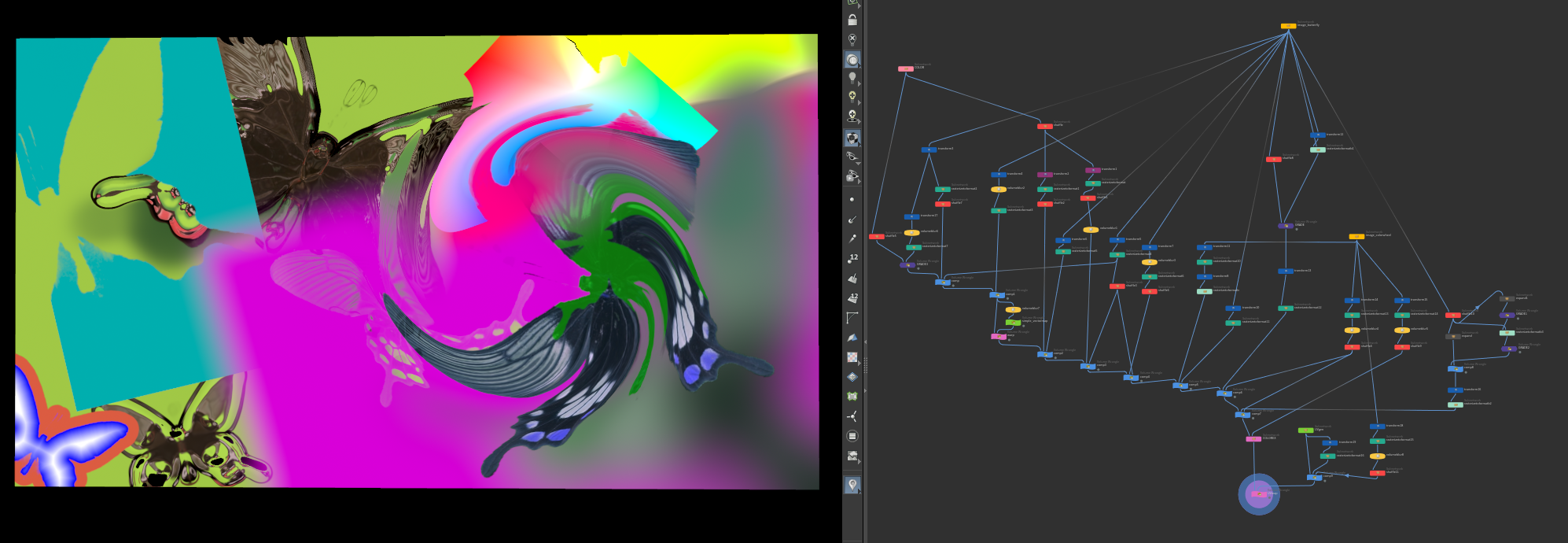
I have made a few more nodes for my SOP compositing dev playground. If you like to play around I attached a hip file with the current state of affairs.
Nodes so far: color image uvmap vectormap colorEX(colorcorrector) warp uvmap comp grade expand rasterizetoformat
You can do basic comps with it. but it is missing a lot.

you can do things like this.

Attachments in this post:
http://fx-td.com/houdiniandchill/wp-content/uploads/discord/20245705/17/24/image.png
http://fx-td.com/houdiniandchill/wp-content/uploads/discord/20245705/17/24/compton_dev_2.hiplc
http://fx-td.com/houdiniandchill/wp-content/uploads/discord/20245705/17/24/houdini_EEjShrqXh8.mp4

Archived post by mattiasmalmer

I have made a few more nodes for my SOP compositing dev playground. If you like to play around I attached a hip file with the current state of affairs.
Nodes so far: color image uvmap vectormap colorEX(colorcorrector) warp uvmap comp grade expand rasterizetoformat
You can do basic comps with it. but it is missing a lot.

you can do things like this.

Archived post by mattiasmalmer

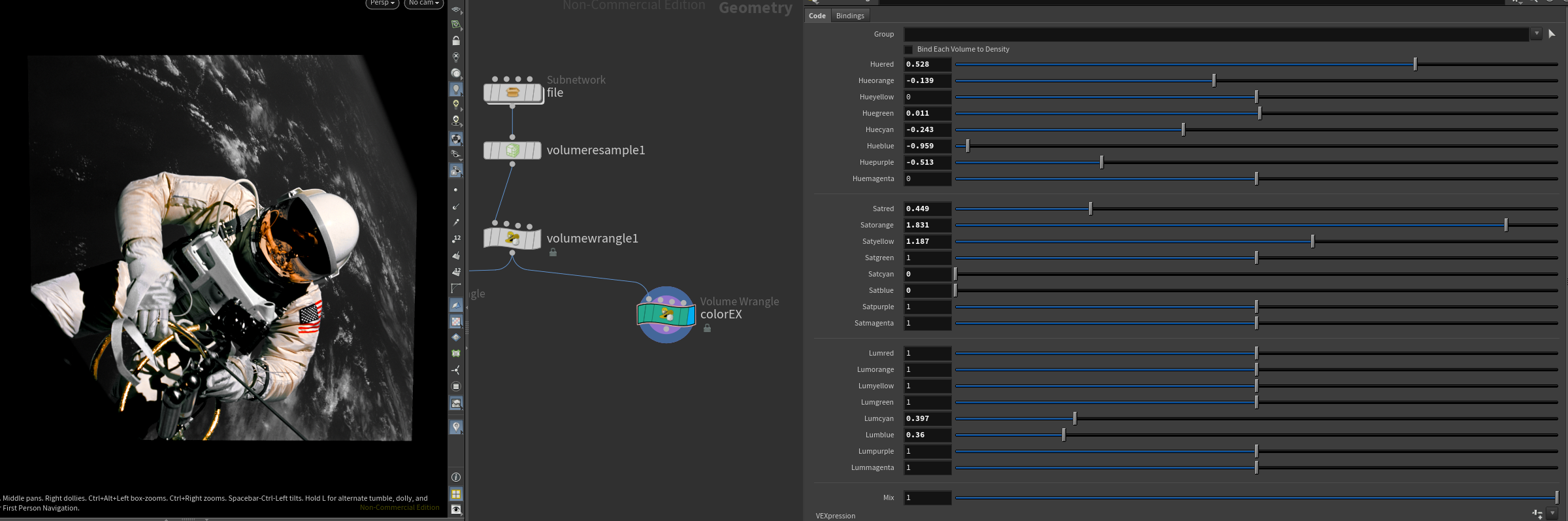
I made a nice colorcorrector for nuke that I use a lot. Converted it to houdini today.

hue saturation and luminance for individual colors. all happens in oklab

the vex code. toss it into a volwrangle. (or a pointwrangle or whatever if you want) it wants color in @C so you might want to turn that to @Cd…

Attachments in this post:
http://fx-td.com/houdiniandchill/wp-content/uploads/discord/20240804/14/24/image.png
http://fx-td.com/houdiniandchill/wp-content/uploads/discord/20240804/14/24/colorex.txt

Archived post by mattiasmalmer

For no real reason at all I have been spending waaaay too much time reverse engineering Nukes rotosplines so that I can copy them over to houdini. vex hell

Here is where Im at now with the nuke spline. Do not read my atrocious vex code or you might go blind.

still lots of edge cases and features to handle.

Attachments in this post:
http://fx-td.com/houdiniandchill/wp-content/uploads/discord/20241403/24/24/houdini_0mgxB8svew.mp4
http://fx-td.com/houdiniandchill/wp-content/uploads/discord/20241403/24/24/nukesplajn.hipnc

Archived post by aswaab

Some code for the volume wrangle. Volume goes in input 1. Seed points in input 2. And then you need to construct the control interface.
`//controls int mirror = chi(“mirror”); int distanceMetric = chi(“distanceMetric”);
//init variables float currentdist = 1000000; //pick a super high starting value. In theory, it should be infinite… int closestpt = 0; //placeholder for seed point float dist = 0; //placeholder for distance to seed vector pos = v@P; //current voxel position
//mirror if(mirror == 1) pos.x = abs(pos.x); if(mirror == 2) pos.y = abs(pos.y); if(mirror == 3) pos.z = abs(pos.z);
//calculate distances int pts = npoints(1); for(int pt = 0; pt < pts; pt++){ vector ptpos = point(1, "P", pt); vector vdist = abs(pos - ptpos); //vector distances if(distanceMetric == 0) dist = length(vdist); //euclidian/voronoi distance if(distanceMetric == 1) dist = sum(vdist); //manhattan distance if(distanceMetric == 2) dist = max(vdist); //chebyshev distance if(dist <= currentdist){ closestpt = pt; currentdist = dist; } }`

Above code will give you a density field that stores the seed values. From there, you can parse it how you need.

(gemming my own code for posterity)