Archived post by will

Here is another go a squash and stretch, I calculated the distance between two points and then scaled a joint in-between.

I have added some shape controls on the rig vop, something to play with

Attachments in this post:
http://fx-td.com/houdiniandchill/wp-content/uploads/discord/20220908/11/22/2022-08-11_09-30-05.mp4
http://fx-td.com/houdiniandchill/wp-content/uploads/discord/20220908/11/22/squash_and_stretch.hiplc

Archived post by Peter Sanitra

Re, the difference in volume look on Karma vs Karma XPU. XPU renders at 0.25 step rate by default, and there is no control for it on the ROP, unlike regular Karma CPU. So if you have Regular Karma, have switched volume step rate to 1 on ROP, then your XPU volumes gonna looks “shitty”, compare to that. Way to get nice crisps volumes on XPU is to drop Render geometry settings node and set step rate manually to 1. I`ve seen lot of post about how XPU volumes are ugly, compare to “their engine”, how they lack detail. Yep, they do , when you render at 1/4 res…

Archived post by Lorne

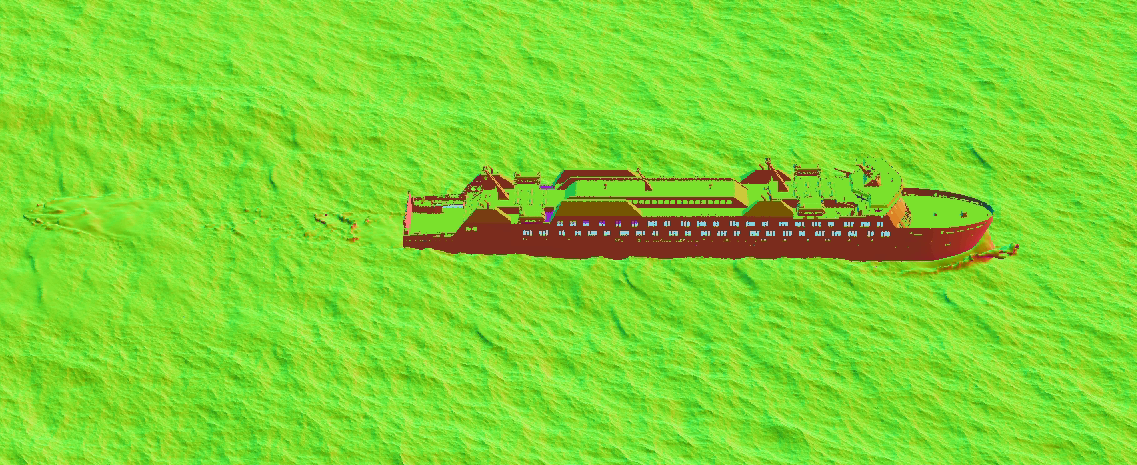
friends can I get a sanity check on ocean toolkit workflow? I’m doing a guided ocean tank style thing here, simming a chunk of ocean around a ship, meshing and extending the geo to render with the ocean spectrum…I’ve written out my spectrum.bgeo file along with my spectrum_mask.$F4.bgeo files and yet I still get double displacement happening in the simmed region

I may actually see where I’m going wrong here, one sec

ok yay

in case anyone is up against this I’ll add some search tags here: ocean spectrum toolkit displacement mask double guided tank simulation sim
the tools will initialize your ocean spectrum setup looking like this and asks you to write out the single frame master .bgeo file that contains the spectrum data, you DONT want this one if you’re simming a chunk inside the spectrum
what you need to do is resave the spectrum again from the nodes that get created to import and mesh the simmed ocean slice…I had stupidly assumed this spectrum was no different, but it is

Attachments in this post:
http://fx-td.com/houdiniandchill/wp-content/uploads/discord/20221606/12/22/unknown.png

Archived post by SniperJake945

@Casey throw this in a prim wrangle (this code snippet group edges based on the interior angle of the two adjacent prims):
“`c vector edge(int h){ return vector(point(0, “P”, hedge_dstpoint(0, h))) – vector(point(0, “P”, hedge_srcpoint(0, h))); }
int h = primhedge(0, @primnum); int test = h; do{ if(hedge_equivcount(0, h) > 1){ vector e = edge(h) * (hedge_primary(0,h) ? 1 : -1); int prim1 = hedge_prim(0, h); int prim2 = hedge_prim(0, hedge_nextequiv(0, h)); vector n1 = prim(0, “N”, prim1); vector n2 = prim(0, “N”, prim2); matrix3 m = dihedral(e, set(0,0, 1)); //rotate e to be face up n1 *= m; n2 *= m; n1.z *= 0; //ensure our normal is 2d now, and normalize, probably overkill but whatever n2.z *= 0; n1 = normalize(n1); n2 = normalize(n2); float ang = atan2(n2.y*n1.x – n2.x*n1.y, n2.x*n1.x + n2.y*n1.y); //angle between vectors in 2d ang += M_PI; //interior angle, from 0-2PI if(ang <= radians(ch("interior_angle_maximum"))){ //our test is in degrees, typically we want to find interior angles lower than 100 degrees? setedgegroup(0, "peaks", hedge_srcpoint(0, h), hedge_dstpoint(0, h), 1); } } h = hedge_next(0, h); }while(h != test); ``` and then click the add parms button thing on the wrangle, for the geo you sent, it seems like an angle threshold of 100 degrees seems to work 🙂

oh and you need to add prim normals with a normal sop