Archived post by shadeops

General PSA when rendering VDBs with Karma (XPU/CPU) or the Vulkan Viewport
Currently when rendering VDB volumes in a Houdini renderer, Houdini will read the entire VDB file from disk regardless of the number of fields within the VDB that are actually used.
Say for example when working in SOPs, you exported a VDB with the following fields to a VDB on disk. – `density` ( 200MB ) – `temperature` ( 200MB ) – `scatter` ( 300MB ) – `vel` ( 350MB ) – `rest` ( 300MB ) – `flame` (150MB ) (Total, 1500MB file)
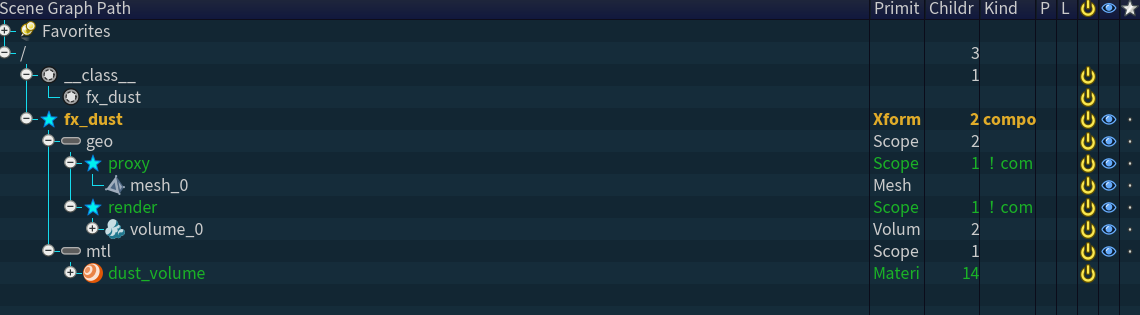
However on the USD Stage, either through pruning or selective loading with a Volume LOP, your final stage looks like “` /fx/geo/explosion/ [ Volume ] density [OpenVDBAsset] vel [OpenVDBAsset] scatter [OpenVDBAsset] “` Since only 850MB of data is needed to render, ideally that is all that would be loaded from the VDB files (since they support random access). However with Karma / Vulkan this isn’t the case and all the fields will be read from disk. Which can cause a lot of extra network I/O.
As for other renderers – – RenderMan 26 will only read the fields from disk that are referenced on the stage. (850MB) – V-Ray 7 will only read the fields from disk that are referenced on the stage and used within the volume shaders (850MB)
tl;dr – Make sure you only save the VDB fields you intend to render with, pruning on the stage doesn’t reduce I/O with Karma / Vulkan.

Technically you could have 1 field per VDB file, and assemble them under one Volume prim on the stage and Karma would be okay with that. Resulting in data I/O for only what is on the stage. However other renderers (V-Ray especially) will have an utter shit-fit if your fields are spread across multiple VDBs. So not really recommended.

(This was verified by using a file page monitor on Linux)

Archived post by vanity_ibex

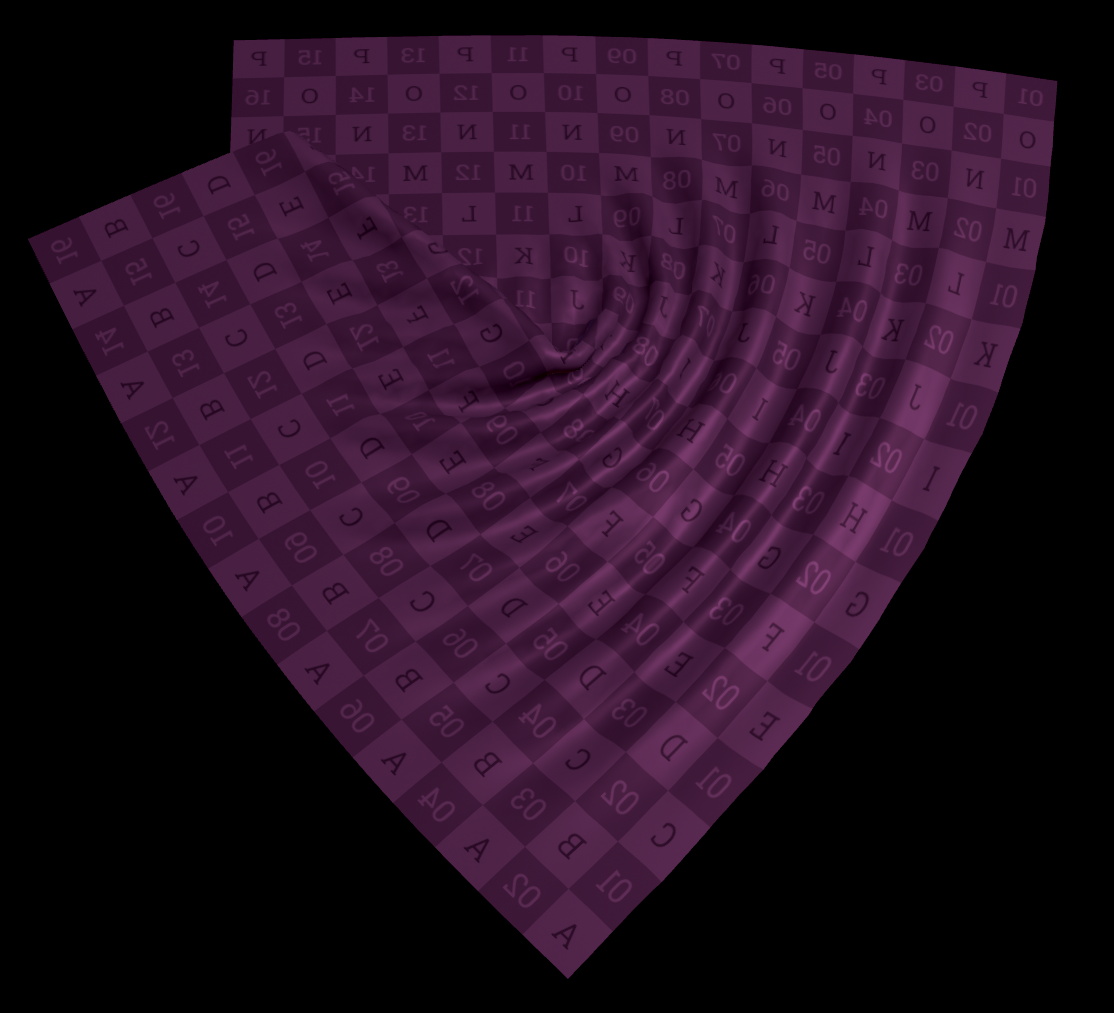
Ported Mild Slope Equation Solver to COPs (Fancy Ripple Solver)

wrote a little bit about it here: vanity-ibex.xyz/blog/mildslopeequation/

Attachments in this post:
http://fx-td.com/houdiniandchill/wp-content/uploads/discord/20264801/13/26/Mild-Slope_Equation_09.rop_image1.0001_output_compressed_crf20.mp4
http://fx-td.com/houdiniandchill/wp-content/uploads/discord/20264801/13/26/Mild-Slope_Equation.hiplc

Archived post by mysterypancake

dumb cops question – does anyone know how to get the size of the volume in hscript?

i thought volumeres but no luck 🙁

finished prefix sum, now around 15x faster 👀

also the iterations can be animated now

Attachments in this post:
http://fx-td.com/houdiniandchill/wp-content/uploads/discord/20263801/12/26/image.png
http://fx-td.com/houdiniandchill/wp-content/uploads/discord/20263801/12/26/prefixsum.mp4
http://fx-td.com/houdiniandchill/wp-content/uploads/discord/20263801/12/26/cops_fast_prefixsum.hiplc
http://fx-td.com/houdiniandchill/wp-content/uploads/discord/20263801/12/26/prefixsum_animate.webp

Archived post by kolupsy

a while ago I thought it would be fun to try and optimize the “equalize” node. It’s not perfect since I don’t think cops allows image inputs of different sizes but it seems to run faster than the builtin “equalize” node by using a more parallel-friendly algorithm. Thought I’d drop that here in case anybody is interested

Attachments in this post:
http://fx-td.com/houdiniandchill/wp-content/uploads/discord/20260001/10/26/cops_fast_normalize.hipnc
http://fx-td.com/houdiniandchill/wp-content/uploads/discord/20260001/10/26/image.png

Archived post by igor.elovikov

i usually do this:
“`py HOU_SEVERITY_MAP = { logging.DEBUG: hou.severityType.Message, logging.INFO: hou.severityType.ImportantMessage, logging.WARNING: hou.severityType.Warning, logging.ERROR: hou.severityType.Error, logging.CRITICAL: hou.severityType.Fatal, }
class HouLogHandler(logging.StreamHandler): def __init__(self): super().__init__(self)
def emit(self, record: logging.LogRecord): hlog_entry = hou.logging.LogEntry( record.msg, source=record.name, severity=HOU_SEVERITY_MAP[record.levelno], ) hou.logging.log(hlog_entry) “`
now i can connect this handler to builtin logging:
“`py import logging
logger = logging.getLogger(“GLTF Exporter”) logger.handlers = [HouLogHandler()] # or adding handler to default stdout if i’m headless logger.setLevel(logging.DEBUG)
logger.info(“GLTF Exporter imported”) “`

Archived post by shadeops

Prior to Houdini 21, when ever you installed an HDA to your hip, `hou.hda.installFile()`, it would internally run the `dsreload` hscript command which rebuilt all the shelves and toolbars. Which for one HDA isn’t expensive. But this would happen for every HDA installed, and the more HDAs you installed the longer it would take. So they added a hou.hda.installFiles() as a way to batch it, which triggers a single `dsreload` at the very end. Internally when loading a hip the same thing would happen, so they changed the hip file loading to batch load them as well.

Archived post by will1059

Hey, This is a bug. The blenshape animation does exist on the skeleton. It just needs to be invoked. Simply bypassing the skeleton blend in the unpack character will fix it. This is being fixed 🙂

Here is a basic slider setup.

Attachments in this post:
http://fx-td.com/houdiniandchill/wp-content/uploads/discord/20250712/03/25/image.png
http://fx-td.com/houdiniandchill/wp-content/uploads/discord/20250712/03/25/apex_rig_to_solaris_as_usdskel_plus_blendshapes.hiplc
http://fx-td.com/houdiniandchill/wp-content/uploads/discord/20250712/03/25/output.gif
http://fx-td.com/houdiniandchill/wp-content/uploads/discord/20250712/03/25/mouth.zip