Archived post by Reinhold

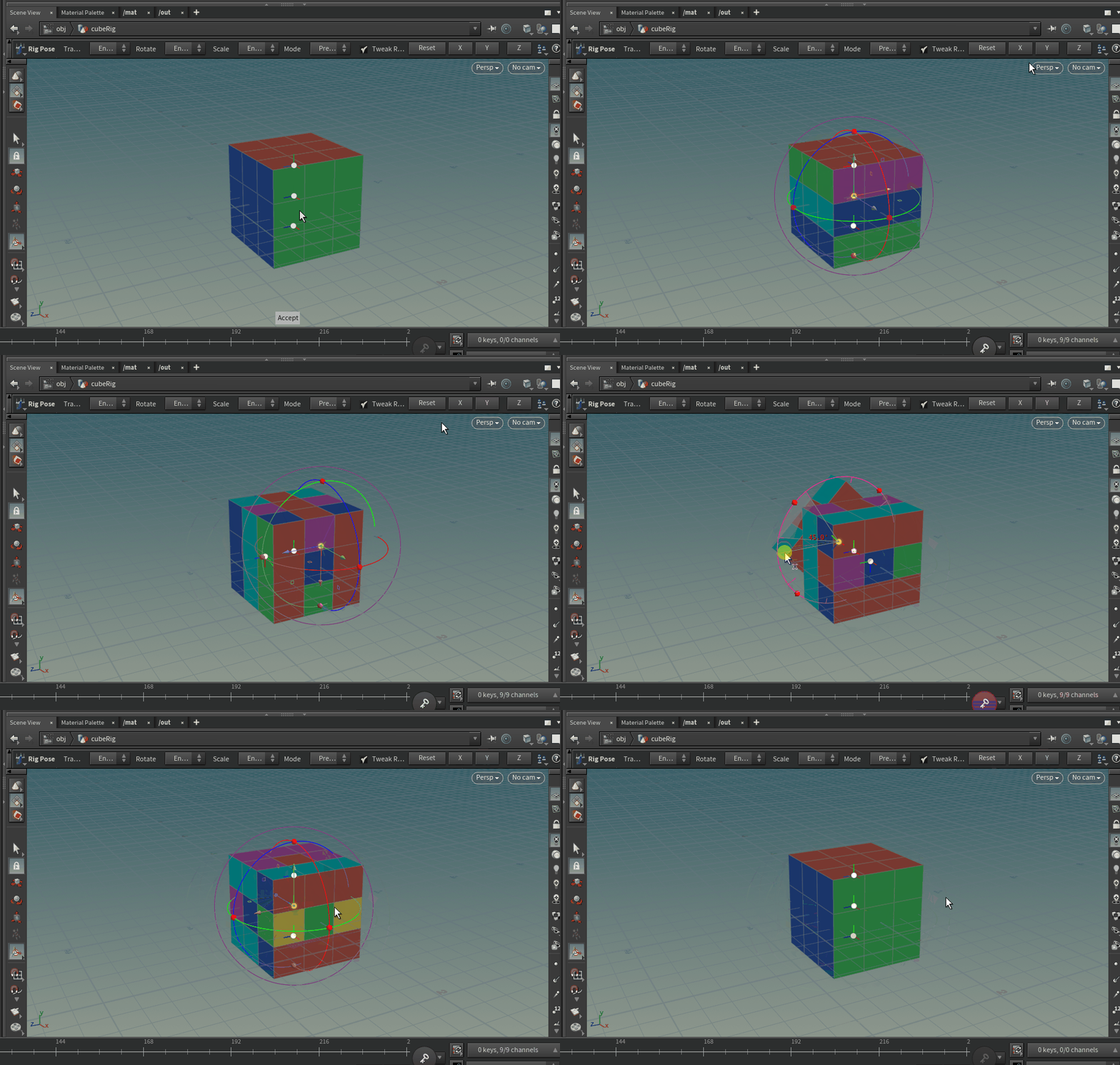
Curious to hear what you think. I’m a total kinefx noob … probably some odd choices in that setup

I really want to tackle a version now that can roll over the corners, rather than just hinge on the edges. Maybe tomorrow

Much more straightforward than I thought

Attachments in this post:
http://fx-td.com/houdiniandchill/wp-content/uploads/discord/20232203/20/23/2023-03-20_08-12-44.mp4
http://fx-td.com/houdiniandchill/wp-content/uploads/discord/20232203/20/23/box_stack_animation_v2.hipnc

Archived post by will

Here is another go a squash and stretch, I calculated the distance between two points and then scaled a joint in-between.

I have added some shape controls on the rig vop, something to play with

Attachments in this post:
http://fx-td.com/houdiniandchill/wp-content/uploads/discord/20220908/11/22/2022-08-11_09-30-05.mp4
http://fx-td.com/houdiniandchill/wp-content/uploads/discord/20220908/11/22/squash_and_stretch.hiplc

Archived post by heimlich

there’s a story to it…

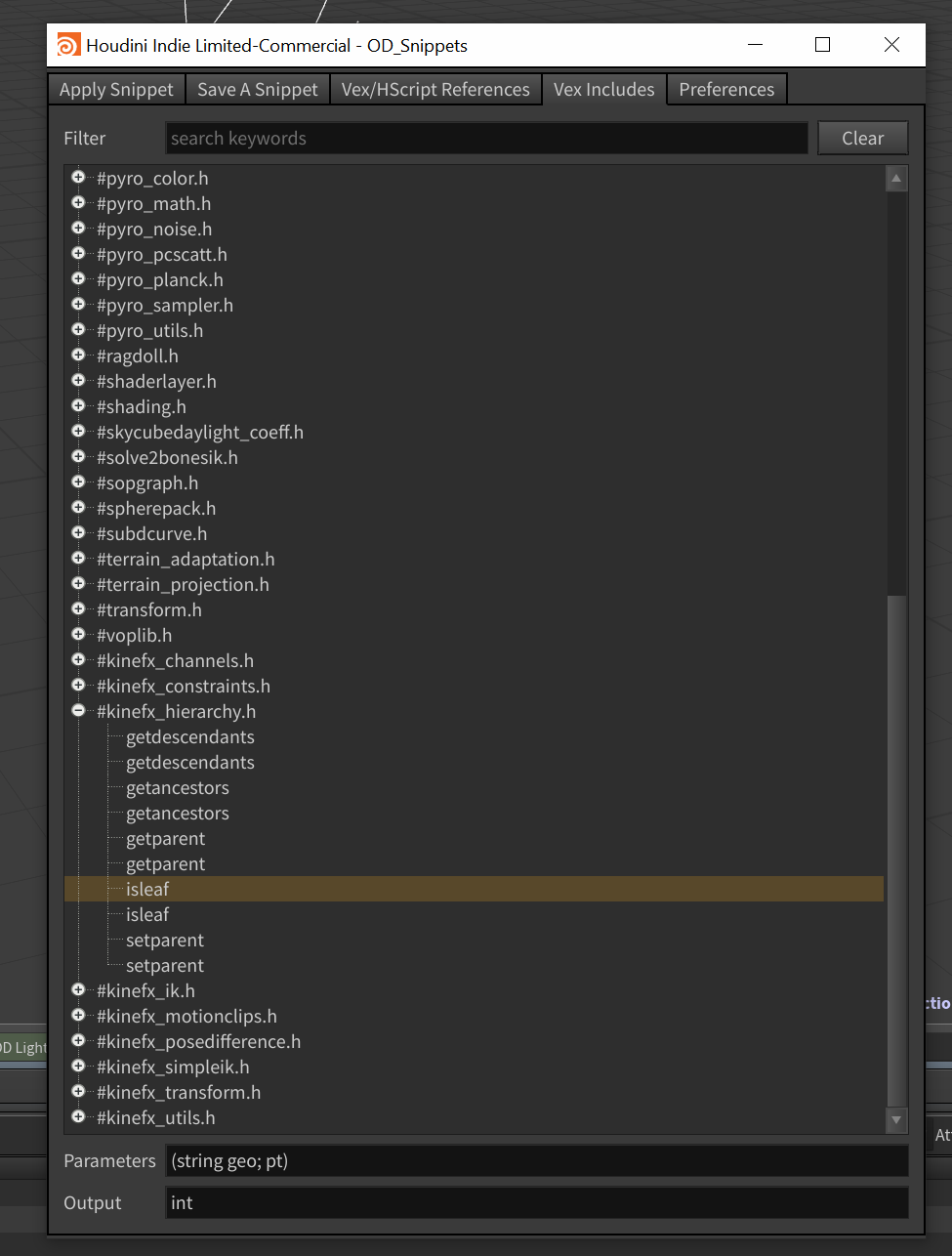
a while back, I asked how to do a saw function.. and this dude called @mestela blurted out “oh.. there’s a saw function in pyro.h” and i just thought.. wtf… first.. whats pyro.h, second, how the fuck would you even know about it….. so.. then I investigated a bit, and turns out, there’s a shitload, of that functionality in these includes… so in odtools, i added a section in the snippet manager, that lists and lets you search for all these functions… like this….

there’s a LOT of functionality, that, i dont know that is searchable in any other form… and in a way, thats a real shame. cause how would you know these functions exist

Attachments in this post:
http://fx-td.com/houdiniandchill/wp-content/uploads/discord/20221005/14/22/unknown.png

Archived post by friedasparagus

You could look at the MotionClips? The MotionClip Extract node allows you to create motion trails from a given clip

There’s a couple of gotchas to be aware of when working with the RBD sim, the red-coloured wrangles are where these little bits get taken care of. See if the scene makes sense and/or it’s or any use for what you were thinking of 😅

Attachments in this post:
http://fx-td.com/houdiniandchill/wp-content/uploads/discord/20215604/20/21/rbd_test.hip

Archived post by SquidBean

cool I will be in hangouts in 2mins

Okay, so I got something working finally!

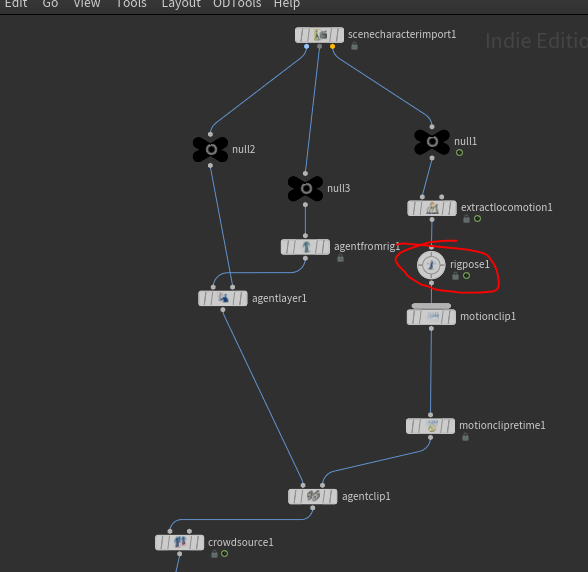
the key here was to edit the rig, and add a transform null in the right place.

and then extract that transform using the extractlocomotion sop

note that my locomotion reference is NOT the null I am actually animating, but the one being transformed by it, still being the key null in the skeleton.

And that it works… I can use the motion tools (rigpose) to mess it all up again 😀

Attachments in this post:
http://fx-td.com/houdiniandchill/wp-content/uploads/discord/20204210/23/20/kinefx_agent_locomotion_fail_02.gif
http://fx-td.com/houdiniandchill/wp-content/uploads/discord/20204210/23/20/unknown.png

Archived post by friedasparagus

Hey! Sorry for missing all the rigging fun (!) here… Unfortunately discord has been squeezed out of the every day happenings 😦 @TOAD$TORM One approach you could take to a planar lookat is to slightly bastardise the build in lookat constraint. The lookat constraint uses the same logic that you might be used to in the `maketransform(v@z, z@y)` vex function – i.e. the up axis gets corrected to form a rigid transform after the z and x axes have been determined. We can leverage that to keep the resulting ‘forward’ vector at 90 degrees to a given ‘up’ vector by switching them around: Set the ‘lookat’ target to the ‘up’ vector and the ‘lookat-up’ target to the position of the driver object – the result of which being that the constraint output swivels around the axis set by the ‘lookat’ input. By default this would give us a transform with the ‘Y’ axis pointing towards the driver, but fortunately the lookat constraint lets us set which axis points to ‘target’ and ‘up’ which will give us something like this

The other potentially nifty thing here is that because we’re setting the ‘lookat’ based up the DRIVEN objects own world space, we can modify the DRIVEN objects orientation and the constraint will continue to swivel around its own axis

And here’s the belated example of rigging a planar chain of more than 2 bones with a kind of ‘stiffness’ control that allows us to control how the solution is distributed between two-bone segments… Maybe it’s useful/helpful?

Attachments in this post:
http://fx-td.com/houdiniandchill/wp-content/uploads/discord/20194211/14/19/lookat_zx_plane.hip
http://fx-td.com/houdiniandchill/wp-content/uploads/discord/20194211/14/19/zig_zag_bones_with_quasi_stiffness.hip

Archived post by aswaab

@flight404

here’s a chops way of doing it. I have something in there that will remove any scaling from the world cam/nulls, etc.

Knowing the CHOPS way is cool because you can do things like time-shift, retime, filter, sample, etc. Good to know even if not for your specific case tonight.

Attachments in this post:
http://fx-td.com/houdiniandchill/wp-content/uploads/discord/20194208/22/19/get_world_cam.hiplc