like so:
Attachments in this post:
http://fx-td.com/houdiniandchill/wp-content/uploads/discord/20252410/22/25/explorer_LzCduZq25w.mp4
like so:
Attachments in this post:
http://fx-td.com/houdiniandchill/wp-content/uploads/discord/20252410/22/25/explorer_LzCduZq25w.mp4
thanks man these are nice. he is using polycut, nice use case for this node
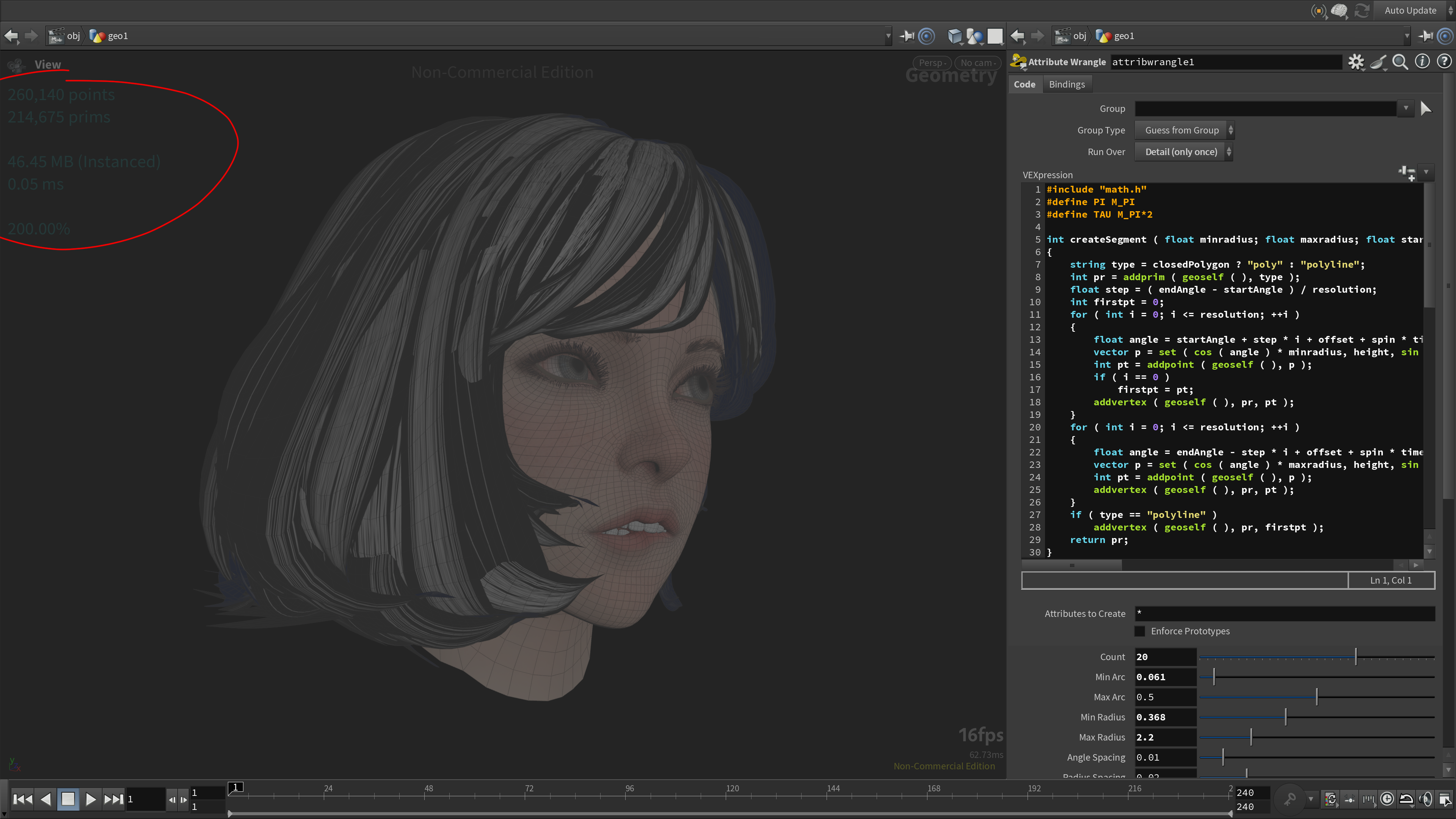
Anyone know the nodegraphtitle.py trick? I searched here but there is no mention of it. If you override this file in your user directory, you can have custom stats on the network editor like this (top left).
I use this code:
“`python from __future__ import print_function import hou import nodegraphprefs as prefs
def networkEditorTitleLeft(editor): try: title = ‘\n’
#title += “Viewport\n\n”
selectedNodes = hou.selectedNodes() if len(selectedNodes) == 1 and hou.ui.updateMode() == hou.updateMode.AutoUpdate: currentNode = selectedNodes[0] nodePath = currentNode.path()
#title += str(len(currentNode.geometry().points())) ptcount = int(hou.hscriptExpression(“npoints(\”” + nodePath + “\”)”)) primcount = int(hou.hscriptExpression(“nprims(\”” + nodePath + “\”)”))
title += str(f'{ptcount:,}’) + ” points\n” title += str(f'{primcount:,}’) + ” prims\n\n”
opinfo = hou.hscript(“opinfo -n ” + nodePath)[0]
if “Memory: ” in opinfo: memory = opinfo.split(“Memory: “)[1].split(“\n”)[0] if ‘;’ in memory: # Split the text at the first ‘;’ occurrence parts = memory.split(‘;’, 1) # Rejoin with the second part encapsulated in parentheses memory = f”{parts[0]} ({parts[1].strip()})” title += memory + “\n”
cooktime = opinfo.split(“Last Cook Time: “)[1].split(“\n”)[0] title += cooktime + “\n\n”
screenbounds = editor.screenBounds() # Figure out how much we need to scale the current bounds to get to # a zoom level of 100 pixels per network editor unit. bounds = editor.visibleBounds() currentzoom = editor.screenBounds().size().x() / bounds.size().x() title += “{:0.2f}%\n”.format(currentzoom)
“`
“`python pwd = editor.pwd() playerparm = pwd.parm(‘isplayer’) if playerparm is not None and playerparm.evalAsInt() != 0: title += ‘Network in Playback Mode\n’ if prefs.showPerfStats(editor): profile = hou.perfMon.activeProfile() if profile is not None: profiletitle = profile.title() if not profiletitle: profiletitle = ‘Profile ‘ + str(profile.id()) title += profiletitle + ‘: ‘ + prefs.perfStatName(editor)
except: title = ”
return title
def networkEditorTitleRight(editor): try: title = ” pwd = editor.pwd() title += pwd.childTypeCategory().label()
except: title = ”
return title “`
Attachments in this post:
http://fx-td.com/houdiniandchill/wp-content/uploads/discord/20251010/18/25/image.png
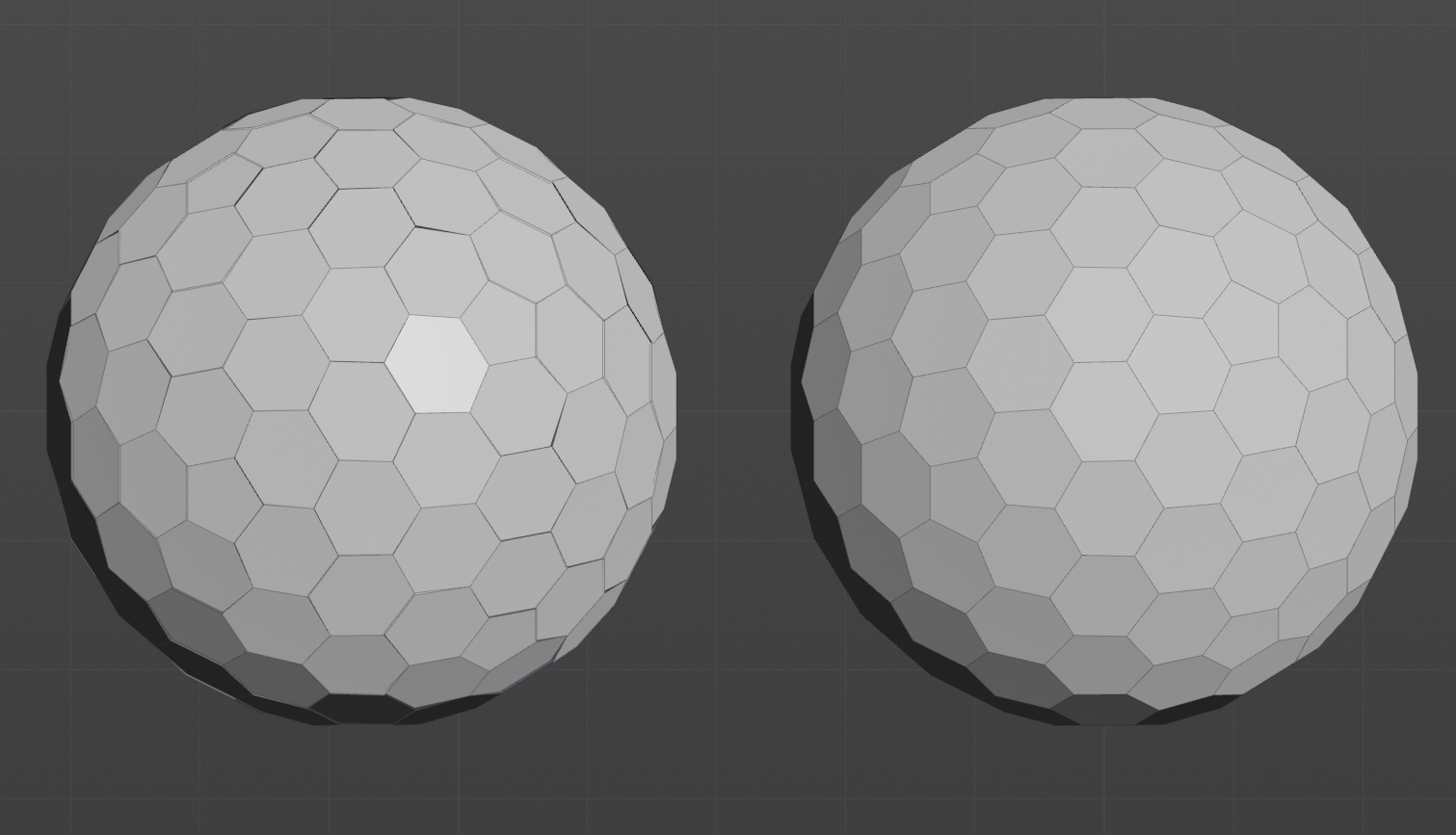
i know we’ve all moved on from the hex sphere conversation but i will say the planarization method sidefx is using in the facet sop is actually so un flattering. Im assuming its generating some kind of per face normal and then using the average position and then projecting wrt to that. but like there are so many better methods… For instance, using the local/local solve from: roipo.github.io/publication/poranne-2013-interactive/planarization.pdf
We get the result on the right after 50 iterations (which is planar for all faceted polygons) vs what’s coming out of the facet sop with make planar turned on (left)…
The file also includes an example of the local global solve (or at least to the best of my ability it does)
if we planarize before faceting we can get even better results in some cases. Like this sphere example. The left is facet and the right is the local/local solve (faceted after).
Attachments in this post:
http://fx-td.com/houdiniandchill/wp-content/uploads/discord/20250810/18/25/image.png
http://fx-td.com/houdiniandchill/wp-content/uploads/discord/20250810/18/25/jr_planarize_polygons.hip
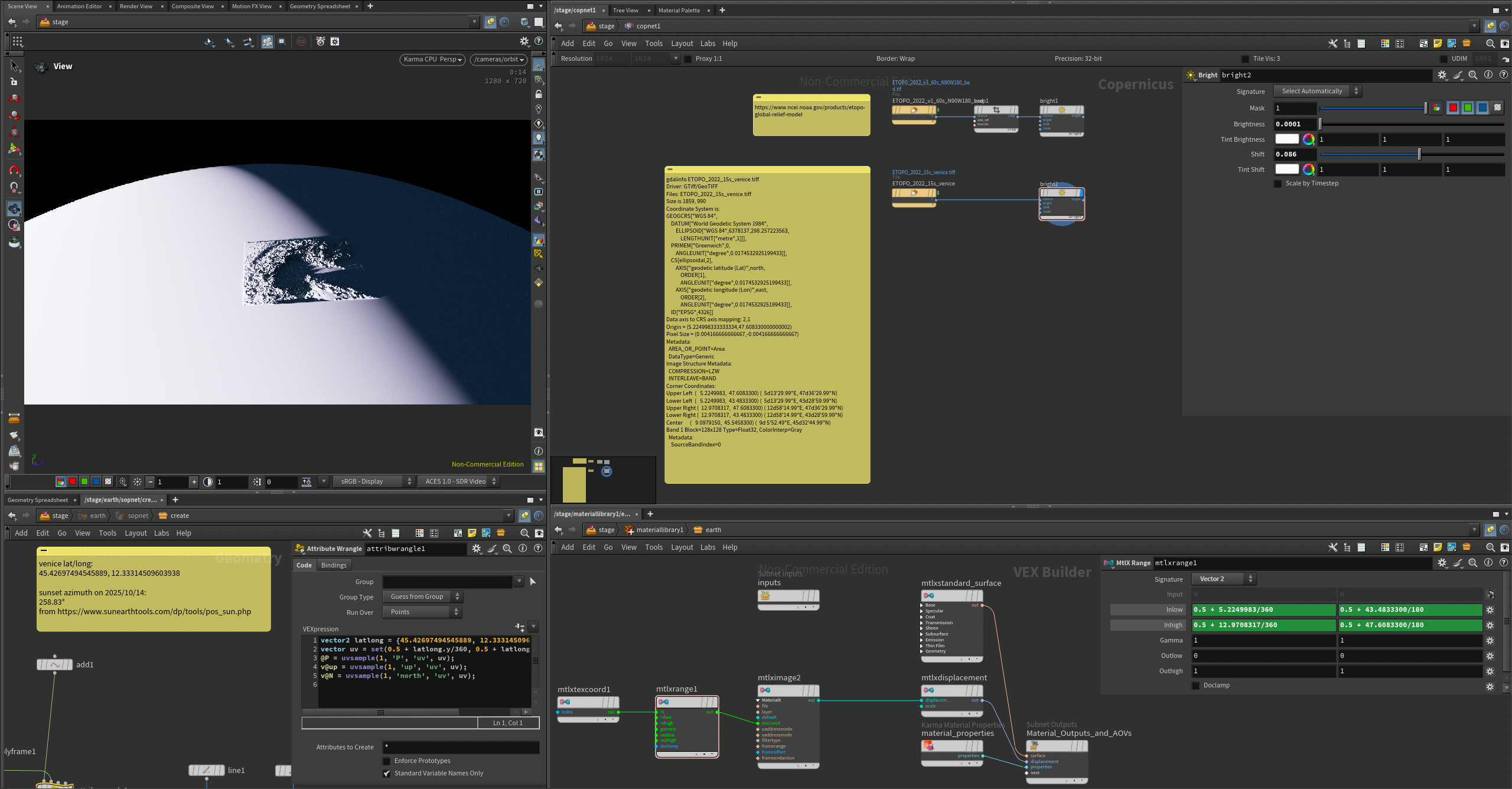
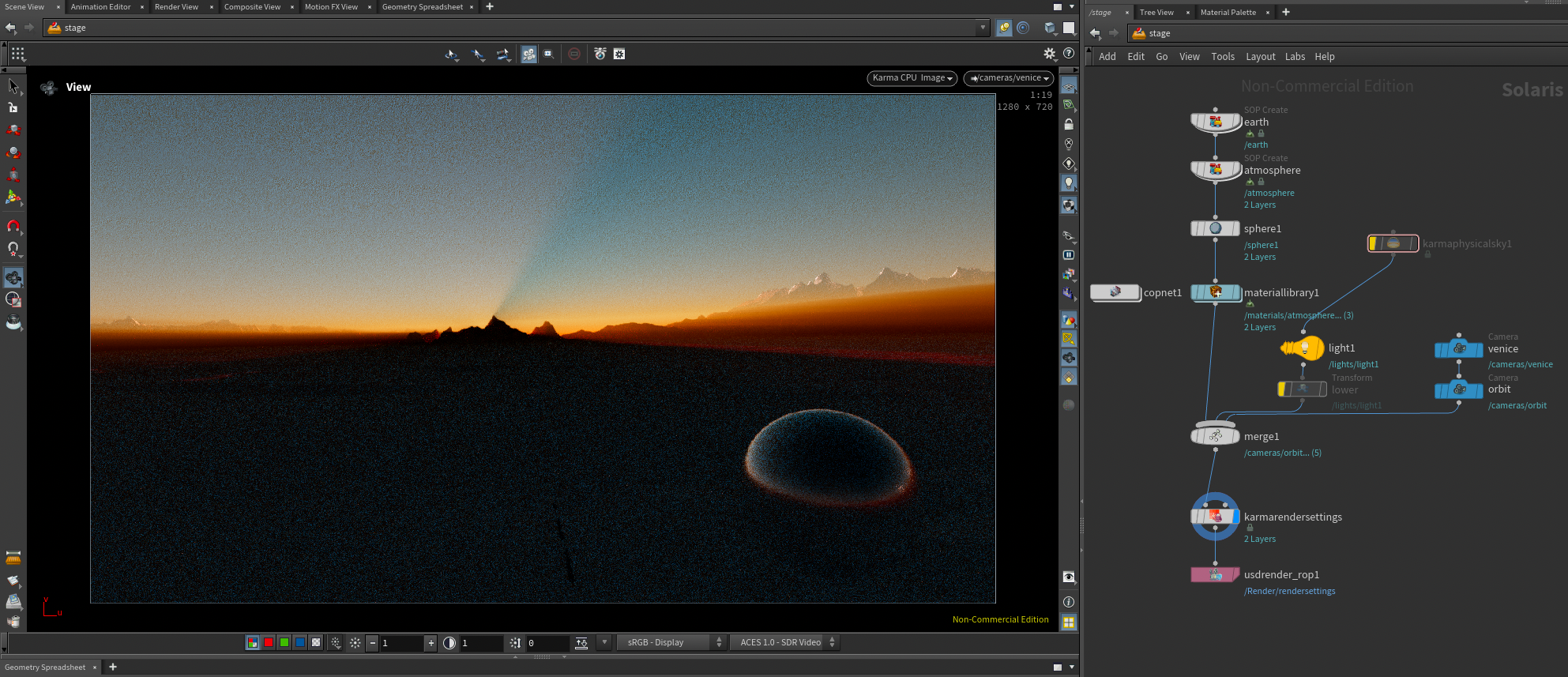
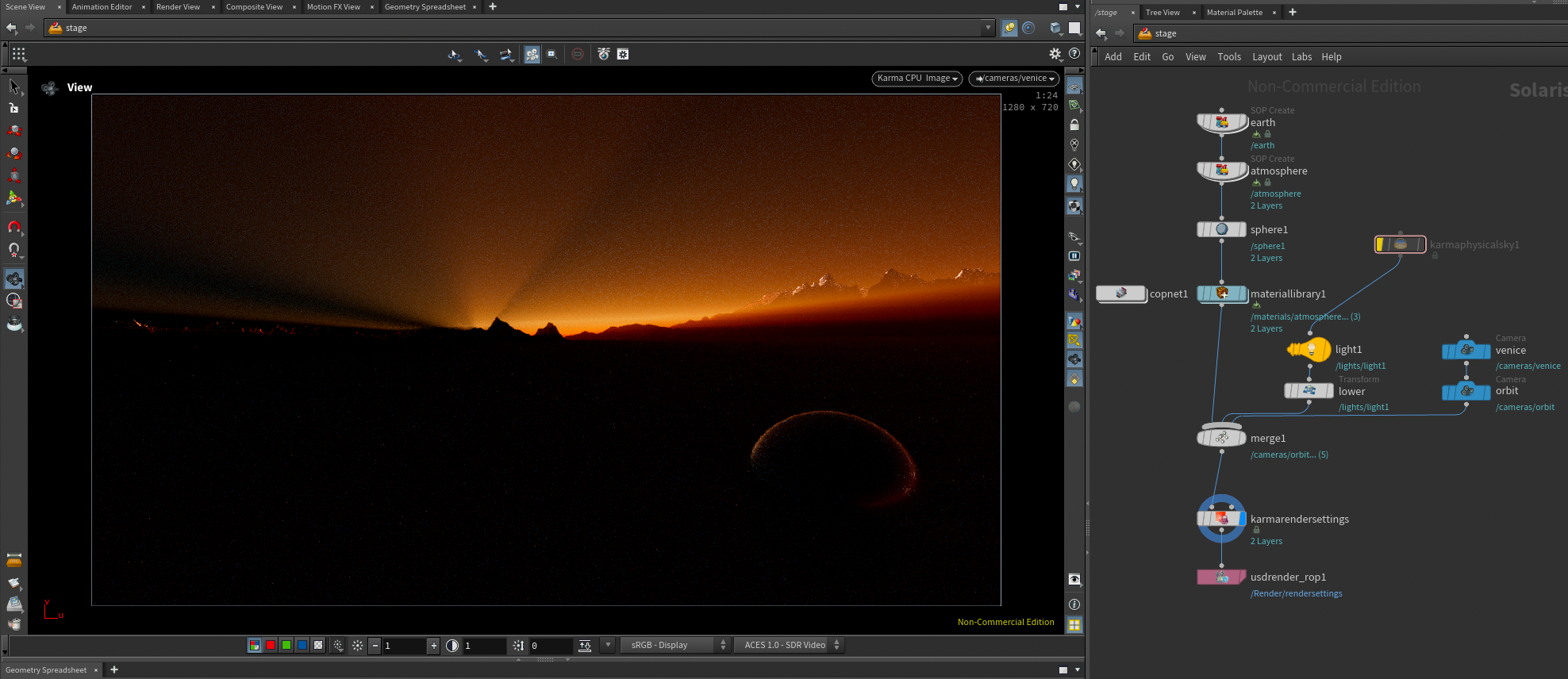
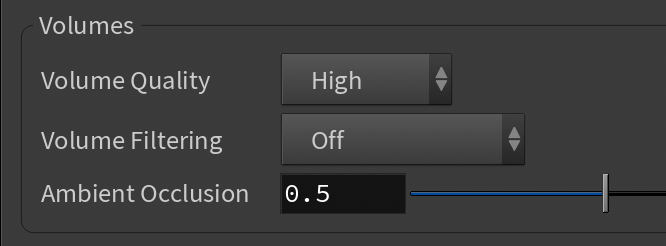
ok that pic flight took of the sunset shadow had been bugging me (discord.com/channels/270023348623376395/351983374510063636/1427701531674939523) so i did the obvious thing: downloaded an etopo DEM geotiff and used it to displace a scale model of the earth with a layer of uniform volume for the atmosphere, then looked up exactly which direction the sun set in on that day and put a sphere light over there 149 million km away 🌄 waddya know there are two mountains in just the right place and karma can kind of render a sunset even though it’s not spectral and doesn’t really have rayleigh scattering lobes
Attachments in this post:
http://fx-td.com/houdiniandchill/wp-content/uploads/discord/20250110/16/25/Ls_KarmaSunset_v01.zip
http://fx-td.com/houdiniandchill/wp-content/uploads/discord/20250110/16/25/Screenshot_2025-10-16_at_21.20.12.png
http://fx-td.com/houdiniandchill/wp-content/uploads/discord/20250110/16/25/Screenshot_2025-10-16_at_21.10.22.png
http://fx-td.com/houdiniandchill/wp-content/uploads/discord/20250110/16/25/Screenshot_2025-10-16_at_21.12.10.png
it’s stupid
can we see your rasterize volume?
before it goes into axiom
Attachments in this post:
http://fx-td.com/houdiniandchill/wp-content/uploads/discord/20252210/15/25/image.png
it can be sped up
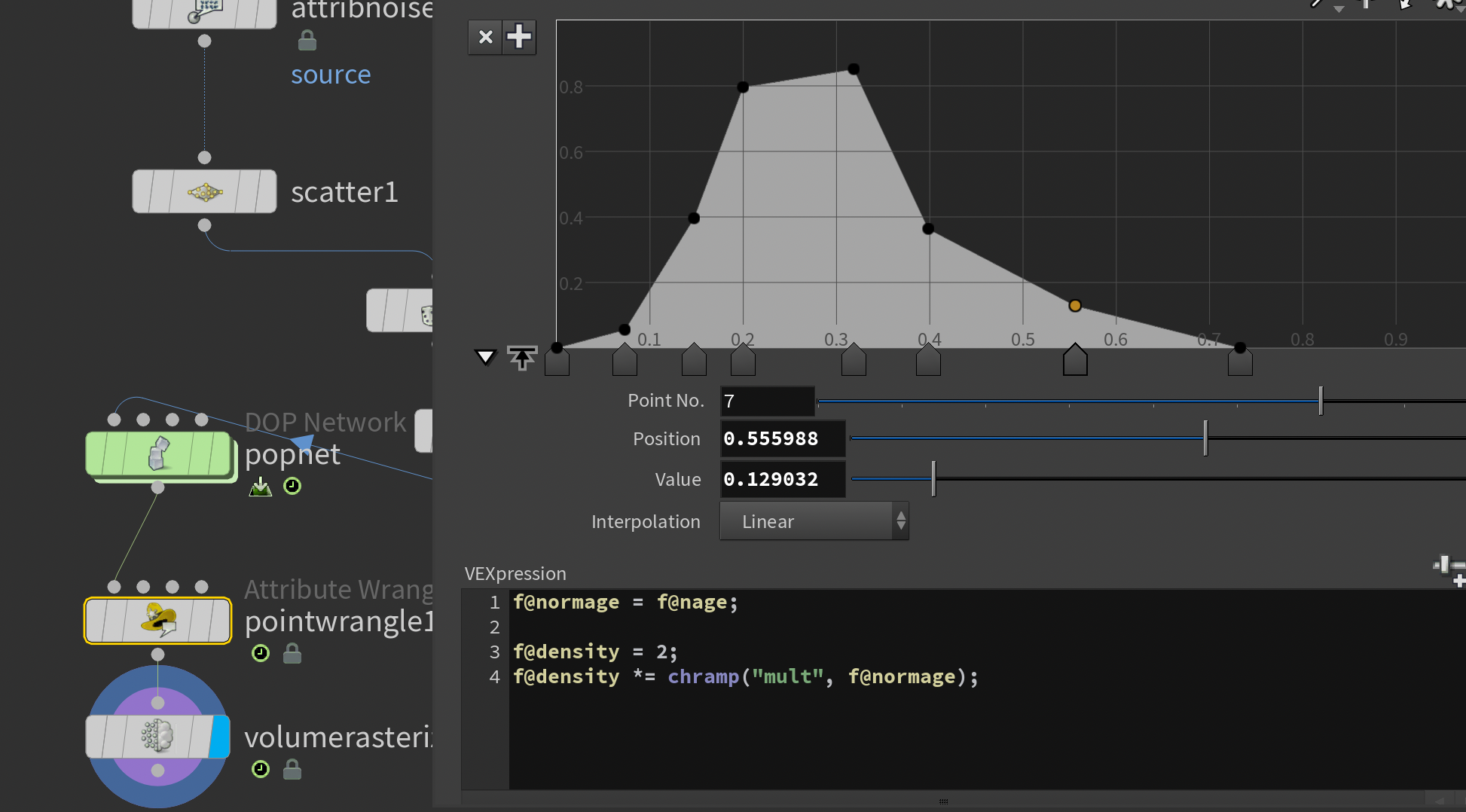
regarding creating density, here’s a little trick I use with all my sourcing. It makes the emission more natural, and reduces having bad looking sourcing visible.
mult your density with a remapped normalized age. This starts it out from zero, ramps up, and fades down
Attachments in this post:
http://fx-td.com/houdiniandchill/wp-content/uploads/discord/20254410/15/25/image.png
here’s the .hip file of the title cards for each new ‘chapter’ I used in my equinox presentation 🙂
Attachments in this post:
http://fx-td.com/houdiniandchill/wp-content/uploads/discord/20254710/10/25/mmaammaaaaaaoooeeeoooo.mp4
http://fx-td.com/houdiniandchill/wp-content/uploads/discord/20254710/10/25/somecooltext.hip
maybe. here’s the .hip for the self regenerating patterns, some other small experiments in there too
if it still dont work lmk
Attachments in this post:
http://fx-td.com/houdiniandchill/wp-content/uploads/discord/20255910/09/25/somerdfun.hip
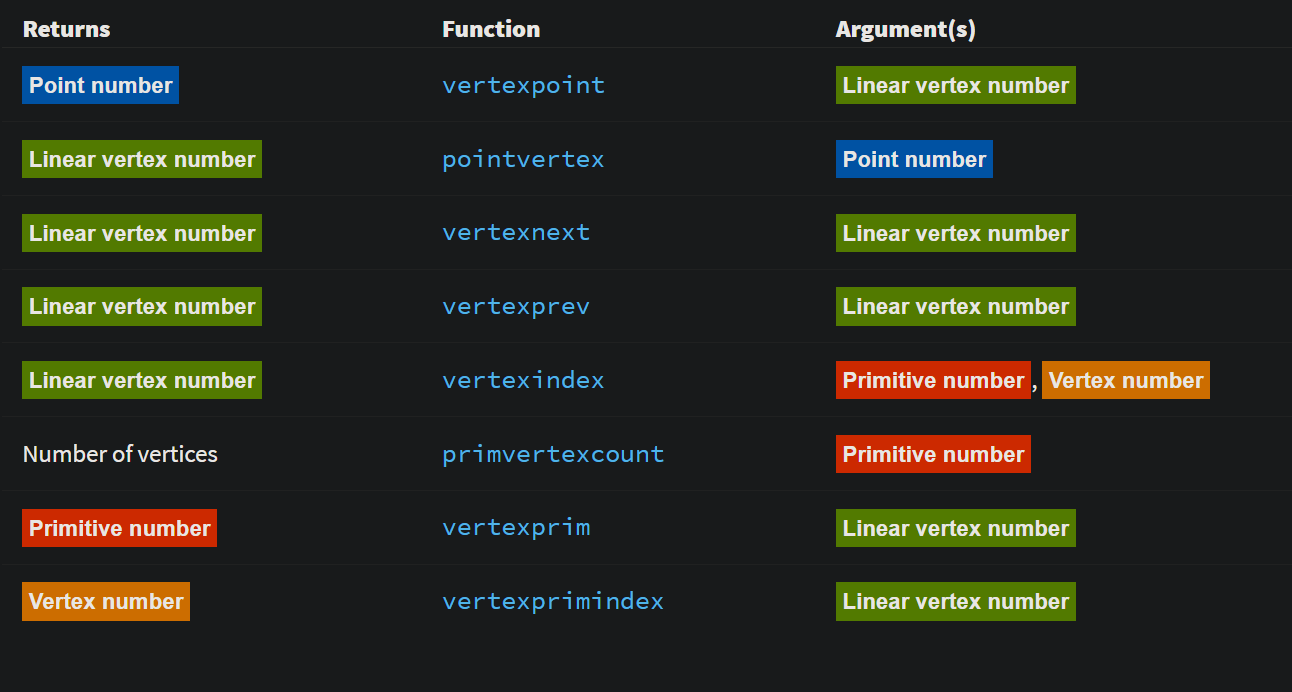
I am just used to from-to-action syntax as used in many graphics libraries.
Those were brutal but I am glad SESI put the coloring method I sent them into the docs back in the day.
Attachments in this post:
http://fx-td.com/houdiniandchill/wp-content/uploads/discord/20252110/07/25/image.png
your primary driver is _what_ scale are you rendering at? everything else is just a scaling factor going from that to the preferred working scale of the solver. Pyro will handle very small values, and very large ones fine, so you don’t tend to mess with the working scale. 1m is 1m for example.
FLIP is notorious for being fiddly as small scale, so anything under 1m in real world size you tend to work in larger scales. Example, simming liquid pouring in to a glass, real size might be 0.1m, but you would generally work at 10x that in FLIP. But on the other end, if the scene is 10m or 100m or 1000m you would leave FLIP at normal scale.
Bullet similar deal. Anything with pieces under 1-2cm can be a pain, so we routinely work 10x in scale. But if your smallest piece is going to be decently sized you might not change working scale at all.
Vellum is roughly based around real-world, so pretty much never change this working scale.
Heightfields, it really just comes down to working in the scale that the solver/defaults are built around.
At the end of it, you’re really only talking about working in the scale best for the solver/technique, and then scaling to render scale for output/lighting.